EasyManua.ls Logo

Okuma OSP-U100M - Page 206

Okuma OSP-U100M
511 pages
Print Icon
To Next Page IconTo Next Page
To Previous Page IconTo Previous Page
Loading...
4203-E
P-185
SECTION
2
PROGRAM
OPERATION
2.
Date
The
NC’s
clock
function
continues
counting
time
even
when
the
power
is
turned
off.
Therefore,
when
the
power
is
turned
on,
the
current
date
is
displayed.
NOTICE
:
Since
this
date
data
is
very
important
for
the
functions
such
as
MacMan,
alarm
log,
etc.,
do
not
change
it
inadvertently.
Date
setting
procedure
is
given
below.
(1)
Press
function
key
[F1]
(DATE).
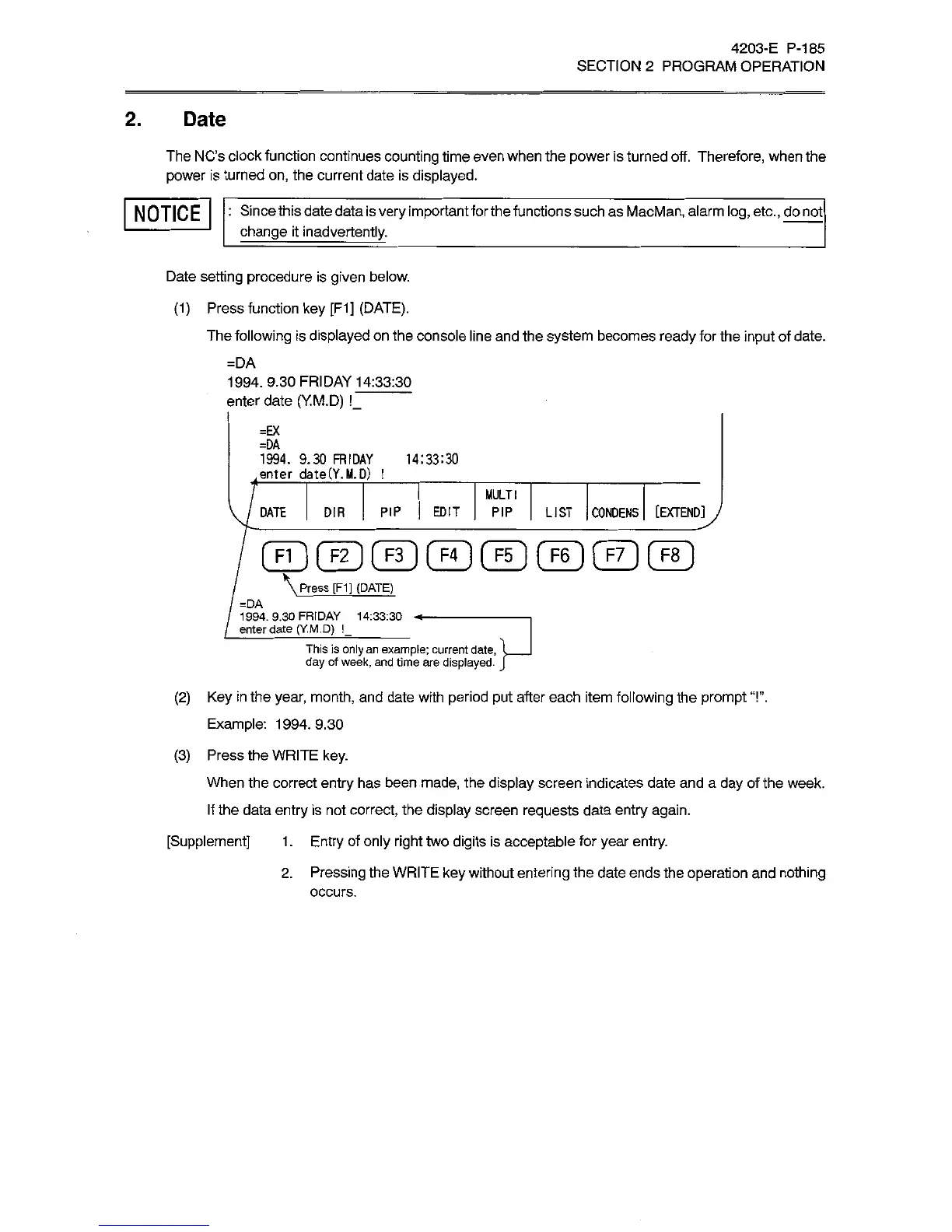
The
following
is
displayed
on
the
console
line
and
the
system
becomes
ready
for
the
input
of
date.
=DA
1994.
9.30
FRIDAY
14:33:30
enter
date
(Y.M.D)
!_
=EX
=DA
1994.
9.30
FRIDAY
enter
date(Y.M.D)
!
14:33:30
MULTI
DIR
PIP
EDIT
PIP
LIST
CONDENS
[EXTENDiy
DATE
\
Press
[F1]
(DATE)
=DA
1
994.
9.30
FRIDAY
1
4:33:30
enter
date
(Y.M.D)
!_
_
This
is
only
an
example;
current
date,
day
of
week,
and
time
are
displayed.
(2)
Key
in
the
year,
month,
and
date
with
period
put
after
each
item
following
the
prompt
“!”.
Example:
1994.9.30
(3)
Press
the
WRITE
key.
When
the
correct
entry
has
been
made,
the
display
screen
indicates
date
and
a
day
of
the
week.
If
the
data
entry
is
not
correct,
the
display
screen
requests
data
entry
again.
[Supplement]
1
.
Entry
of
only
right
two
digits
is
acceptable
for
year
entry.
2.
Pressing
the
WRITE
key
without
entering
the
date
ends
the
operation
and
nothing
occurs.

Related product manuals