EasyManua.ls Logo

Okuma OSP-U100M - Page 231

Okuma OSP-U100M
511 pages
Print Icon
To Next Page IconTo Next Page
To Previous Page IconTo Previous Page
Loading...
4203-E
P-210
SECTION
2
PROGRAM
OPERATION
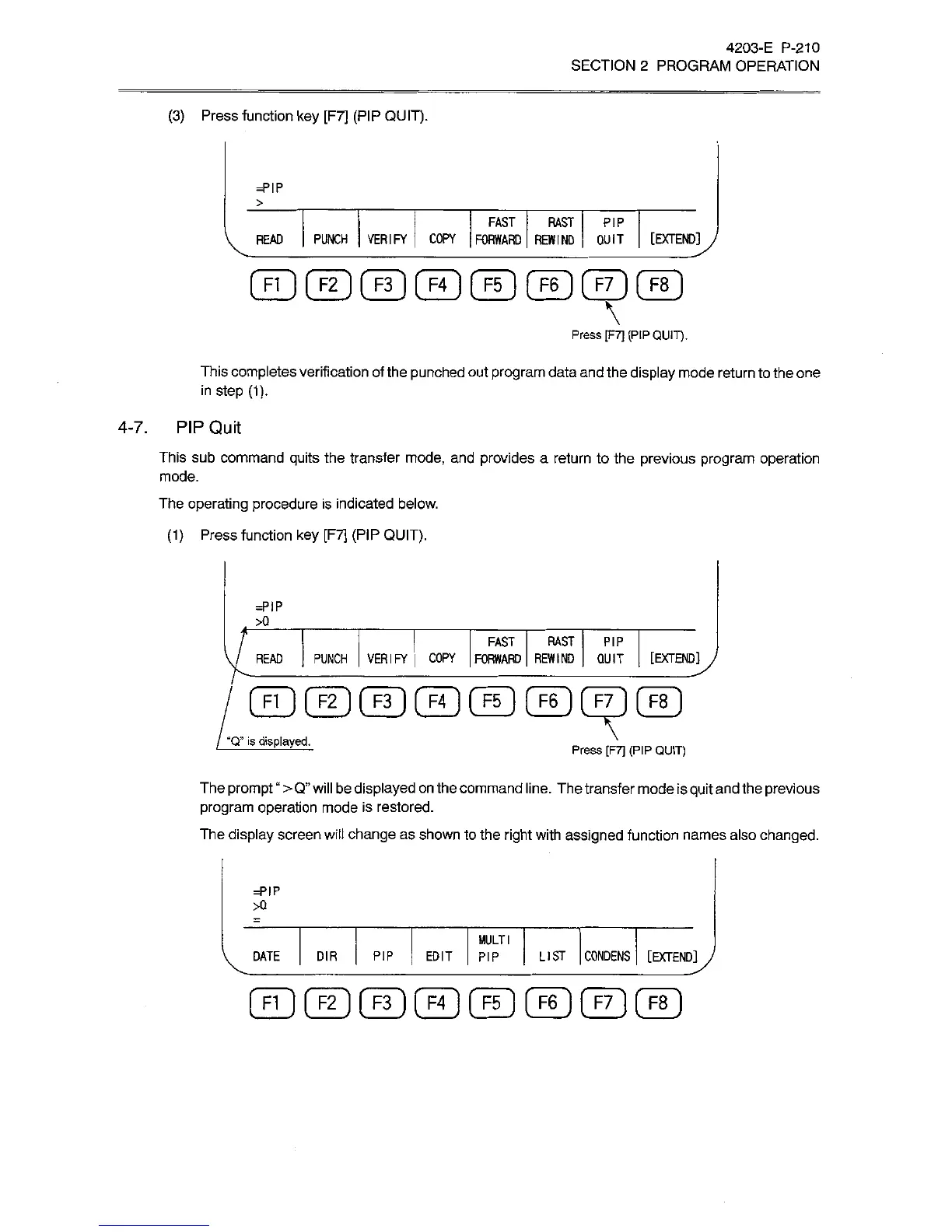
(3)
Press
function
key
[F7]
(PIP
QUIT).
=PIP
>
FAST
RAST
PIP
COPY
FORWARD
REWIND
QUIT
[EXTENDI
|
J
READ
PUNCH
VERIFY
©©©©©©©©
\
Press
IF7]
(PIP
QUIT).
This
completes
verification
of
the
punched
out
program
data
and
the
display
mode
return
to
the
one
in
step
(1).
4-7.
PIP
Quit
This
sub
command
quits
the
transfer
mode,
and
provides
a
return
to
the
previous
program
operation
mode.
The
operating
procedure
is
indicated
below.
(1)
Press
function
key
[F7]
(PIP
QUIT).
=P!P
>0
FAST
RAST
PIP
PUNCH
VERIFY
COPY
FORWARD
REWIND
QUIT
[EXTEND]
READ
F1
)
[
F2
[
F3
] [
F4
(
F5
]
F6
]
[
F7
]
[
F8
“Q”
is
displayed.
Press
[F7]
(PIP
QUIT)
The
prompt
>
Q”
will
be
displayed
on
the
command
line.
The
transfer
mode
is
quit
and
the
previous
program
operation
mode
is
restored.
The
display
screen
will
change
as
shown
to
the
right
with
assigned
function
names
also
changed.
=PIP
>Q
MULTI
PIP
EDIT
PIP
LIST
CONDENS
[EXTEND
]y
DATE
DIR
©©©©©©©©

Related product manuals