EasyManua.ls Logo

Okuma OSP-U100M - Tape Punch Interface

Okuma OSP-U100M
511 pages
Print Icon
To Next Page IconTo Next Page
To Previous Page IconTo Previous Page
Loading...
4203-E
P-327
SECTION
3
DATA
INPUT/OUTPUT
OPERATION
3.
Tape
Punch
Interface
(1)
An
RS232C
serial
interface
is
provided
to
allow
connection
of
a
tape
punch.
Connecting
a
peripheral
device
such
as
a
tape
reader
or
tape
punch
that
also
has
an
RS232C
serial
interface
to
this
RS232C
interface
enables
bulk
transfer
of
NC
part
program
data.
When
the
RS232C
interface
is
used
for
connecting
a
tape
punch,
it
is
necessary
to
set
the
parameters
so
that
communication
is
possible
between
the
NC
and
the
external
device
(tape
punch).
(2)
There
are
two
methods
for
data
transfer
using
RS232C
-
the
normal
BTR
(behind
tape
reader)
method
and
a
method
using
DC
code
control
-
and
the
method
for
connection
to
the
peripheral
device
differs
according
to
which
of
these
is
used.
3-1
.
Operation
Commands
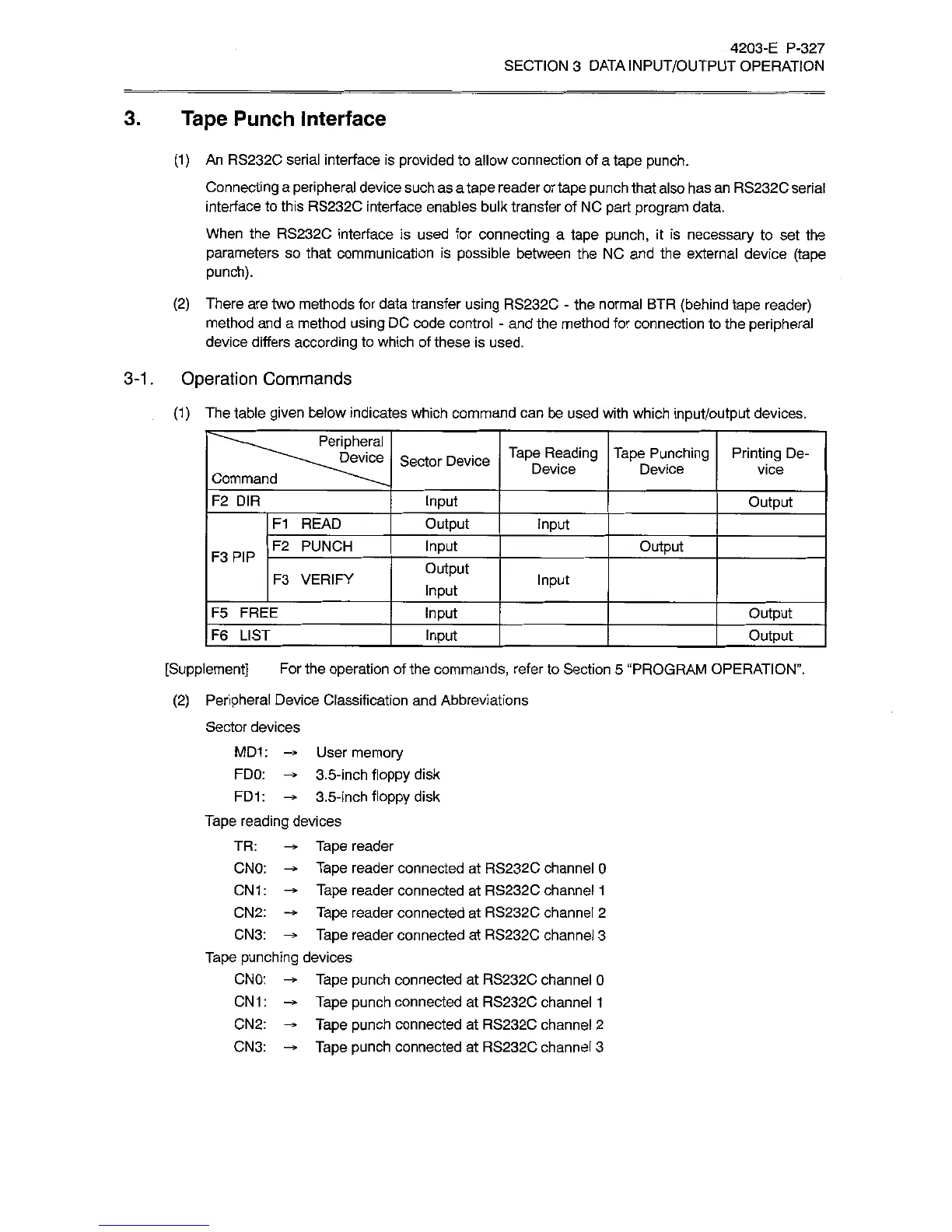
(1)
The
table
given
below
indicates
which
command
can
be
used
with
which
input/output
devices.
Peripheral
Device
Tape
Reading
Device
Tape
Punching
Device
Printing
De¬
vice
Sector
Device
Command
F2
DIR
Input
Output
F1
READ
Output
Input
F2
PUNCH
Input
Output
F3PIP
Output
F3
VERIFY
Input
Input
F5
FREE
Input
Output
F6
LIST
Input
Output
[Supplement]
For
the
operation
of
the
commands,
refer
to
Section
5
“PROGRAM
OPERATION”.
(2)
Peripheral
Device
Classification
and
Abbreviations
Sector
devices
MD1
:
User
memory
FDO:
-*ÿ
3.5-inch
floppy
disk
FD1:
-*
3.5-inch
floppy
disk
Tape
reading
devices
TR:
Tape
reader
CNO:
-*
Tape
reader
connected
at
RS232C
channel
0
CN1:
-*>
Tape
reader
connected
at
RS232C
channel
1
CN2:
-*•
Tape
reader
connected
at
RS232C
channel
2
CN3:
-*
Tape
reader
connected
at
RS232C
channel
3
Tape
punching
devices
CNO:
-*
Tape
punch
connected
at
RS232C
channel
0
CN1
:
Tape
punch
connected
at
RS232C
channel
1
CN2:
-*•
Tape
punch
connected
at
RS232C
channel
2
CN3:
Tape
punch
connected
at
RS232C
channel
3

Related product manuals