EasyManua.ls Logo

Okuma OSP-U100M - Page 347

Okuma OSP-U100M
511 pages
Print Icon
To Next Page IconTo Next Page
To Previous Page IconTo Previous Page
Loading...
4203-E
P-326
SECTION
3
DATA
INPUT/OUTPUT
OPERATION
Printing
devices
-*
Console
-*
NC
operation
panel
CNO:
-*
Printer
connected
at
RS232C
channel
0
CN1
:
-*
Printer
connected
at
RS232C
channel
1
CN2:
-»•
Printer
connected
at
RS232C
channel
2
CN3:
->
Printer
connected
at
RS232C
channel
3
(3)
The
default
devices
are
indicated
below.
For
sector
devices
Tape
reading
devices
CN:
PN:
MD1:
TR:
(This
automatic
selection
can
be
changed
by
setting
NC
optional
parameter
(word)
No.
57.)
CNO
(This
automatic
selection
can
be
changed
by
setting
NC
optional
parameter
(word)
No.
45.)
Tape
punching
devices
Printing
devices
The
default
device
for
a
tape
reading
device
or
tape
punching
device
can
be
changed
by
changing
the
parameter
settings.
PN:
(4)
If
the
output
NC
program
name
is
not
specified,
the
input
program
name
is
assigned
to
the
output
program.
(5)
If
the
input
NC
program
name
is
not
specified,
the
name
assigned
will
be
A.MIN
unless
an
NC
program
name
is
specified
on
the
tape,
in
which
case
that
name
will
be
used.
2-3.
Types
of
Floppy
Disk
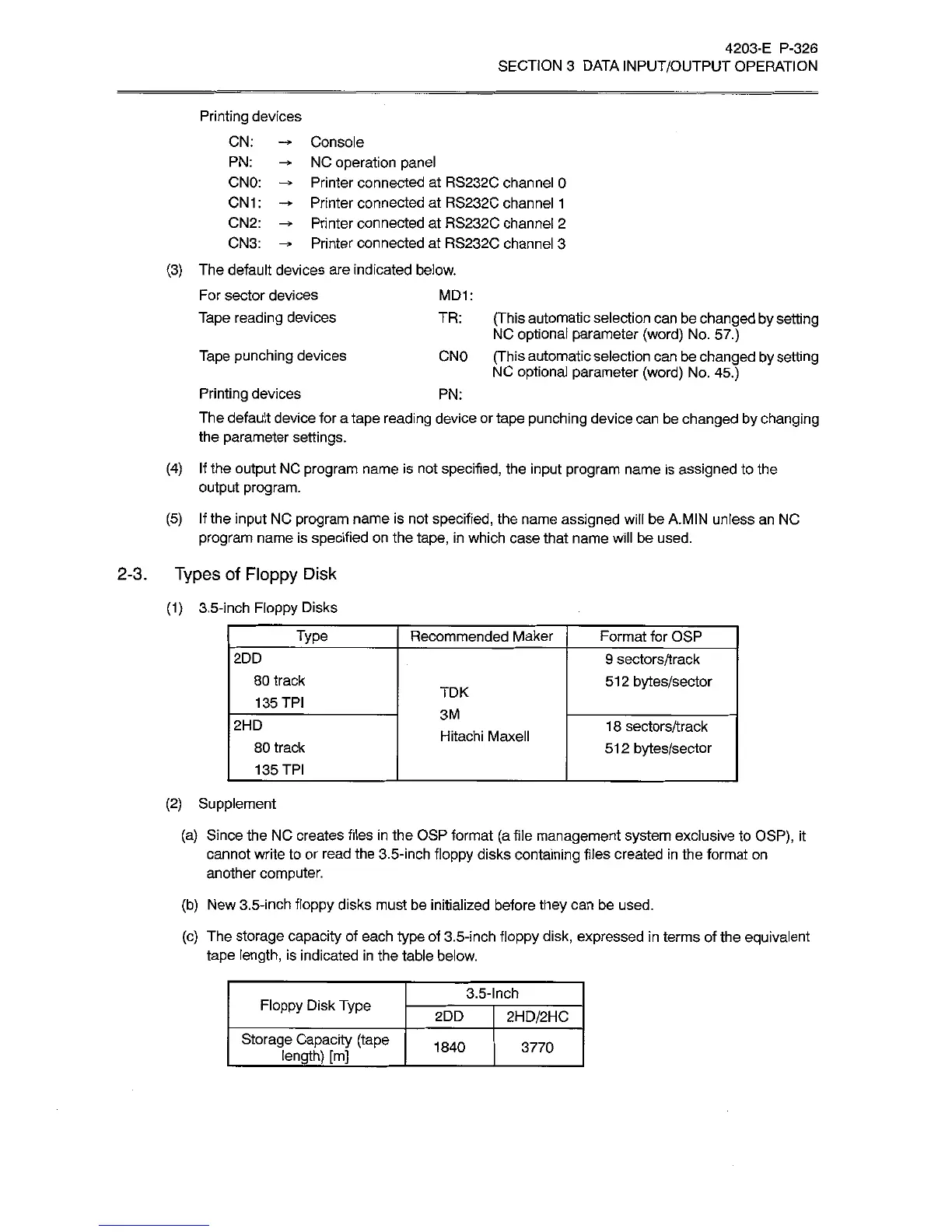
(1)
3.5-inch
Floppy
Disks
Type
Format
for
OSP
Recommended
Maker
2DD
9
sectors/track
512
bytes/sector
80
track
135
TPI
TDK
3M
2HD
1
8
sectors/track
512
bytes/sector
Hitachi
Maxell
80
track
135
TPI
(2)
Supplement
(a)
Since
the
NC
creates
files
in
the
OSP
format
(a
file
management
system
exclusive
to
OSP),
it
cannot
write
to
or
read
the
3.5-inch
floppy
disks
containing
files
created
in
the
format
on
another
computer.
(b)
New
3.5-inch
floppy
disks
must
be
initialized
before
they
can
be
used.
(c)
The
storage
capacity
of
each
type
of
3.5-inch
floppy
disk,
expressed
in
terms
of
the
equivalent
tape
length,
is
indicated
in
the
table
below.
3.5-Inch
Floppy
Disk
Type
2HD/2HC
2DD
Storage
Capacity
(tape
_
length)
[m]
_
1840
3770

Related product manuals