EasyManua.ls Logo

Okuma OSP-U100M - SECTION 3 MANUAL OPERATION FUNCTIONS; Manual Axis Feed Functions

Okuma OSP-U100M
511 pages
Print Icon
To Next Page IconTo Next Page
To Previous Page IconTo Previous Page
Loading...
4203-E
P-51
SECTION
3
MANUAL
OPERATION
FUNCTIONS
SECTION
3
MANUAL
OPERATION
FUNCTIONS
The
following
manual
operation
is
possible
when
the
MANUAL
is
selected
in
the
MODE
selection
keys
on
the
NC
operation
panel
or
when
manual
intervention
mode
is
selected
in
the
AUTO
or
MDI
mode.
(1)
Manual
axis
feed
operation
(rapid,
jog,
pulse
handle)
(2)
Spindle
operation
(CW/CCW,
stop,
release
orientation)
1.
Manual
Axis
Feed
Functions
1-1.
Manual
Rapid
Feed
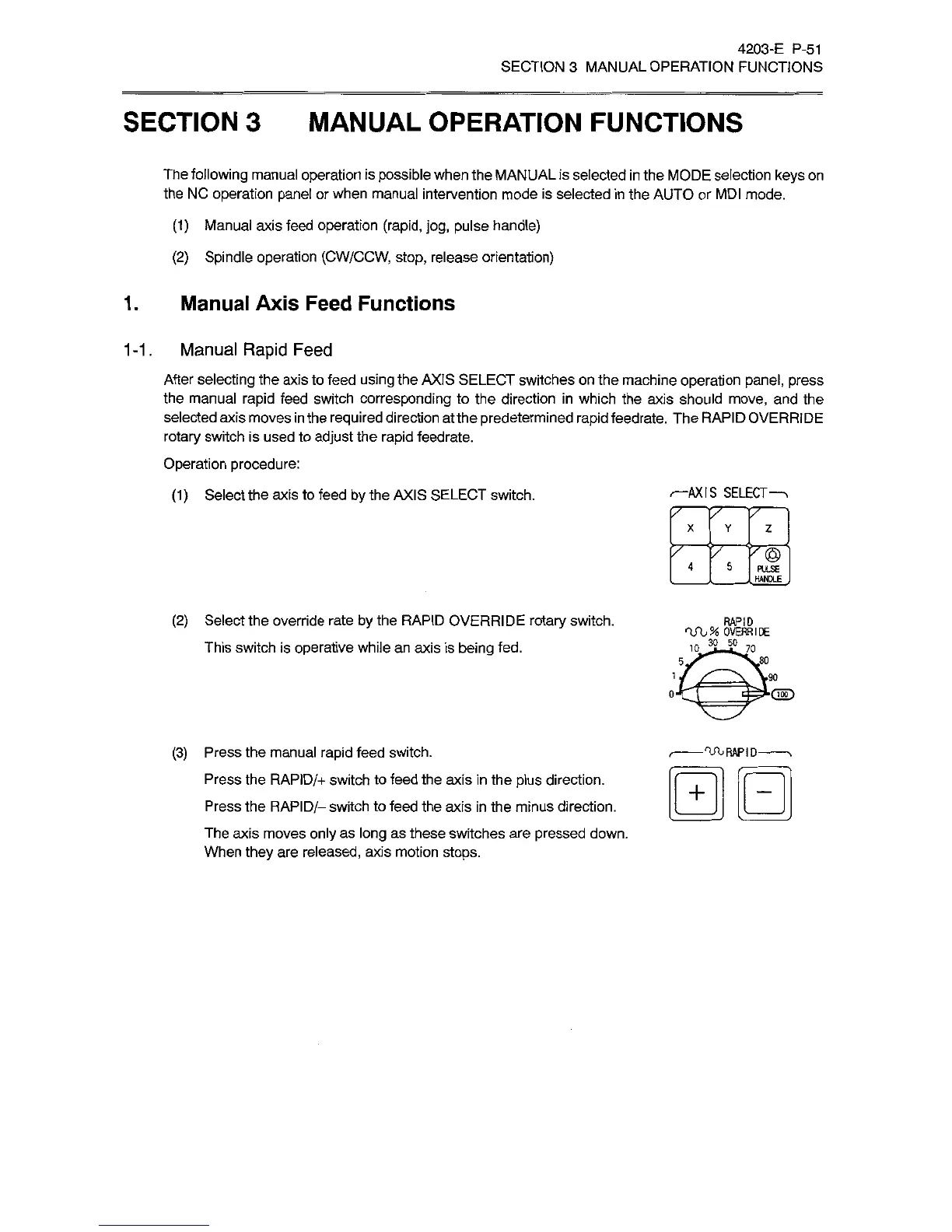
After
selecting
the
axis
to
feed
using
the
AXIS
SELECT
switches
on
the
machine
operation
panel,
press
the
manual
rapid
feed
switch
corresponding
to
the
direction
in
which
the
axis
should
move,
and
the
selected
axis
moves
in
the
required
direction
at
the
predetermined
rapid
feedrate.
The
RAPID
OVERRIDE
rotary
switch
is
used
to
adjust
the
rapid
feedrate.
Operation
procedure:
(1)
Select
the
axis
to
feed
by
the
AXIS
SELECT
switch.
-AXIS
SELECT
x
Y
z
rrTrĀ®
HANDLE
(2)
Select
the
override
rate
by
the
RAPID
OVERRIDE
rotary
switch.
This
switch
is
operative
while
an
axis
is
being
fed.
OVERRIDE
IOJLSLTO
,80
5,
i
.90
O'
(3)
Press
the
manual
rapid
feed
switch.
Press
the
RAPID/+
switch
to
feed
the
axis
in
the
plus
direction.
Press
the
RAPID/-
switch
to
feed
the
axis
in
the
minus
direction.
The
axis
moves
only
as
long
as
these
switches
are
pressed
down.
When
they
are
released,
axis
motion
stops.
RAPID-
+

Related product manuals