EasyManua.ls Logo

Okuma OSP-U100M - Spindle Operation

Okuma OSP-U100M
511 pages
Print Icon
To Next Page IconTo Next Page
To Previous Page IconTo Previous Page
Loading...
4203-E
P-54
SECTION
3
MANUAL
OPERATION
FUNCTIONS
2.
Spindle
Operation
It
is
possible
to
rotate
the
spindle
using
the
switches
on
the
machine
operation
panel.
After
setting
the
spindle
speed,
in
the
MDI
mode
operation
for
example,
press
the
spindle
start
(CW,
CCW)
switch
on
the
machine
operation
panel,
and
the
spindle
rotates
at
the
set
speed.
Pressing
the
spindle
stop
switch
stops
spindle
rotation.
The
set
spindle
can
be
adjusted
using
the
spindle
speed
override
switch.
Procedure:
Spindle
Rotation
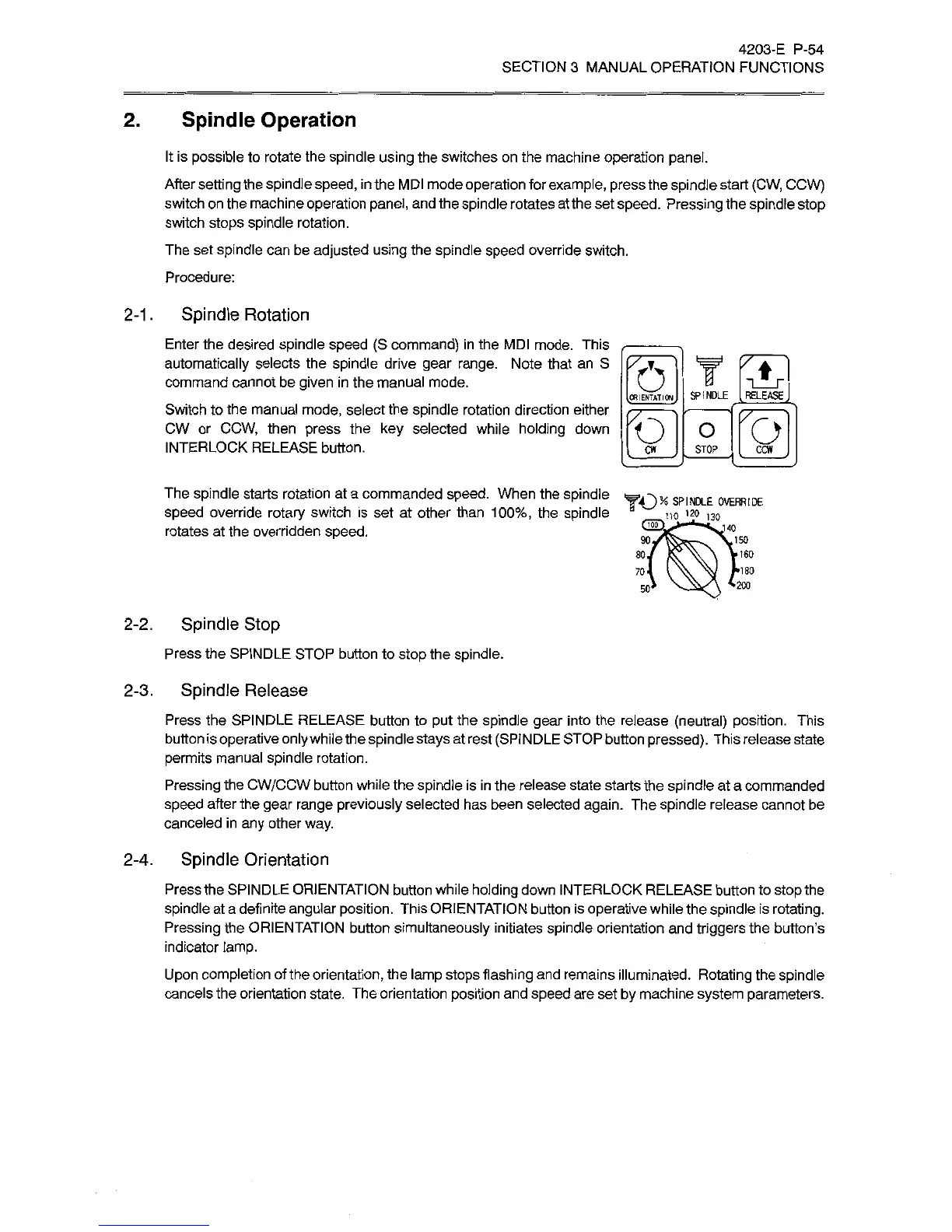
Enter
the
desired
spindle
speed
(S
command)
in
the
MDI
mode.
This
automatically
selects
the
spindle
drive
gear
range.
Note
that
an
S
command
cannot
be
given
in
the
manual
mode.
Switch
to
the
manual
mode,
select
the
spindle
rotation
direction
either
CW
or
CCW,
then
press
the
key
selected
while
holding
down
INTERLOCK
RELEASE
button.
2-1.
f51
T
fS)
f£T|
°
fo]
[
CW
J
STOP
[
CCW
J
The
spindle
starts
rotation
at
a
commanded
speed.
When
the
spindle
speed
override
rotary
switch
is
set
at
other
than
100%,
the
spindle
rotates
at
the
overridden
speed.
SP'NH-E
OVERRIDE
130
140
90.
.150
80.
'180
70'
-200
50'
2-2.
Spindle
Stop
Press
the
SPINDLE
STOP
button
to
stop
the
spindle.
2-3.
Spindle
Release
Press
the
SPINDLE
RELEASE
button
to
put
the
spindle
gear
into
the
release
(neutral)
position.
This
button
is
operative
only
while
the
spindle
stays
at
rest
(SPINDLE
STOP
button
pressed).
This
release
state
permits
manual
spindle
rotation.
Pressing
the
CW/CCW
button
while
the
spindle
is
in
the
release
state
starts
the
spindle
at
a
commanded
speed
after
the
gear
range
previously
selected
has
been
selected
again.
The
spindle
release
cannot
be
canceled
in
any
other
way.
2-4.
Spindle
Orientation
Press
the
SPINDLE
ORIENTATION
button
while
holding
down
INTERLOCK
RELEASE
button
to
stop
the
spindle
at
a
definite
angular
position.
This
ORIENTATION
button
is
operative
while
the
spindle
is
rotating.
Pressing
the
ORIENTATION
button
simultaneously
initiates
spindle
orientation
and
triggers
the
button’s
indicator
lamp.
Upon
completion
of
the
orientation,
the
lamp
stops
flashing
and
remains
illuminated.
Rotating
the
spindle
cancels
the
orientation
state.
The
orientation
position
and
speed
are
set
by
machine
system
parameters.

Related product manuals