EasyManua.ls Logo

Okuma OSP-U100M - Page 83

Okuma OSP-U100M
511 pages
Print Icon
To Next Page IconTo Next Page
To Previous Page IconTo Previous Page
Loading...
4203-E
P-63
SECTION
3
MANUAL
OPERATION
FUNCTIONS
4-2.
Manual
Tool
Change
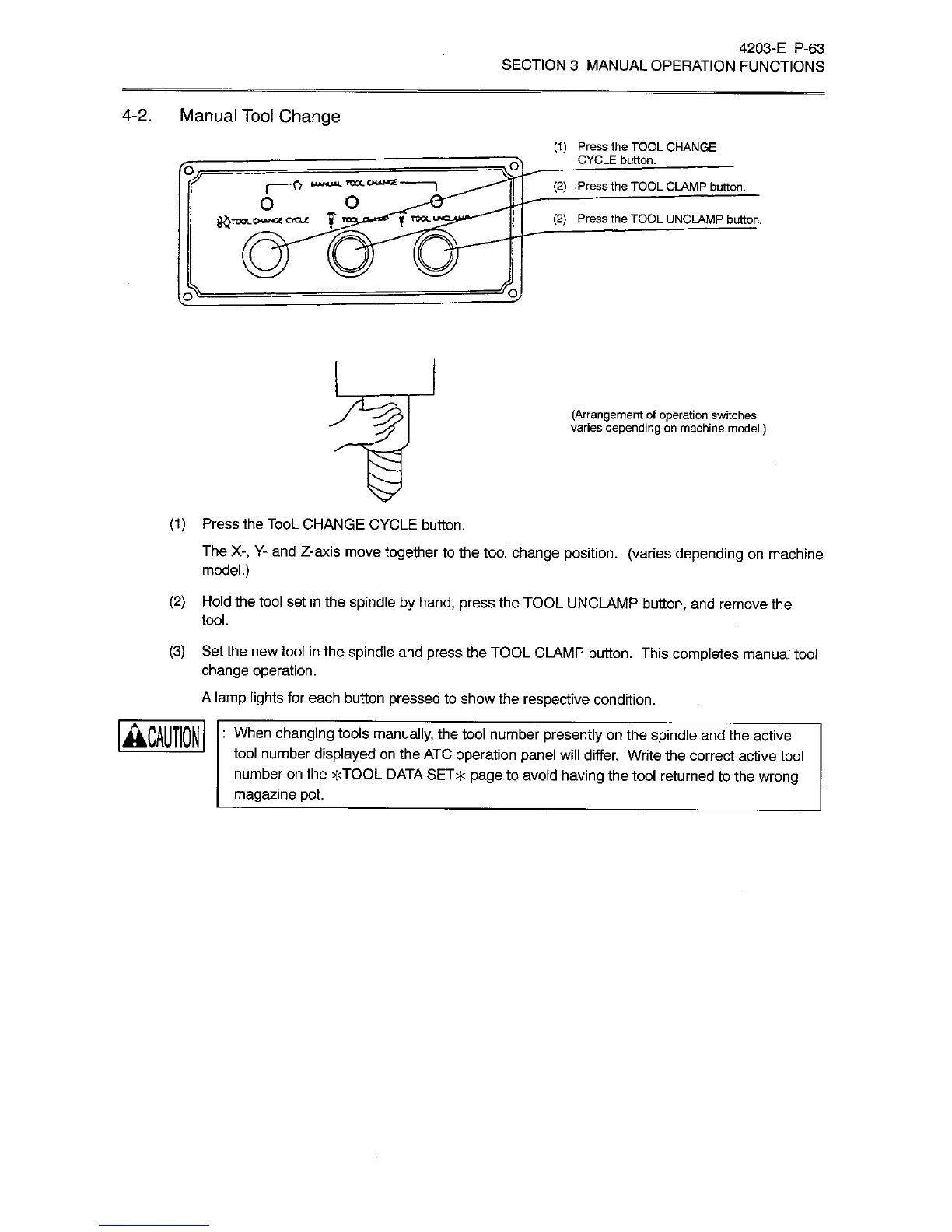
(1)
Press
the
TOOL
CHANGE
CYCLE
button.
_
IV
WVK.
TOO.
CH**G£
(2)
Press
the
TOOL
CLAMP
button.
o
o
g£roo<-0««ora£
(2)
Press
the
TOOL
UNCLAMP
button.
f
TOOL
(Arrangement
of
operation
switches
varies
depending
on
machine
model.)
(1)
Press
the
TooL
CHANGE
CYCLE
button.
The
X-,
Y-
and
Z-axis
move
together
to
the
tool
change
position,
(varies
depending
on
machine
model.)
(2)
Hold
the
tool
set
in
the
spindle
by
hand,
press
the
TOOL
UNCLAMP
button,
and
remove
the
tool.
Set
the
new
tool
in
the
spindle
and
press
the
TOOL
CAMP
button.
This
completes
manual
tool
change
operation.
A
lamp
lights
for
each
button
pressed
to
show
the
respective
condition.
(3)
'
When
chan9ing
tools
manually,
the
tool
number
presently
on
the
spindle
and
the
active
-
tool
number
displayed
on
the
ATC
operation
panel
will
differ.
Write
the
correct
active
tool
number
on
the
*TOOL
DATA
SET*
page
to
avoid
having
the
tool
returned
to
the
wrong
magazine
pot.

Related product manuals