EasyManua.ls Logo

Okuma OSP-U100M - Magazine Manual Operation

Okuma OSP-U100M
511 pages
Print Icon
To Next Page IconTo Next Page
To Previous Page IconTo Previous Page
Loading...
4203-E
P-64
SECTION
3
MANUAL
OPERATION
FUNCTIONS
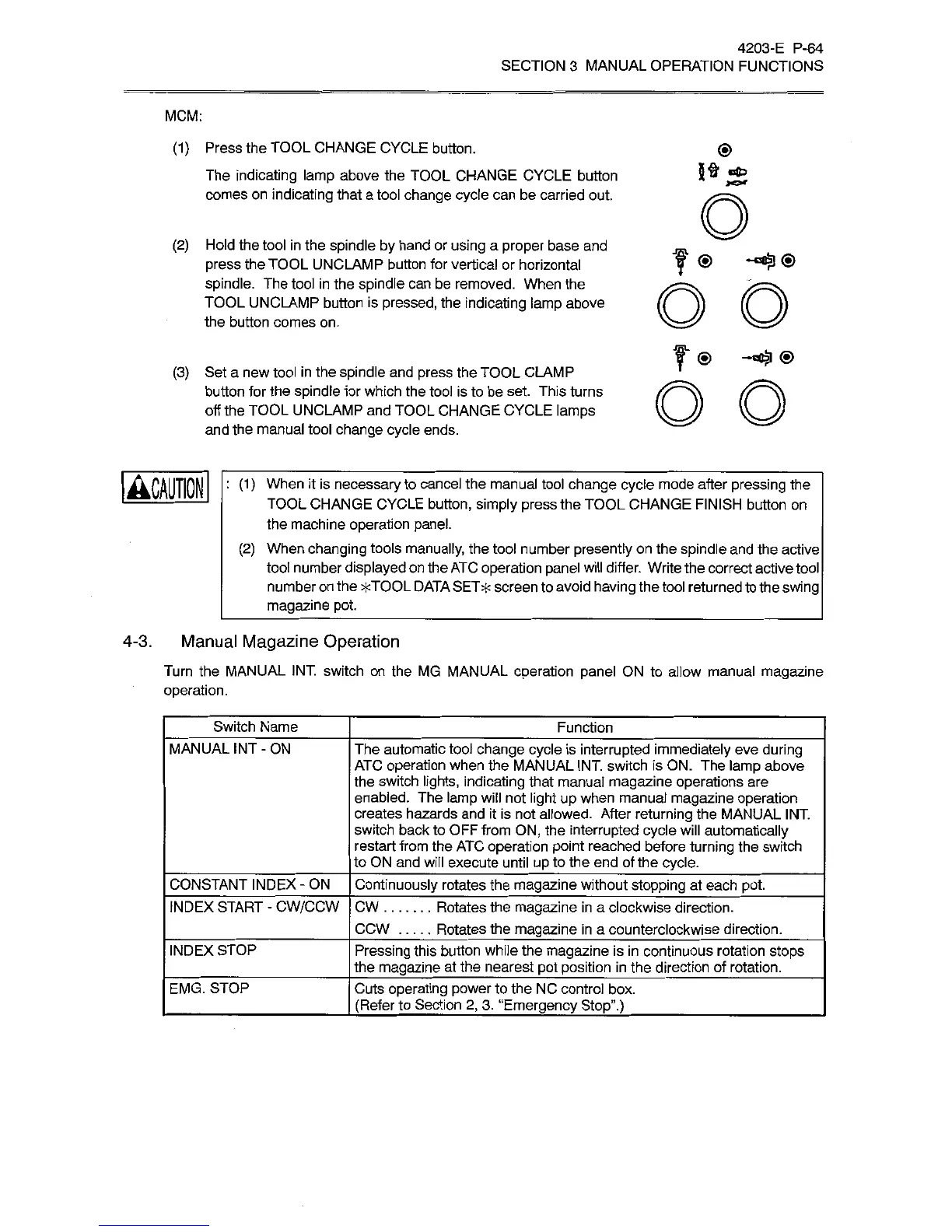
MCM:
(1)
Press
the
TOOL
CHANGE
CYCLE
button.
The
indicating
lamp
above
the
TOOL
CHANGE
CYCLE
button
comes
on
indicating
that
a
tool
change
cycle
can
be
carried
out.
O
(2)
Hold
the
tool
in
the
spindle
by
hand
or
using
a
proper
base
and
press
the
TOOL
UNCLAMP
button
for
vertical
or
horizontal
spindle.
The
tool
in
the
spindle
can
be
removed.
When
the
TOOL
UNCUWIP
button
is
pressed,
the
indicating
lamp
above
the
button
comes
on.
®
-cCa)
<j)
oo
(3)
Set
a
new
tool
in
the
spindle
and
press
the
TOOL
CLAMP
button
for
the
spindle
for
which
the
tool
is
to
be
set.
This
turns
off
the
TOOL
UNCLAMP
and
TOOL
CHANGE
CYCLE
lamps
and
the
manual
tool
change
cycle
ends.
O O
:
(1)
When
it
is
necessary
to
cancel
the
manual
tool
change
cycle
mode
after
pressing
the
TOOL
CHANGE
CYCLE
button,
simply
press
the
TOOL
CHANGE
FINISH
button
on
the
machine
operation
panel.
(2)
When
changing
tools
manually,
the
tool
number
presently
on
the
spindle
and
the
active
tool
number
displayed
on
the
ATC
operation
panel
will
differ.
Write
the
correct
active
tool
number
on
the
*TOOL
DATA
SET
*
screen
to
avoid
having
the
tool
returned
to
the
swing
magazine
pot.
4-3.
Manual
Magazine
Operation
Turn
the
MANUAL
INT.
switch
on
the
MG
MANUAL
operation
panel
ON
to
allow
manual
magazine
operation.
Switch
Name
Function
MANUAL
INT
-
ON
The
automatic
tool
change
cycle
is
interrupted
immediately
eve
during
ATC
operation
when
the
MANUAL
INT.
switch
is
ON.
The
lamp
above
the
switch
lights,
indicating
that
manual
magazine
operations
are
enabled.
The
lamp
will
not
light
up
when
manual
magazine
operation
creates
hazards
and
it
is
not
allowed.
After
returning
the
MANUAL
INT.
switch
back
to
OFF
from
ON,
the
interrupted
cycle
will
automatically
restart
from
the
ATC
operation
point
reached
before
turning
the
switch
to
ON
and
will
execute
until
up
to
the
end
of
the
cycle.
CONSTANT
INDEX
-
ON
Continuously
rotates
the
magazine
without
stopping
at
each
pot.
INDEX
START
-
CW/CCW
CW
Rotates
the
magazine
in
a
clockwise
direction.
Rotates
the
magazine
in
a
counterclockwise
direction.
CCW
INDEX
STOP
Pressing
this
button
while
the
magazine
is
in
continuous
rotation
stops
the
magazine
at
the
nearest
pot
position
in
the
direction
of
rotation.
EMG.
STOP
Cuts
operating
power
to
the
NC
control
box.
(Refer
to
Section
2,
3.
“Emergency
Stop”.)

Related product manuals