EasyManua.ls Logo

Okuma OSP-U100M - Page 89

Okuma OSP-U100M
511 pages
Print Icon
To Next Page IconTo Next Page
To Previous Page IconTo Previous Page
Loading...
4203-
E
P-69
SECTION
3
MANUAL
OPERATION
FUNCTIONS
5-2.
Automatic
APC
Operations
(1)
Pallet
Change
Automatic
pallet
change
cycle
is
carried
out
by
executing
the
M60
command.
(2)
Workpiece
Setup
Completion
The
automatic
pallet
change
cycle
is
carried
out
after
the
workpiece
setup
has
been
confirmed.
This
setup
completion
condition
is
confirmed
by
pressing
the
WORK
LOAD
FINISHED
button.
The
WORK
LOAD
FINISHED
button
is
located
on
the
operation
panel
and
also
on
the
separately
installed
APC
operation
panel
(option).
Both
of
these
buttons
have
the
same
function.
When
the
WORK
LOAD
FINISHED
button
is
pressed,
its
indicating
lamp
lights.
Even
when
the
automatic
pallet
change
M
code
command
is
read
while
the
workpiece
setup
completion
is
not
confirmed
(lamp
OFF),
the
APC
does
not
operate.
In
this
case,
the
diagnosis
message
tells
that
the
workpiece
setup
is
not
confirmed.
Press
the
WORK
LOAD
FINISHED
button
after
making
sure
that
the
workpiece
has
been
set
on
the
pallet.
In
the
manual
mode,
the
control
is
always
in
the
state
that
the
WORK
LOAD
FINISHED
button
is
pressed.
(3)
WORK
LOAD
RESET
Pushbutton
Switch
If
the
WORKLOAD
FINISHED
button
is
pressed
mistakenly
while
a
workpiece
has
not
been
set
on
the
pallet,
this
setup
completion
confirmation
state
can
be
cancelled
by
pressing
the
WORK
LOAD
RESET
button.
The
WORK
LOAD
RESET
button
is
located
on
the
operation
panel
and
also
on
the
separately
installed
APC
operation
panel
(option).
Both
of
these
buttons
have
the
same
function.
When
the
WORK
LOAD
RESET
button
is
pressed,
its
indicating
lamp
goes
off.
The
workpiece
setup
completed
state
cannot
be
cancelled
by
pressing
the
RESET
button.
5-3.
Manual
APC
Operations
Manual
pallet
changer
operation
is
possible
when
the
MANUAL
INT.
switch
is
set
at
the
ON
position.
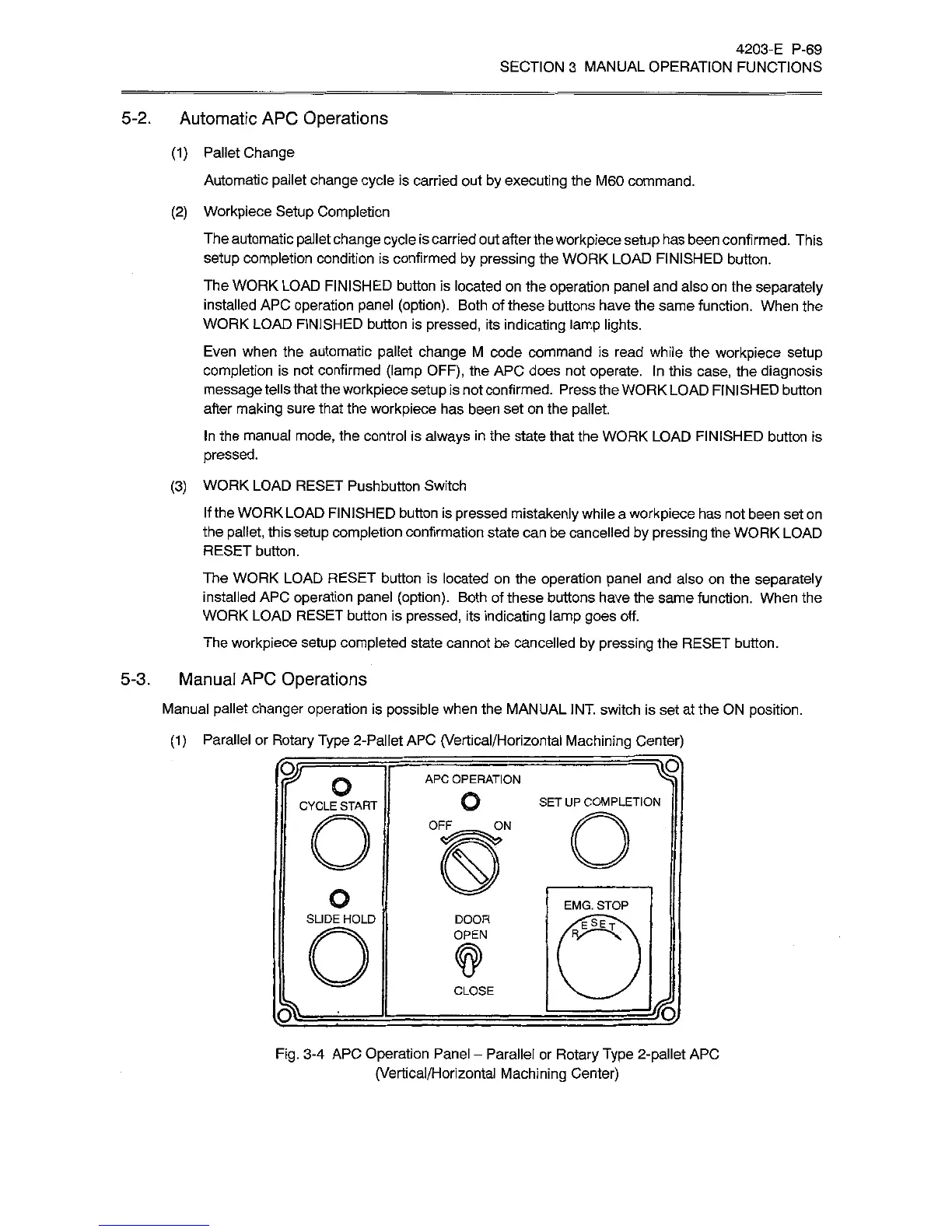
(1)
Parallel
or
Rotary
Type
2-Pallet
APC
(Vertical/Horizontal
Machining
Center)
APC
OPERATION
o
o
SET
UP
COMPLETION
CYCLE
START
OFF
ON
o
EMG.
STOP
SLIDE
HOLD
DOOR
OPEN
CLOSE
Fig.
3-4
APC
Operation
Panel
-
Parallel
or
Rotary
Type
2-pallet
APC
(Vertical/Horizontal
Machining
Center)

Related product manuals