EasyManua.ls Logo

Okuma OSP-U100M - SECTION 4 MDI OPERATION; Operation Procedure

Okuma OSP-U100M
511 pages
Print Icon
To Next Page IconTo Next Page
To Previous Page IconTo Previous Page
Loading...
4203-E
P-72
SECTION
4
MDI
OPERATION
SECTION
4
MDI
OPERATION
MDI
is
an
abbreviation
for
Manual
Data
Input
and
each
block
of
data
entered
is
executed
as
in
automatic
mode
operation.
1
.
Operation
Procedure
The
operation
procedure
is
described
below:
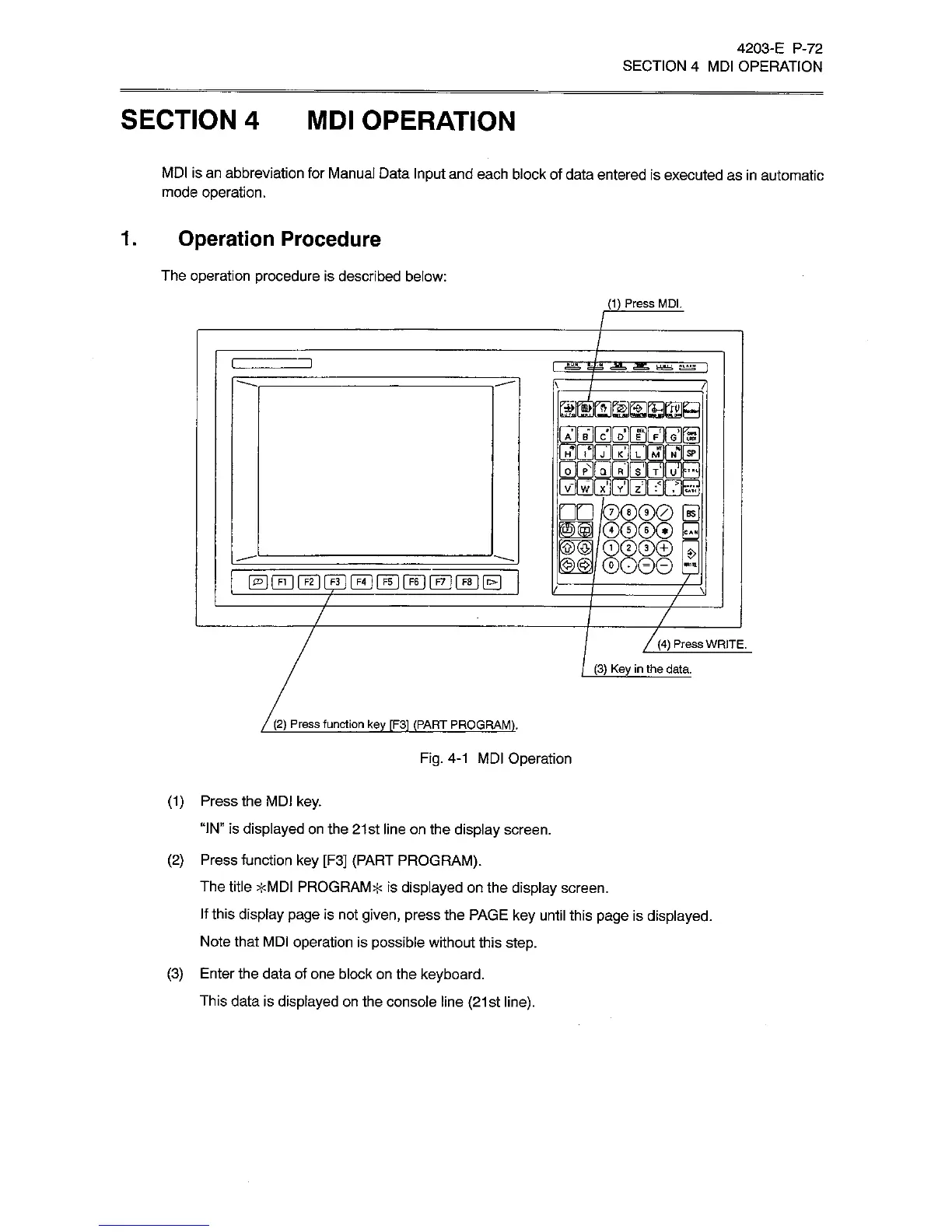
(1)
Press
MDI.
astaMZraEi]
iTirix
H*
ZE
julinl
_
u
lr*H
TIPTTEg
O
I
Pl
Q
|
R
vl
W
II
X
il
Y
§81
Kg)@|
s>
7
7
7
7
7
7(4)
Press
WRITE.
(3)
Key
in
the
data.
(2)
Press
function
key
fF31
(PART
PROGRAM).
Fig.
4-1
MDI
Operation
(1)
Press
the
MDI
key.
“IN”
is
displayed
on
the
21st
line
on
the
display
screen.
(2)
Press
function
key
[F3]
(PART
PROGRAM).
The
title
>kMDI
PROGRAM*
is
displayed
on
the
display
screen.
If
this
display
page
is
not
given,
press
the
PAGE
key
until
this
page
is
displayed.
Note
that
MDI
operation
is
possible
without
this
step.
(3)
Enter
the
data
of
one
block
on
the
keyboard.
This
data
is
displayed
on
the
console
line
(21st
line).

Related product manuals