EasyManua.ls Logo

Okuma OSP-U100M - Page 99

Okuma OSP-U100M
511 pages
Print Icon
To Next Page IconTo Next Page
To Previous Page IconTo Previous Page
Loading...
4203-E
P-79
SECTION
5
AUTOMATIC
MODE
OPERATION
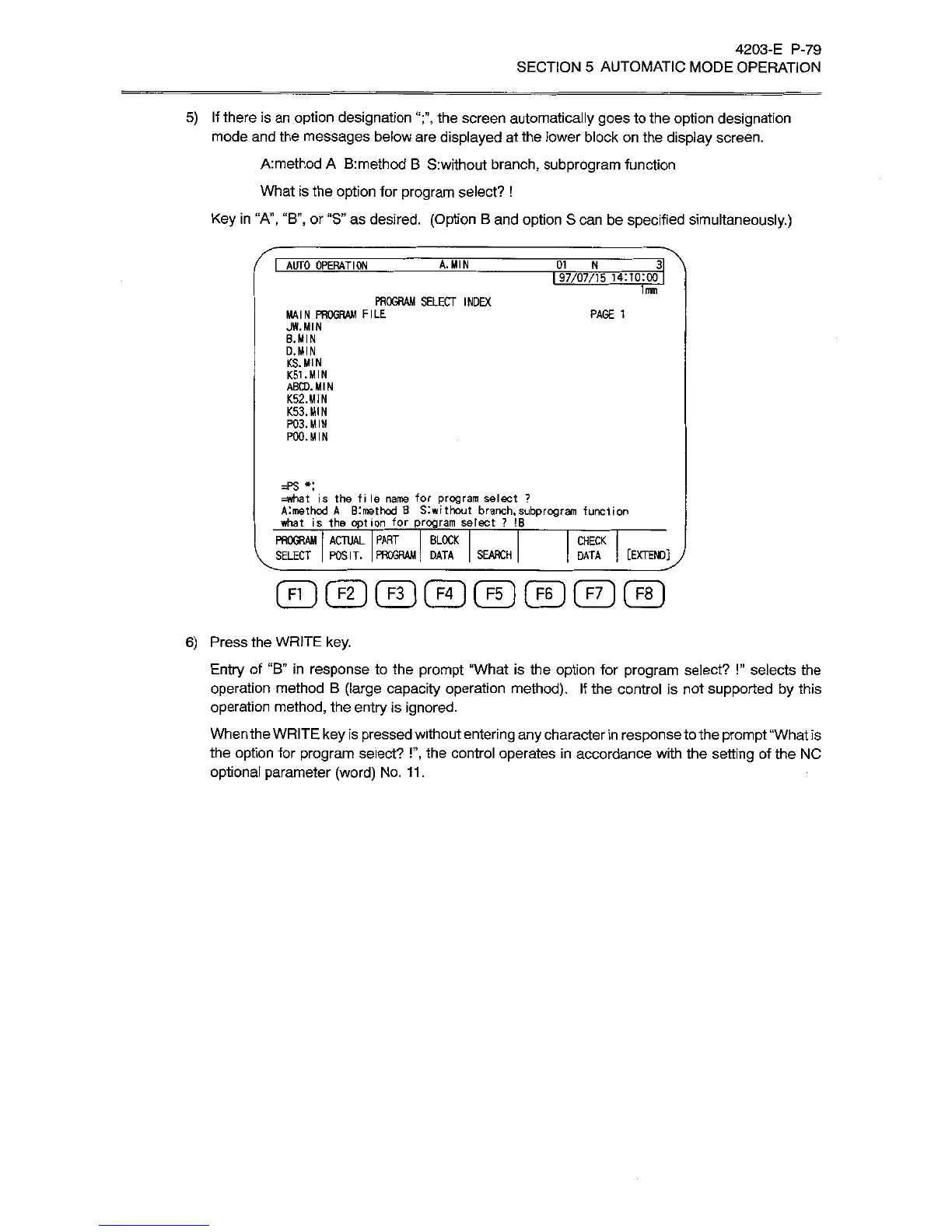
5)
If
there
is
an
option
designation
the
screen
automatically
goes
to
the
option
designation
mode
and
the
messages
below
are
displayed
at
the
lower
block
on
the
display
screen.
A:method
A
B:method
B
S:without
branch,
subprogram
function
What
is
the
option
for
program
select?
!
Key
in
“A”,
“B”,
or
“S”
as
desired.
(Option
B
and
option
S
can
be
specified
simultaneously.)
I
AUTO
OPERATION
A.
MIN
01
_
N
3
I
97/07/15
14:10:00
1mm
PROGRAM
SELECT
INDEX
MAIN
PROGRAM
FILE
JW.
MIN
B.MIN
D.MIN
KS.
MIN
K51.MIN
ABCD.MIN
K52.MIN
K53.MIN
P03.MIN
POO.
MIN
PAGE
1
=PS
*;
=what
is
the
file
name
for
program
select
?
Almethod
A
Blmethod
B
Slwithout
branch
what
is
the
option
for
program
select
?
.subprogram
function
IB
PROGRAM
ACTUAL
PART
BLOCK
SELECT
POSIT.
PROGRAM'
DATA
SEARCH
CHECK
[EXTEND]ÿ
DATA
6)
Press
the
WRITE
key.
Entry
of
“B”
in
response
to
the
prompt
“What
is
the
option
for
program
select?
!”
selects
the
operation
method
B
(large
capacity
operation
method).
If
the
control
is
not
supported
by
this
operation
method,
the
entry
is
ignored.
When
the
WRITE
key
is
pressed
without
entering
any
character
in
response
to
the
prompt
“What
is
the
option
for
program
select?
!”,
the
control
operates
in
accordance
with
the
setting
of
the
NC
optional
parameter
(word)
No.
11.

Related product manuals