Page 35
WIRELESS H2S TRANSMITTER (WT SERIES) - USER GUIDE
17. UPDATING THE TRANSMITTER – LCD METHOD
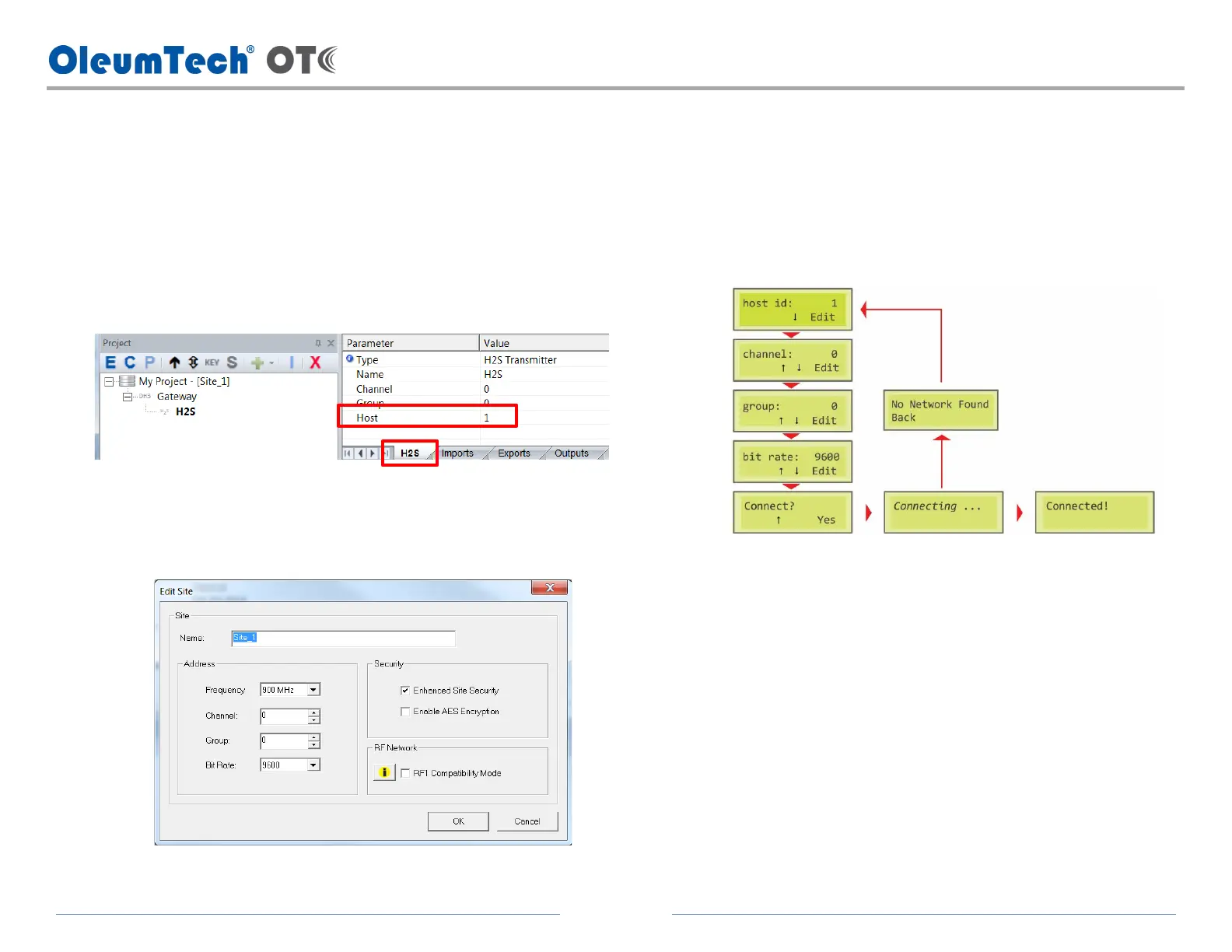
1. Create a project file using BreeZ, then update the gateway.
2. Get the device and network information from the project
file.
a. Double-click on transmitter in the project tree.
b. Click on H2S tab and get the Host ID number.
c. Get the Channel, Group, and Bit Rate info.
i. Click on the Site in the project tree, then click the E Edit button.
3. Connect the transmitter Battery Pack to the LCD Module.
a. Press any button to activate the LCD screen.
4. Connect the transmitter to the network.
a. Enter the device and network properties on the LCD Module.



 To Next Page