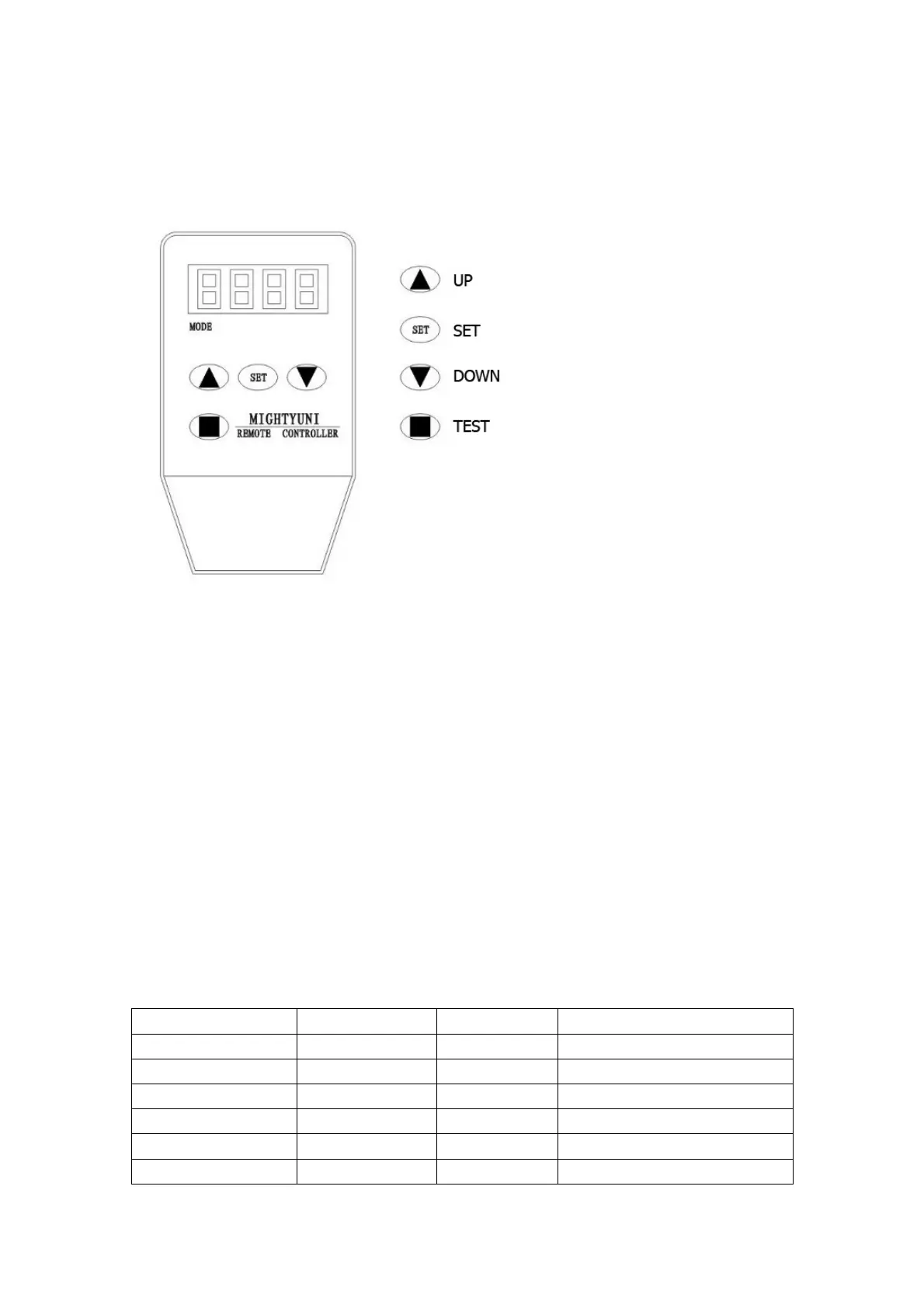
4. Debugging
4.1 Control programmer debugging
Notes:
Do not inset or draw out the debugger with power; do after power disconnection.
Debugger operation:
The debugger is connected to the telecommunication interface of controller to display
XXXX-XXXXXXX characters; enter the menu of parameter of automatic door by
pressing SET and adjust UP or DOWN; open the door by TEST.
If no pressing after 30s, back to the menu displaying XXXX-XXXXXXX characters;
When the S/N is being selected by SET, press UP/DOWN to adjust the number scope
and SET to save.
Operation Procedure
Activated by the signals from external control device, unlock→open→damping
action&stop→hold-open→close→damping action&stop→lock and seal.
Debugging
S/N Value scope Initial value Function description
1 10-100 65 Opening speed `
2 10-100 55 Closing speed
3 1-10 2 Damping opening speed
4 1-10 2 Damping closing speed
5 1-60 20 Damping opening distance
6 1-60 20 Damping closing distance


 To Next Page