14
I
GB
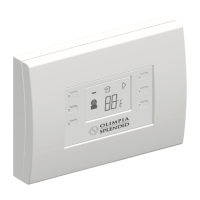
USO COMANDO REMOTO
PULSANTI DI COMANDO
1) Tasto ON/Stand-by
2) Tasto selezione velocità ventilazione
(minima, media, massima e automatica)
3) Tasto attivazione/disattivazione kit ricircolo
aria (optional)
4) Tasto attivazione/disattivazione movimento
deettore aria
5) Tasto incremento temperatura ambiente
desiderata
6) Tasto diminuzione temperatura ambiente
desiderata
DISPLAY
7) Indicatore batterie in esaurimento
8) Attivazione kit ricircolo aria
9) Attivazione movimento deettore aria
10) Indicatore velocità di ventilazione selezionata
11) Temperatura ambiente impostata (con
relativa unità di misura).
8
1
2
3
4
5
6
10 11
7 8 9
3
3.1
3.2
USING THE REMOTE CONTROL
CONTROL KEYS
1) ON/Stand-by key
2) Fan speed control (minimum, medium,
maximum and automatic)
3) Air recirculation Kit (optional) on/off key
4) Air ow direction on/off key
5) Increase room temperature key
6) Decrease room temperature
DISPLAY
7) Batteries running low indicator
8) Air recirculation kit on
9) Air ow direction on
10) Fan speed selector on
11)Room temperature set (with system
measurement)


 To Next Page


