17
WIRELESS B1012
I
GB
PROGRAMMAZIONE COMANDO A
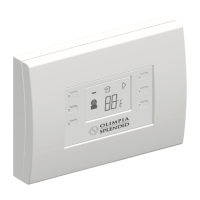
PARETE WIRELESS B1012
Queste operazioni consentono di modicare
alcuni parametri di funzionamento impostati da
OLIMPIA SPLENDID in fase di realizzazione
del dispositivo.
Per attivare la modalità di programmazione
parametri premere e mantenere premuto per
almeno 3 secondi il tasto ON/Standby (tasto 1)
e il tasto di attivazione deettore aria (tasto 4).
L’attivazione della funzione di programmazione
è segnalata dal lampeggio del simbolo dell’unità
di misura della temperatura.
A questo punto è possibile modicare:
- l’unità di misura °C o °F, con cui viene
visualizzata la temperatura desiderata, tramite
la pressione del tasto di attivazione ricircolo
aria (tasto 3).
- i valori di minimo e massimo della temperatura
ambiente, selezionabili premendo il tasto di
attivazione deflettore aria (tasto 4). In
particolare, il valore massimo o minimo di
t em p e r at u r a i m po s t ab i l e è i n dic a t o
rispettivamente dall’accensione di due pallini
o di un pallino a lato dei valori impostati e
visualizzati.
Questi sono poi modicabili premendo i tasti
incremento/decremento temperatura (tasti 5/
6).
Per uscire dalla funzione programmazione e
memorizzare i dati impostati premere il tasto
ON/standby (tasto 1).
Le impostazioni effettuate con queste operazioni
rimangono memorizzate per circa 30 secondi,
anche in assenza di batterie (con display
spento). E’ possibile quindi mantenere le
personalizzazioni impostate anche in caso
di sostituzione delle batterie, solo se tale
operazione viene effettuata entro questo tempo
limite. In caso contrario le personalizzazioni
memorizzate saranno cancellate e verranno
automaticamente ripristinate le impostazioni
di fabbrica (temperatura impostabile tra 18°C
e 30°C).
4
4.1
PROGRAMMING THE WIRELESS
B1012 WALL-MOUNTED CONTROL
PANEL
This operation allows some of the OLIMPIA
SPLENDID factory settings to be modied.
To enter the parameters programming mode,
rst press the air ow direction activation key
(key 4) followed by the ON/Stand-by key (key
1) for at least 3 seconds.
The symbol of the unit air temperature starts to
blink when the programming mode is activated.
When this happens, the following can be
modied:
- the unit of measurement °C or °F (identifying
the temperature measurement system) by
pressing the air recirculation activation key
(key 3).
- t h e m i n i m u m a n d m a x i m u m r o o m
temperatures, which can be chosen by
pressing the air ow direction activation key
( k e y 4 ) . T h e m i n i m u m o r m a x i m u m
temperatures that can be set are indicated by
either one or two small dots lighting up beside
the displayed set values.
These can then be changed by pressing the
temperature increase/decrease keys (keys 5/
6).
To exit the programming mode and store the set
information, press the ON/Stand-by key (key 1).
The settings entered during this operation are
stored for approximately 30 seconds even if no
batteries are inserted (display off). Therefore, if
the batteries need changing, the personalised
settings can only be kept if the batteries are
replaced within this period of time. Should this
not be possible, the personalised settings will
be deleted and automatically replaced by the
default settings (temperature set between 18°C
and 30°C).


 To Next Page
 Loading...