32
ENGLISH
- remove the wooden wedge from behind the unit
- lock the cable’s three poles in the terminal strip and tighten the screws (g. 19 ref. C)
- block the cable with the clamp (g. 19 ref. B)
- close the protection of the board (g. 19 ref. A)
- ret the front cover of the machine with the six screws
- ret the two wedged-in covers (upper and lower).
CAUTION: these operations should be performed with the machine already positioned on the bracket. Read the instructions
carefully before completely the electric connection.
2.4 TOP/BOTTOM INSTALLATION CONFIGURATION
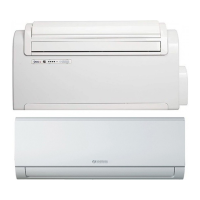
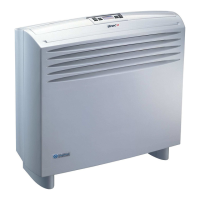
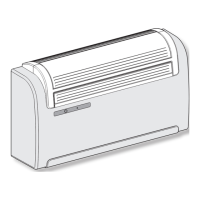
This unit may be installed either at the bottom of the wall (adjacent to the oor) or at the top (adjacent to the ceiling). The air jet
can be modied to optimize air distribution and room well-being by changing the position of the air outlet ap.
Figure 20 refers to a machine congured for installation near the oor in which air ows upwards. The same conguration may also be
used to install the unit near the ceiling with the cooling function. This permits to increase the air ow inside the room (Coanda effect).
Figure 21 refers to a machine congured for installation near the ceiling in which air ows downwards.
OPERATION TO BE PERFORMED WHEN THE MACHINE IS SWITCHED OFF AND THE POWER SUPPLY IS DISCONNECTED.
CHANGING THE CONFIGURATION OF THE AIR OUTLET FLAP FROM BOTTOM TO TOP OF WALL
- delicately open the air outlet ap
- unhook the ap (side and central hooks on the bafes) (g. 20)
- remove the pin (g. 20 ref. A)
- turn the ap 180° (g. 20)
- insert the pin (g. 21 ref. A) on the right-hand side of the ap
- insert the ap into the machine by inserting the pin (g. 21 ref. B) into the top hole that is on the right-hand side in the opening
(g. 21 ref. C), and the ap’s left-hand hole on the upper pin that is on the left-hand side in the opening (g. 21 ref. D).
CHANGING THE CONFIGURATION OF THE AIR OUTLET FLAP FROM TOP TO BOTTOM OF WALL
- delicately open the air outlet ap
- unhook the ap (side and central hooks on the bafes) (g. 20)
- remove the pin (g. 20 ref. A)
- turn the ap 180° (g. 20)
- insert the pin (g. 21 ref. A) on the right-hand side of the ap
- insert the ap into the machine by inserting the pin (g. 21 ref. B) into the bottom hole that is on the right-hand side in the opening
(g. 21 ref. C), and the ap’s left-hand hole on the lower pin that is on the left-hand side in the opening (g. 21 ref. D).
After having carried out the mechanical operations to change the air outlet ap, congure the machine’s control electronics as follows:
- connect the power supply line
- ensure the machine is in standby (g. 22 ref. A)
- hold down the display button (g. 22 ref. H) until an audible signal starts ringing
- CEILING CONFIGURATION: press the display button (g. 22 ref. H) to select yellow LED C (g. 22)
- FLOOR CONFIGURATION: press the display button (g. 22 ref. H) to select green LED D (g. 22)
- release the display button (g. 22 ref. H)
- wait a few seconds until the standby conguration is restored (g. 22 ref. A).
IMPORTANT: EACH TIME THE AIR OUTLET FLAP CONFIGURATION CHANGES, THE RELEVANT ELECTRONIC CONFI-
GURATION MUST ALSO BE CHANGED.
N.B. the ceiling conguration determines the automatic correction of the heating room temperature, which is equivalent to 3°C.
2.5 TESTS AND TROUBLESHOOTING
Should the air-conditioner stall and issue an alarm signal, refer to the Service Centre which LEDs are blinking in order to simplify
their intervention (g. 22).
LED D: condition active
LED C: timer active
LED B: compressor ON
LED A: indicates the lter may need cleaning
After this operation the LED must be switched off manually as indicated in section 2.6.1
2


 To Next Page
 Loading...