OSD Menu Setup
4 Press MENU button to back to the main menu and select the USB device to which
you would like the file to be copied
5 In the USB device choose a folder where you want copy the file
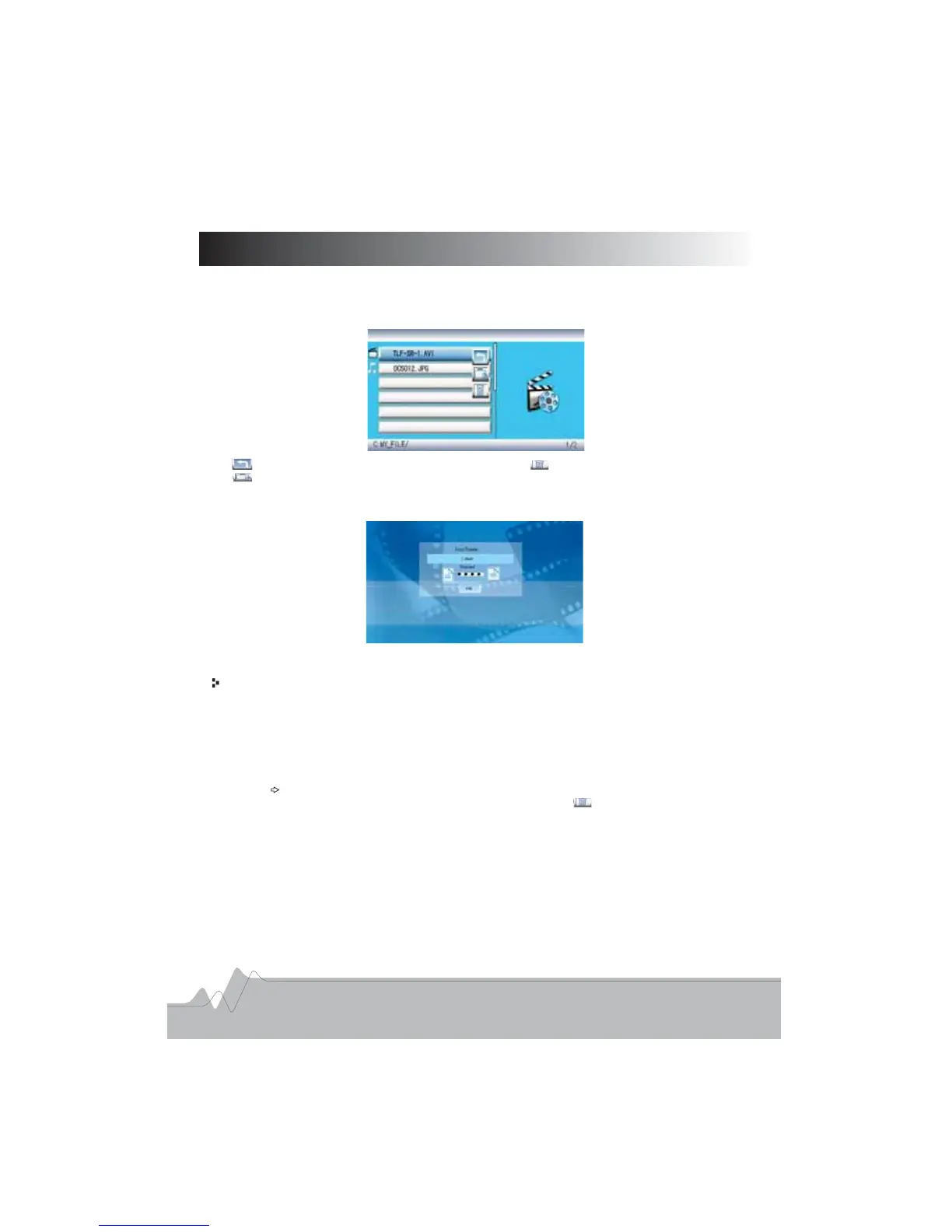
6 Press OSD button on the remote control the screen will display as below
. ,
.
. .
.,:
:.:.
:.
To exit the present menu To delete files
To copy files
7 Select the second icon and press ENTER button the unit will start copying process
And a message confirming this will appear on the screen
.,.
:
8 After finishing copying process press ENTER button to exit the present menu., .
Deleting file s from memory or memory cards() .
You can delete unwanted files from a memoy device using the frame by following the
steps below:
1 Press MENU button on the remote control and choose Edit icon on the main menu
2 Press ENTER to confirm
3 Choose the memory device from which files need to be deleted and press ENTER
button to confirm
4 From the directory listing navigate to the file you would like to delete
5 Press direction button and an icon will appear against the file
6 Press OSD button and use direction button to select the icon and press ENTER
button to confirm
7 The file will be deleted and a confirming message will pop up
8 After finishing this process press ENTER button to exit the present menu
. .
..
.
.
., .
. .
.
.
..
., .
11



 To Next Page