HVBTR1200‐004A
2|Page
Three ways to record from the HVBTR-1200:
1. RECORD key – on demand instant recording.
2. EPG key – setting from the Electronic Programming Guide (EPG).
3. Timer Setting – setting via the menu system.
1.
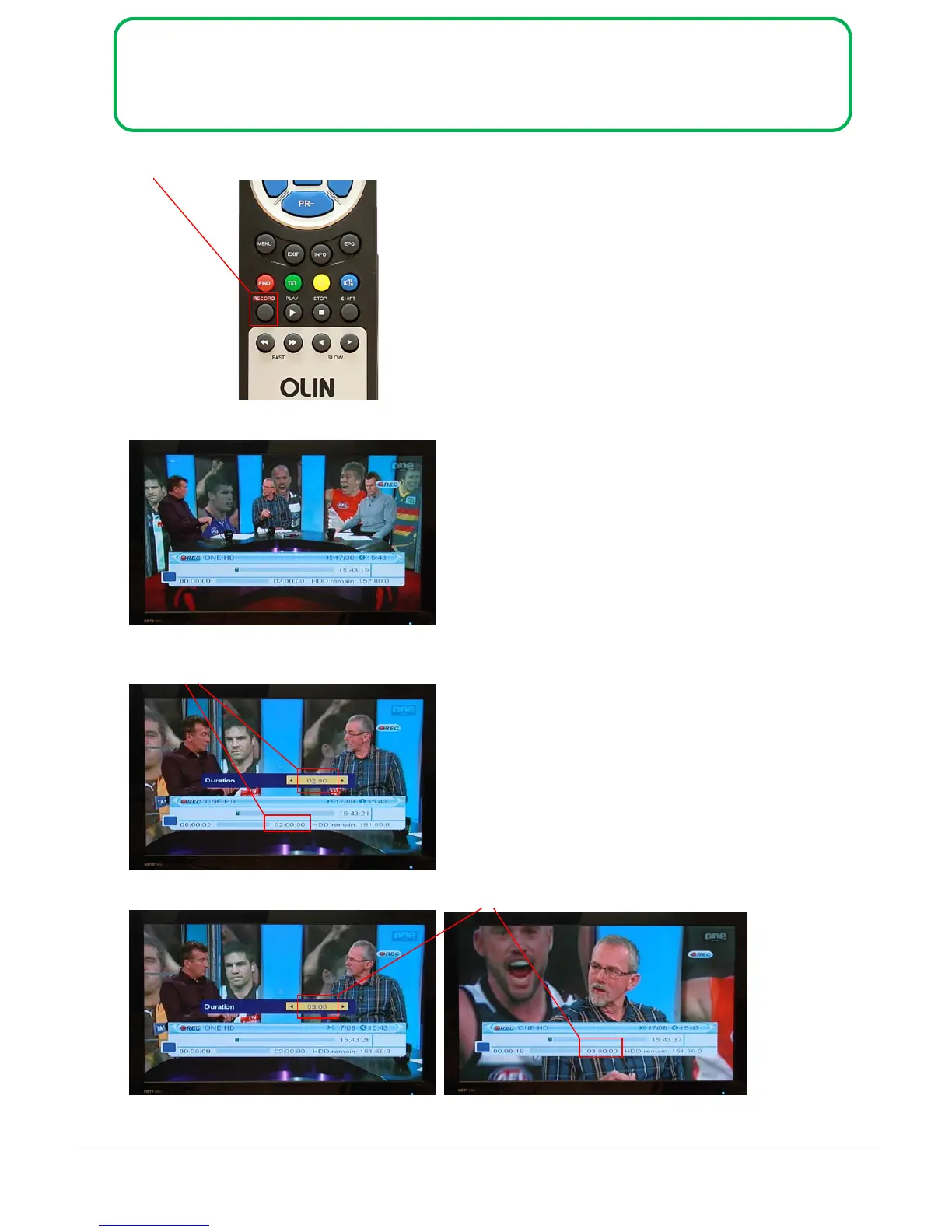
RECORD key – on demand instant recording. (Manual Page 17 Section 6.2)
Press the RECORD key and the recording information displays on the screen:
Press RECORD key again. You can change the recording Duration from the
default 2 hours to any amount of time. Press the EXIT key to set the adjusted time.
Example: change recording Duration from 2 hours to 3 hours using the numeric buttons on the remote:
Note: If your recording exceeds 3 hours, set Auto Standby to Off.
See 7. Auto Standby at the end of this document.



 To Next Page