HVBTR1200‐004A
9|Page
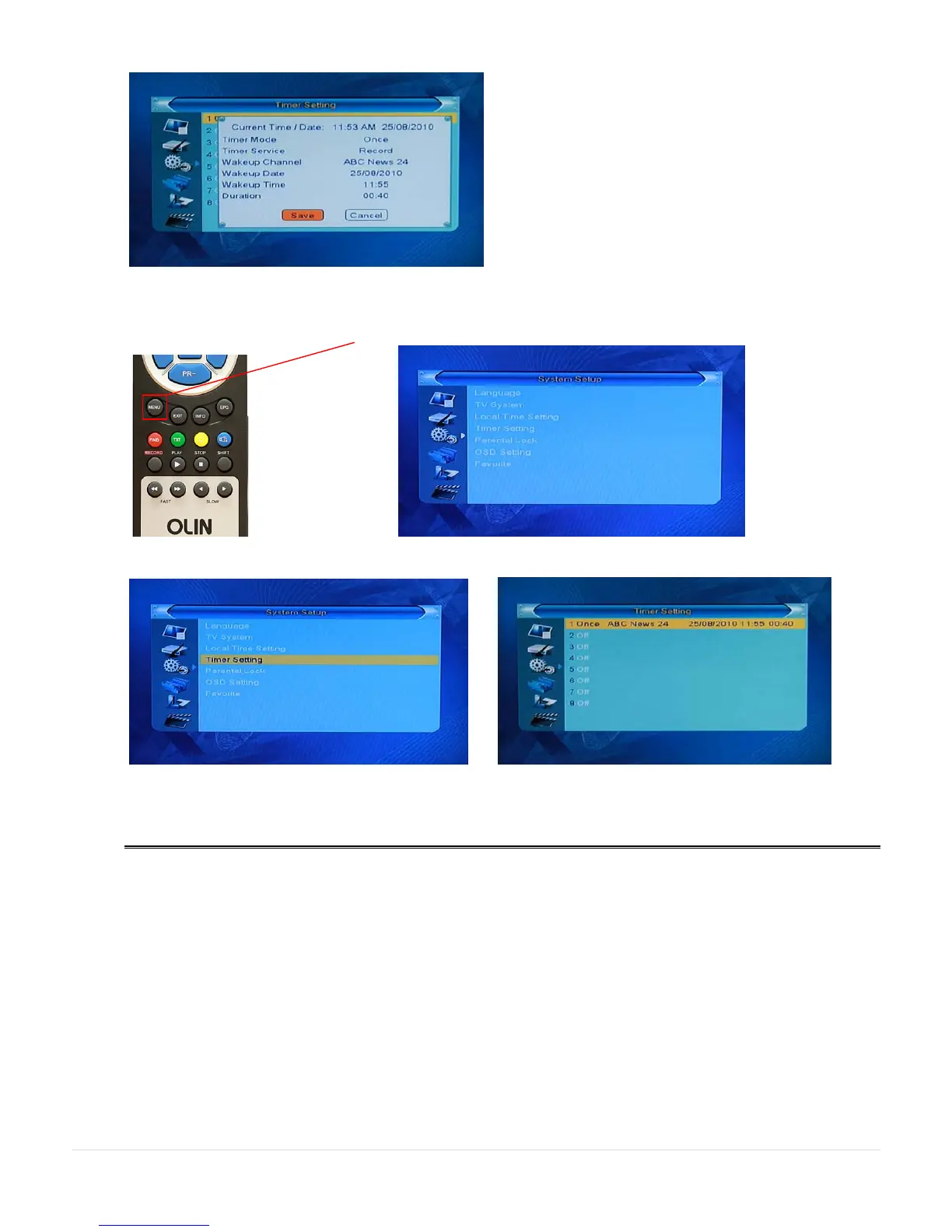
Use the direction keys to the Save key and press OK. The program details will show in the recording slot. Press
EXIT 3 times to back out of the menu system.
To review your setting, press the MENU key and use the directional keys to go to the System Setup menu
Choose Timer Setting and press OK to show the recordings you have set
EXIT key will take you out of the menus.



 To Next Page