14
MAIN MENU
MAIN MENU
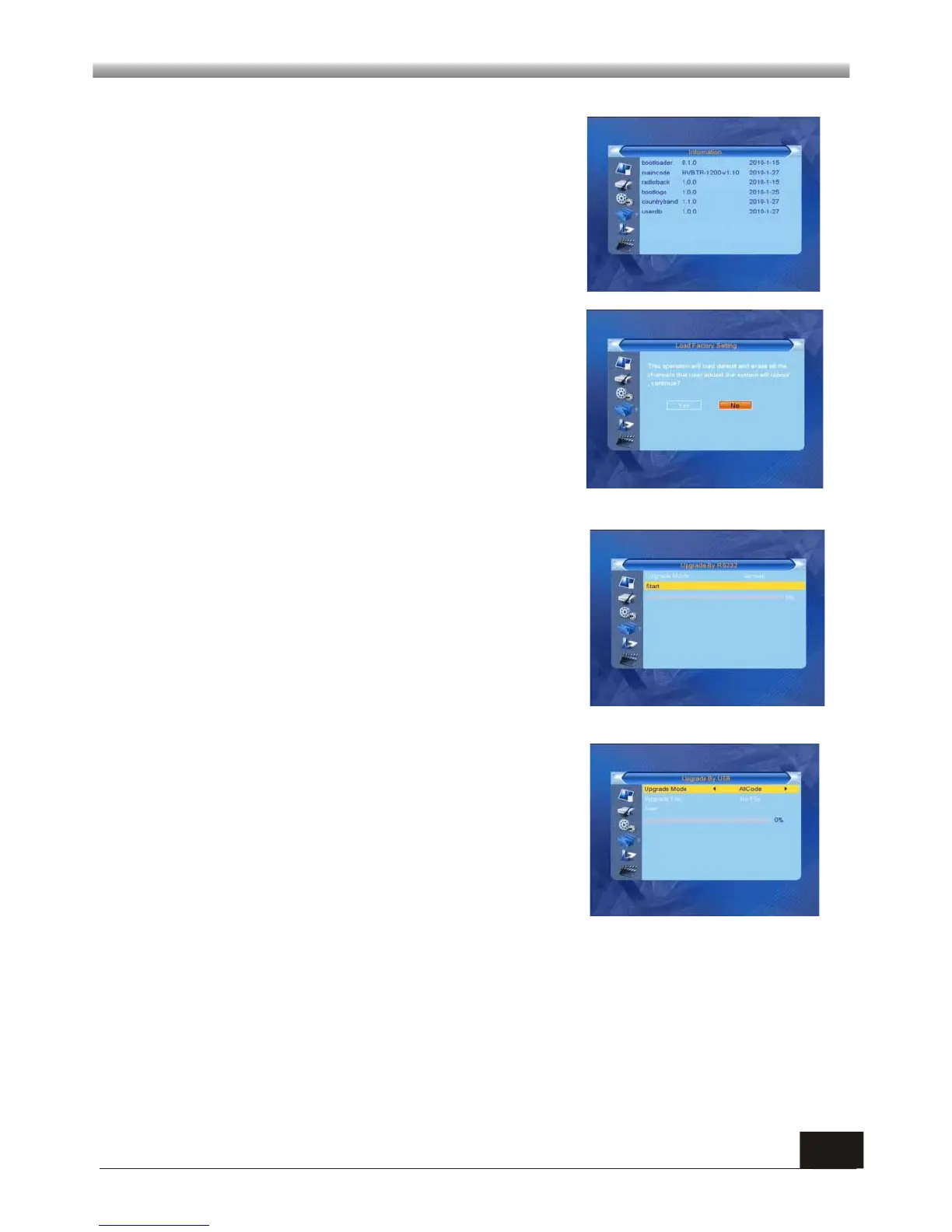
4.1 Information
When you enter Information menu, you should see
the screen like it displays on the right.
This screen displays receiver information.
You should press [EXIT] key to cancel this menu.
4.2 Load Factory Setting
Note: Please use this function carefully.
Highlight “Load Factory Setting” and press OK. A
warning message (Right) will appear on the screen.
Select “Yes” to restore to factory default settings and
all changes will be lost.
Note: Please use with caution
4.3 Upgrade By RS-232
This feature is built-in only for distributor's customer
support team in the event of restoring the system or
repairing. User is not recommended to perform the
firmware upgrading by oneself.
Attempt of doing so may result in unit malfunction.
This feature is built-in only for distributor's customer
support team in the event of restoring the system or
repairing. User is not recommended to perform the
firmware upgrading by oneself.
Attempt of doing so may result in unit malfunction.
4.4 Upgrade by USB
This feature is built-in only for distributor's customer support team in the event of
restoring the system or repairing. User is not recommended to perform the firmware
upgrading by oneself.
Attempt of doing so may result in unit malfunction.
4.5 Upgrade by OTA



 To Next Page