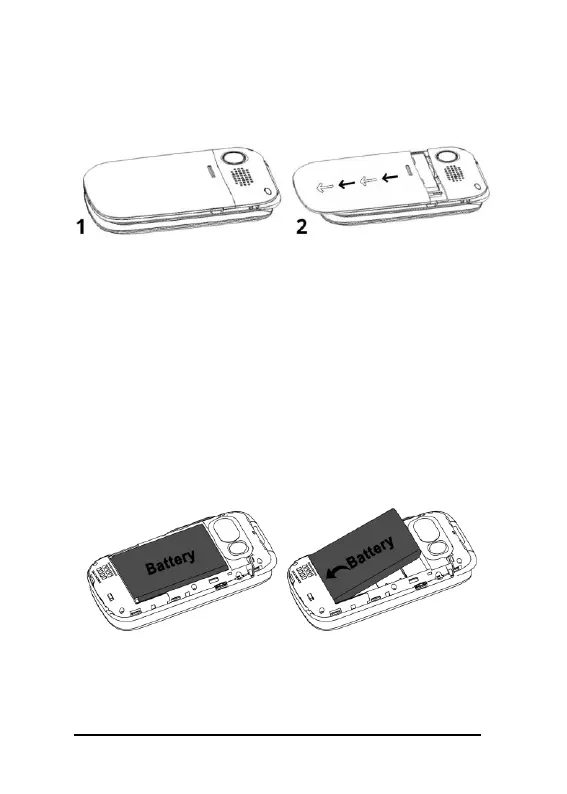
Please note it may be difficult to initially
remove the back cover. The below images
reflect the removal of the back phone cover.
Step 2 – Remove the battery
Using the small cut-out slot above the
battery, gently push the battery down and
pull it towards you to remove. The SIM slot
can now be seen in the top left corner of the
exposed phone interior (memory card slot
is located next to the SIM slot). The
following images reflect the removal of the
battery.
Step 3 - Insert the SIM card (Nano size
8.8 X 12.3 mm)
The silver bracket on the SIM slot does



 To Next Page