EasyManua.ls Logo

Olitech EasyFlip SMART OLT2021-S - Hardware Descriptions

Olitech EasyFlip SMART OLT2021-S
116 pages
Print Icon
To Next Page IconTo Next Page
To Previous Page IconTo Previous Page
Loading...
6
Hardware Descriptions
1. Earpiece speaker
2. Camera
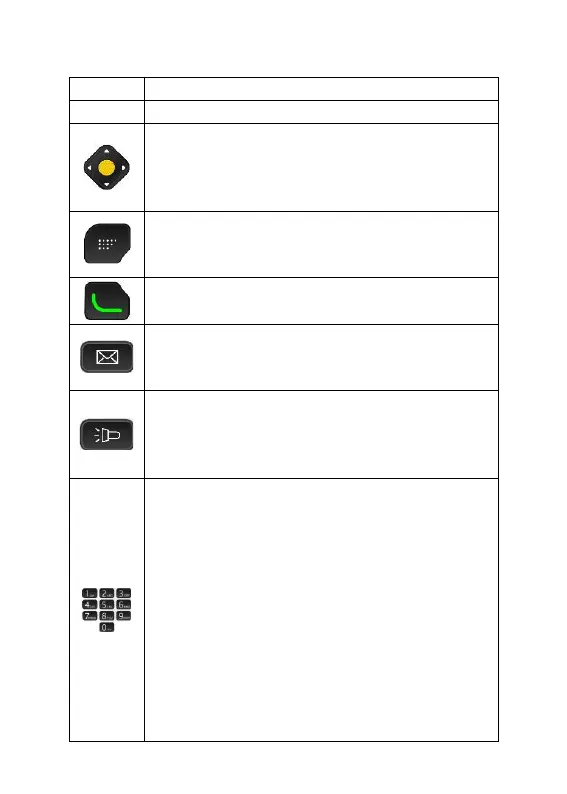
3. Arrows:
Used to navigate menu and settings.
Yellow “select” key:
Used to select an icon/list item.
4. Selection key:
Used to select word written above key
on screen e.g. “Options”.
5. Green key:
Used to answer or make a call.
6. Message key:
Provides direct access to message
inbox (SMS/MMS).
7. Torch key:
Press and hold for 3 seconds to turn
torch on/off. Torch illuminates from
item “23. Torch/camera flash”.
8. Number Keys:
When pressed momentarily, each
number key types their designated
number or letter as displayed on the
key. When “1” is pressed for 3 seconds
a call to voicemail is initiated.
When 2-9 are pressed for 3 seconds
they dial their allocated photo speed
dial number (if programmed by user).
When typing text, numbers 2-9 type
their associated letter; 0 adds a space;
1 accesses common symbols.


Related product manuals