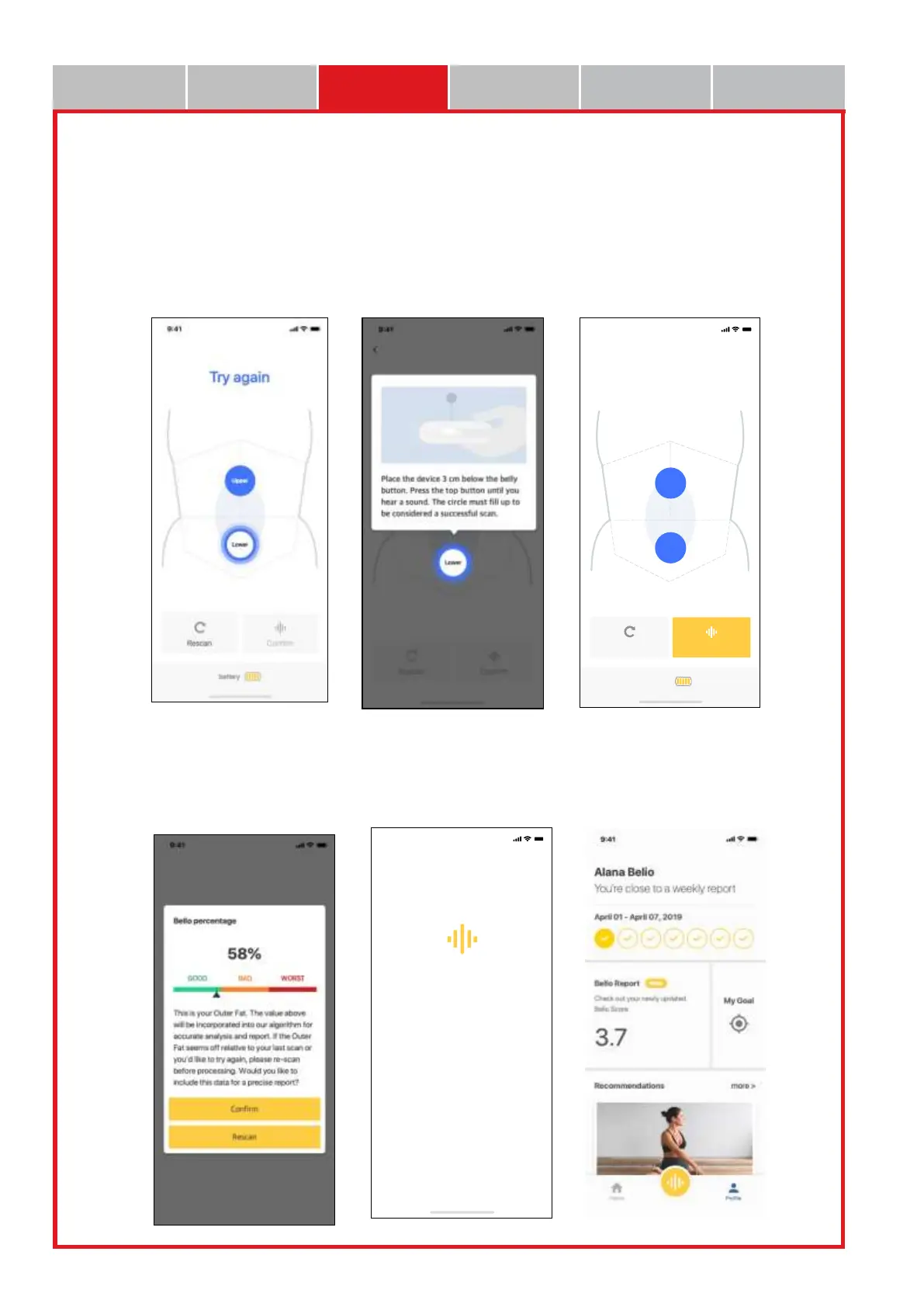
• When the blue light blinks in the Lower after completion of Upper (upper abdomen) measurement,
adhere the Bello device to the lower abdomen part about 3 cm below the navel for clicking.
• When a “beep” sound is heard from the instrument together with the scanning statement on the top
of the app screen, the measurement is completed.
• When the measurements of the upper abdomen/ lower abdomen are completed, push Confirm
button on the bottom of the app when the measurement is completed, and push Rescan button to
start the measurements again.
• When the measurement is completed normally, the following result screen is displayed in the app,
and the Final Bello Report can be received by pushing Confirm button.
• Check the report provided by Bello app in detail.


 To Next Page