8
O P U S | M E L O D Y U S E R G U I D E
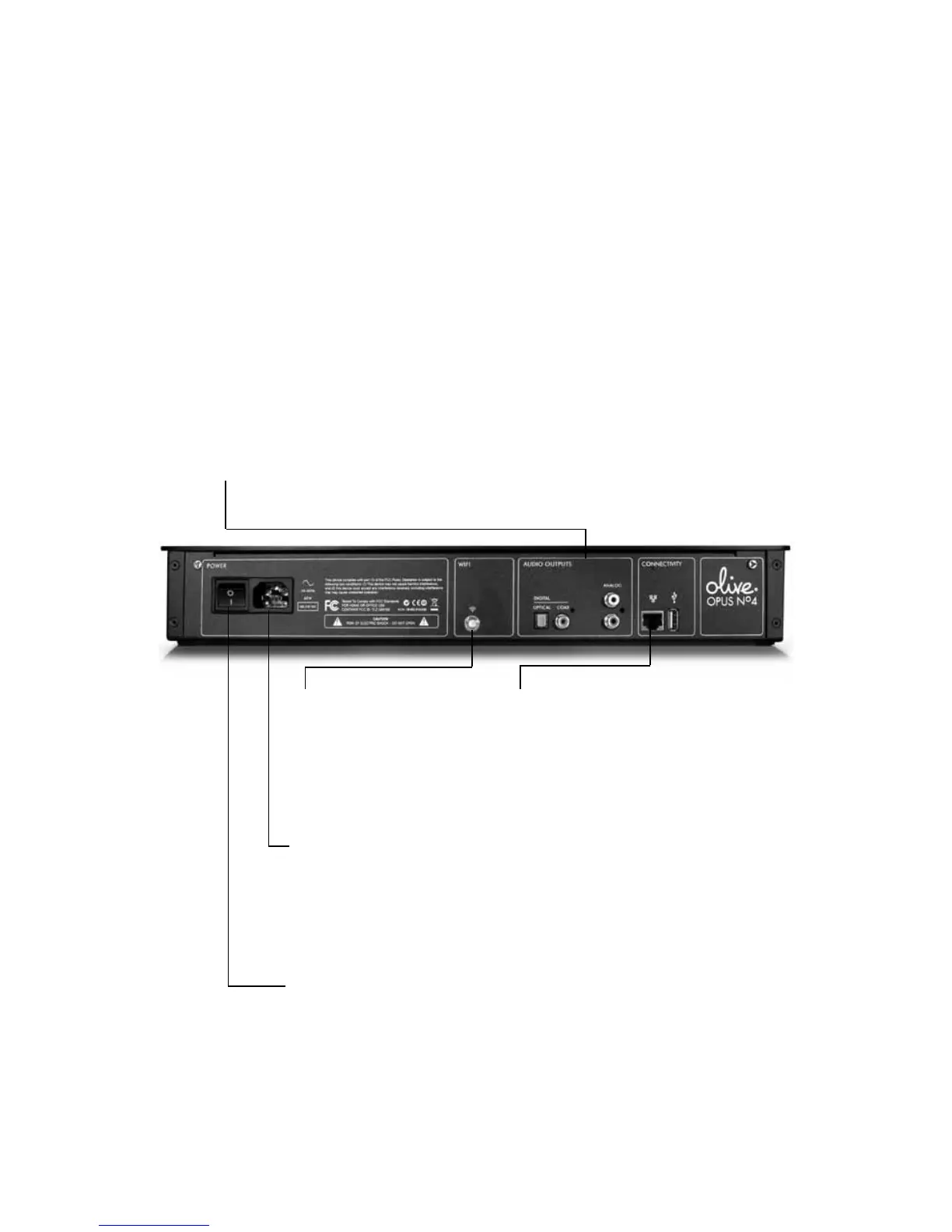
4. Master Power
Switch on your Opus using the
Master Power Switch and press
the Standby Button on the front
to activate the touchscreen.
2a. Wireless Antenna
Screw the wireless
antenna onto the WiFi
port for a wireless
connection.
3. Power Cable
Attach the Power
Cable to the power
port and then to a
wall socket.
1. Audio Output
Connect cables from your
amp/receiver or speakers
to the appropriate audio
output jacks.
2b. Ethernet Outlet
Or if you’re using a
wired network, connect
your ethernet cable.
Just follow these easy steps and you’ll set up your Opus in no time at.
S E T U P
Connect Opus


 To Next Page