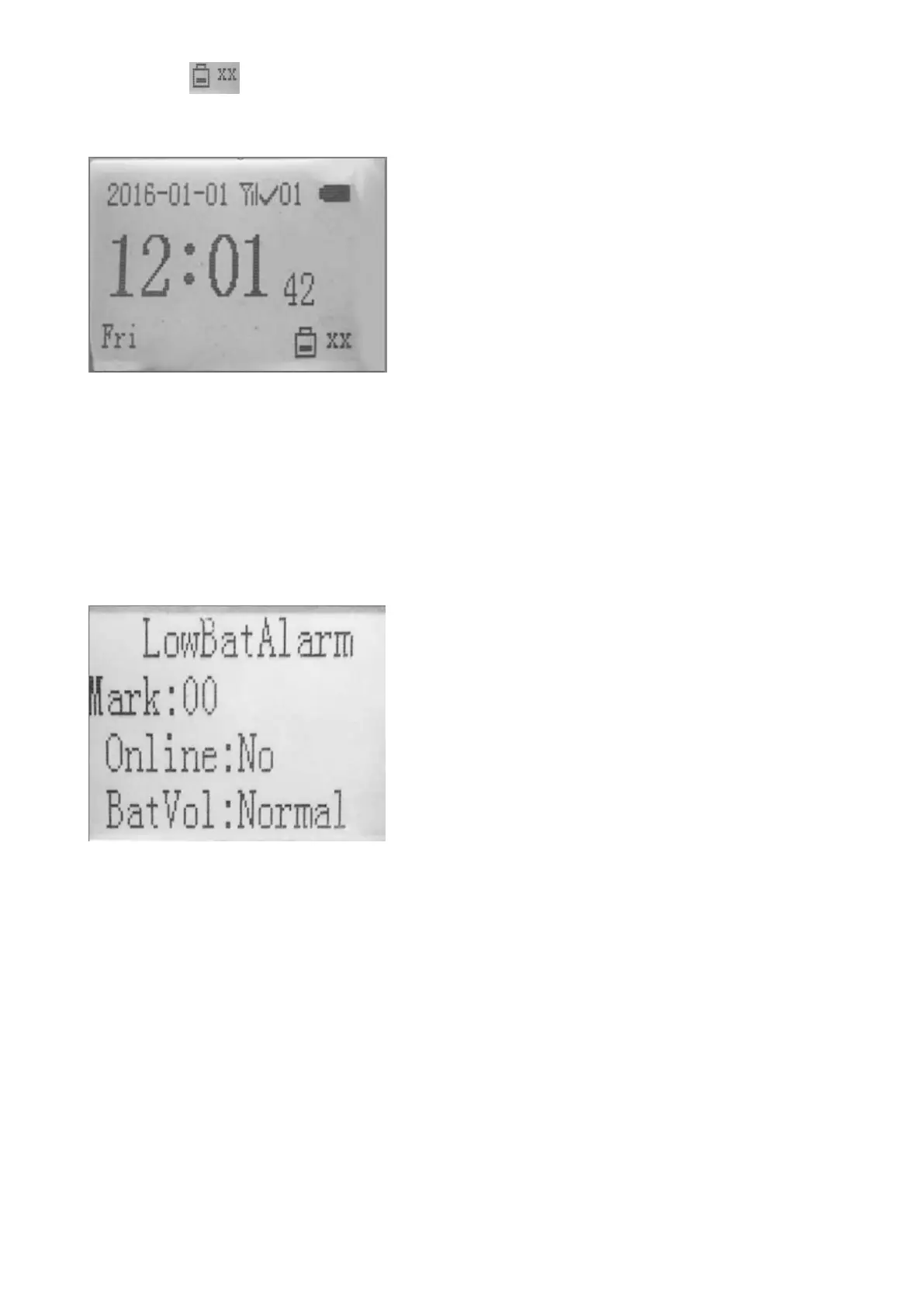
• the icon at the lower right corner indicates the low voltage of a sensor.
• The xx indicates the number of the sensor.
• If several sensors give the low battery alarms at the same time, only the last alarm will be displayed.
4. The indicators of sensor: The LED indicator of the sensors will flash the green light when the voltage of
the battery is below 5V, the LED will keep on if the voltage is below 4.7V.
5. The status of the sensor can be viewed from the watch:
Press the “MENU” button and select “RemoteStatus”, this interface displays the status of sensor.
• Mark: The number of the sensors. (0-99)
• Online: YES or NO (Whether the sensor is online or not, namely, if the sensor connects with the
watch. YES indicates “connected”; NO indicates that the sensor is off-line.)
• BatVol: Normal or Low (Whether the battery of sensor is normal or not. Normal indicates


 To Next Page