13
Giu
Counting
This function simply establishes the quantity of bank
notes. When the bank notes counted are removed from
the output tray, counting resumes from X0.
If the bank notes counted are left in the output tray,
counting resumes from the last number.
This basic function is activated when all the other
functions (value counting, sorting) have been deac
tivated.
Adding
If several bundles of bank notes are stacked in the in
feed tray one after the other, counting continues even if
the bank notes already counted are removed from the
output tray.
If the quantity reaches
9999 or 999999, the dis
play [4] skips back to
X0.
ADD The Add function is activated/deactivated.
ADD appears in the display [3].
Batch
This function causes counting to stop when the preset
quantity of bank notes has been counted. If the batch of
bank notes counted is removed from output tray, the
display [4] skips back to
X0 and the next batch of bank
notes is counted.
The quantity of bank notes can be set to any number
between
1 and 999. The preset number appears in the
display [5].
If the infeed tray becomes empty before the quantity set
is reached, the entire display flashes. If more bank
notes are then inserted in the infeed tray, the process is
resumed.
MODE until SORT appears in the display [3].
By pressing the BAT button repeatedly, the re
quired quantity to be set can be adjusted in larger steps
and by pressing the + button, the number can be ad
justed by individual units to the required quantity. By
pressing the BAT button again, the number set is reset
to 0.
The BAT section of the display [5] indicates the preset
number of bank notes for the batch. The display section
[4] indicates the actual count of bank notes, to the bot
tom right is the total value of the bank notes and to the
right in the middle the value of the individual denomina
tions.
Counting speed
This function defines the speed for the counting pro
cess.
SPEED The counting speed is changed, indic
ated in the display [6] by an S and the number of bank
notes counted per minute.
When the SORT and VALUE modes are activated,
the SPEED setting is automatically set for some
currencies.
Counting manually
When this function is activated, the machine works in
manual mode and does not start to count until you
press the RUN/C button.
MNL Manual mode is activated, MNL appears in
the display [2].
Validation functions
The best results are achieved after a warm-up
phase of 3 minutes. Bright ambient light can affect
the sensor and falsify results.
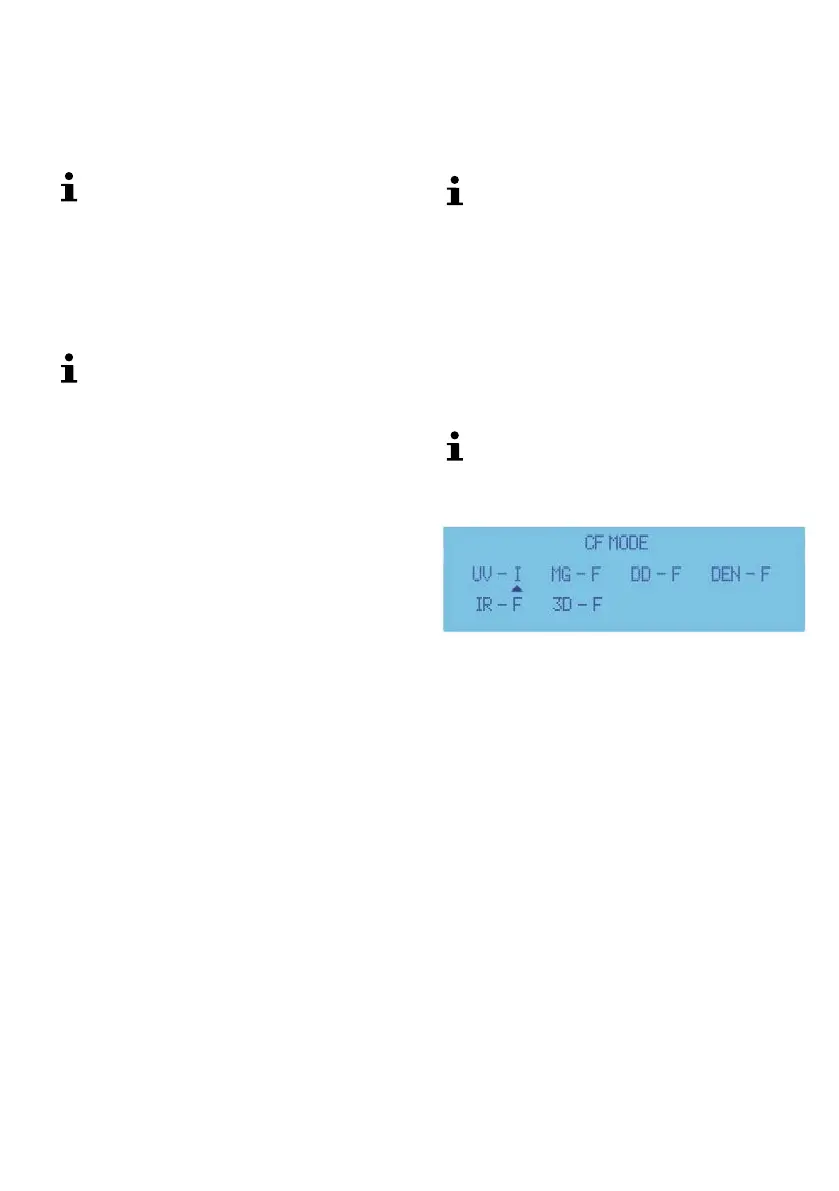
Setting the function and sensitivity
3
The device distinguishes between the following operat
ing states:
• I - On or Sensitivity level 1
• II - On or Level Sensitivity 2
• F - Off
SET 5 sec. The display switches to display
[2], (see Fig. 2, 2). A small triangle under the sensor indic
ates the current sensitivity setting.
+ The sensitivity is altered and indicated in the
display [2] by bars following the sensor. If an F appears fol
lowing the sensor, the sensor is currently switched off
(OFF).
SET Move to the next sensor.
After all the sensors have been set:
SET Exit from the setting.


 To Next Page
 Loading...