13
Shredding Paper
Your shredder can simultaneously shred a maximum of 8 sheets of DIN A4 paper with a weight
of 80 g/m
2
� For this purpose, use the front insertion slot�
1 Set the switch to its auto position� The shredder is now ready to operate�
Warning! Risk of injury through automatic insertion� The infeed starts automatically
when material is inserted� Keep all loose pieces of clothing, jewellery, long hair or
other loose items away from the shredder's insertion slot�
attention! Risk of property damage through material jam! Observe the
maximum cutting capacity of the insertion slot� Do not feed CDs into the
paper slot�
2 Feed the material to be shredded in the centre of the insertion slot� The infeed draws the
material in and stops shortly before shredding is nished and no further material is inserted.
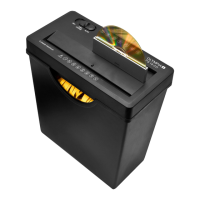
Shredding CDs
Your shredder can shred a maximum of 1 CD at a time� For this purpose, use the rear insertion
slot�
1 Set the switch to its reV cD position� The shredder is now ready to operate�
Warning! Risk of injury through infeed� The infeed operates continuously when the
switch is at the reV cD position� Keep all loose pieces of clothing, jewellery, long
hair or other loose items away from the shredder's insertion slot�
attention! Risk of property damage through material jam! Observe the maximum
cutting capacity of the insertion slot�
2 Feed the material to be shredded in the centre of the insertion slot� The infeed draws the
material in and stops shortly before shredding is nished and no further material is inserted.
Switching the Shredder Off
Switch the shredder off when you no longer need to use it� This saves electricity and prevents
third parties inadvertently injuring themselves with the shredder�
1 Set the switch to its off position�
2 Disconnect the power plug from the power socket�
Troubleshooting
The following information should help if something does not work as you expect it to�
Overheating Protection
The shredder motor switches off automatically if it overheats or is overloaded�
When the cool down phase has elapsed, the shredder is ready to operate again� Observe the
permitted operating cycle�


 To Next Page