42
Insert SIM card
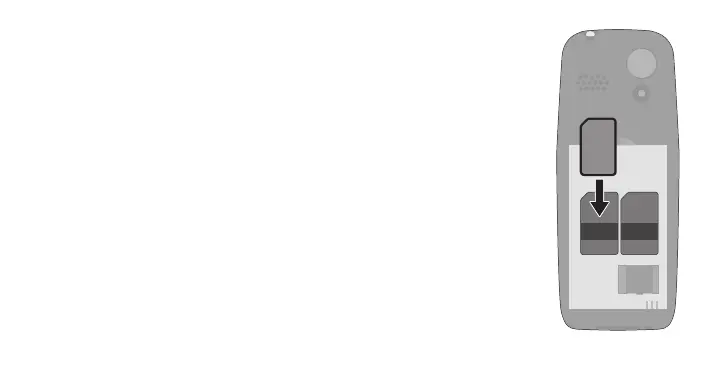
Before you can use your mobile phone, you must insert a SIM
card (not included in the scope of delivery) into your mobile pho-
ne. Only use SIM cards in the format shown (standard SIM).
1 Remove the cover from the battery compartment. Use the
recess on the bottom left-hand side to do this.
2 Insert your SIM card into the SIM 1 slot under the metal hol-
der. Pay attention to the orientation of the SIM card.
SIM 1


 To Next Page