43
SD
Insert microSD memory card (optional)
If you want to expand the memory of your mobile phone, you can insert a microSD me-
mory card (not included) with up to 16 GB memory into your mobile phone.
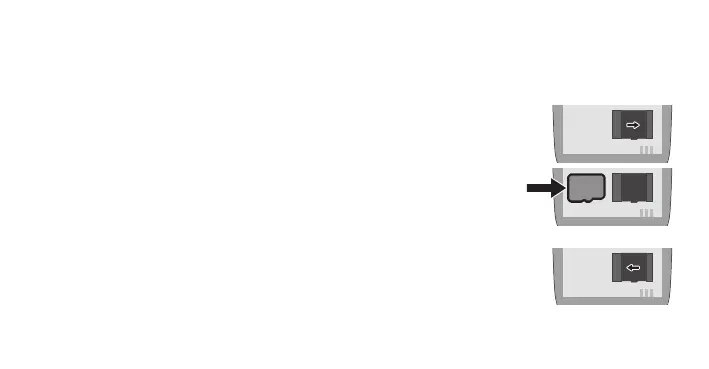
1 Slide the metal cover of the microSD compartment in the direction of the arrow. Fold
up the metal cover.
2 Insert the microSD memory card into the compartment
with the contacts facing downwards. Pay attention to the
orientation of the microSD memory card.
3 Close the metal cover. Slide the metal cover in the direc-
tion of the arrow to close the microSD compartment.


 To Next Page