EasyManua.ls Logo

Olympia style plus - Page 47

Olympia style plus
Print Icon
To Next Page IconTo Next Page
To Previous Page IconTo Previous Page
Loading...
47
When you want to enter phone numbers and digits or delete entries,
use the following keys:
Take an incoming call or begin a conversation.
End a call in progress.
Reject an incoming call.
Enter digits and letters.
When you want to take, end or reject calls, use the following keys:
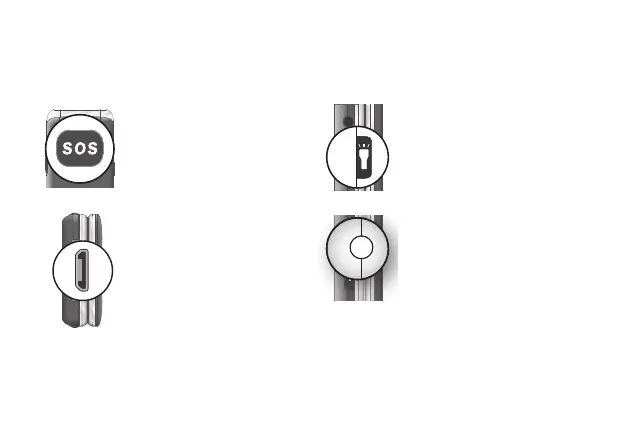
The operating elements on the sides or rear of the phone are
assigned the following functions:
Trigger an emergen-
cy call to the stored
phone numbers.
Charge the mobile
phone battery or
establish a connec-
tion to a computer.
Switch the torch
integrated in the
phone on and off.
Connect the head-
phones, e.g. to listen
to the radio or use
the phone while
driving a car.

Related product manuals