53
3
Playing Images Back
Checking the Focus by
Enlarging a Selected Picture
(Displaying Close-ups)
This function enlarges a selected image.
However, if the image is marked with the movie mark , it cannot be
enlarged for display.
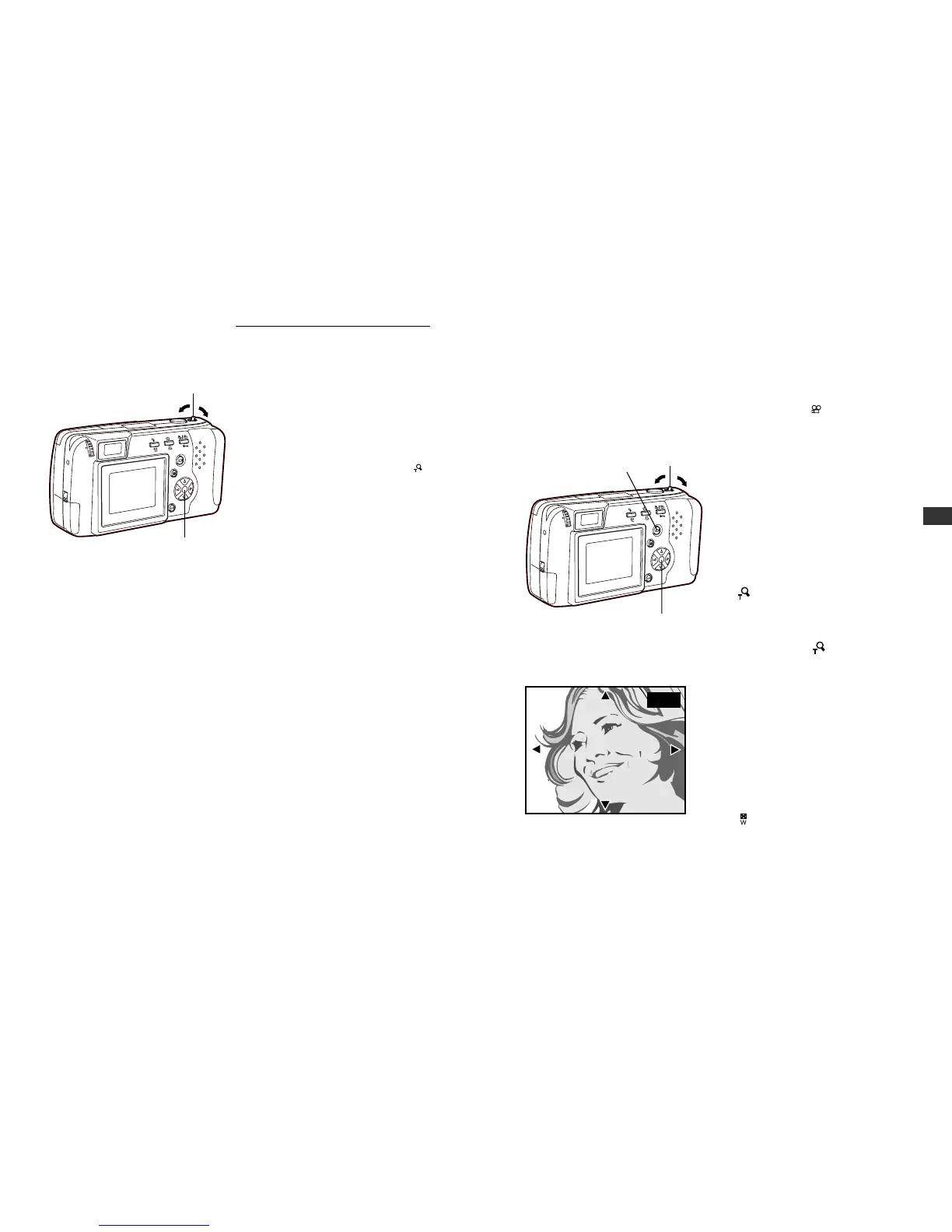
1
With the lens barrier closed,
press the monitor button.
• The camera turns on in
playback mode. The monitor
displays the last image taken.
2
Select the picture that you
want to display by pressing
the arrow pad (p.51~52).
3
Pull the zoom lever toward
(Telephoto).
• The selected image enlarges
1.5x.
• Each time you pull the zoom
level toward (Telephoto)
again, the photo enlarges
another 0.5x: to 2x, 2.5x, and
3x.
4
Press the arrow pad in one of
the four directions to select
the area you want to enlarge.
• The display frame area moves
smoothly in the desired
direction.
5
Push the zoom lever toward
(Wide angle).
• The selected image returns to
its original size.
• To display a different picture,
return the enlargement scale
to the original size.
Monitor
52
Displaying All Frames (continued)
4
Press the arrow pad to select
a frame displayed on-screen.
컅: To select the frame to the
left.
컄: To select the frame to the
right.
5
Pull the zoom lever toward
(Telephoto).
• The monitor displays the full-
sized version of the selected
photo. Pictures may only be
displayed one at a time (p.50).
• To display the pictures again
in the index-display setting,
repeat from step 2.






 To Next Page