71
4
Taking Better Pictures
Self-Timer
For when the photographer wants to be in the picture.
Using a tripod is highly recommended.
1
Secure the camera on the
tripod.
2
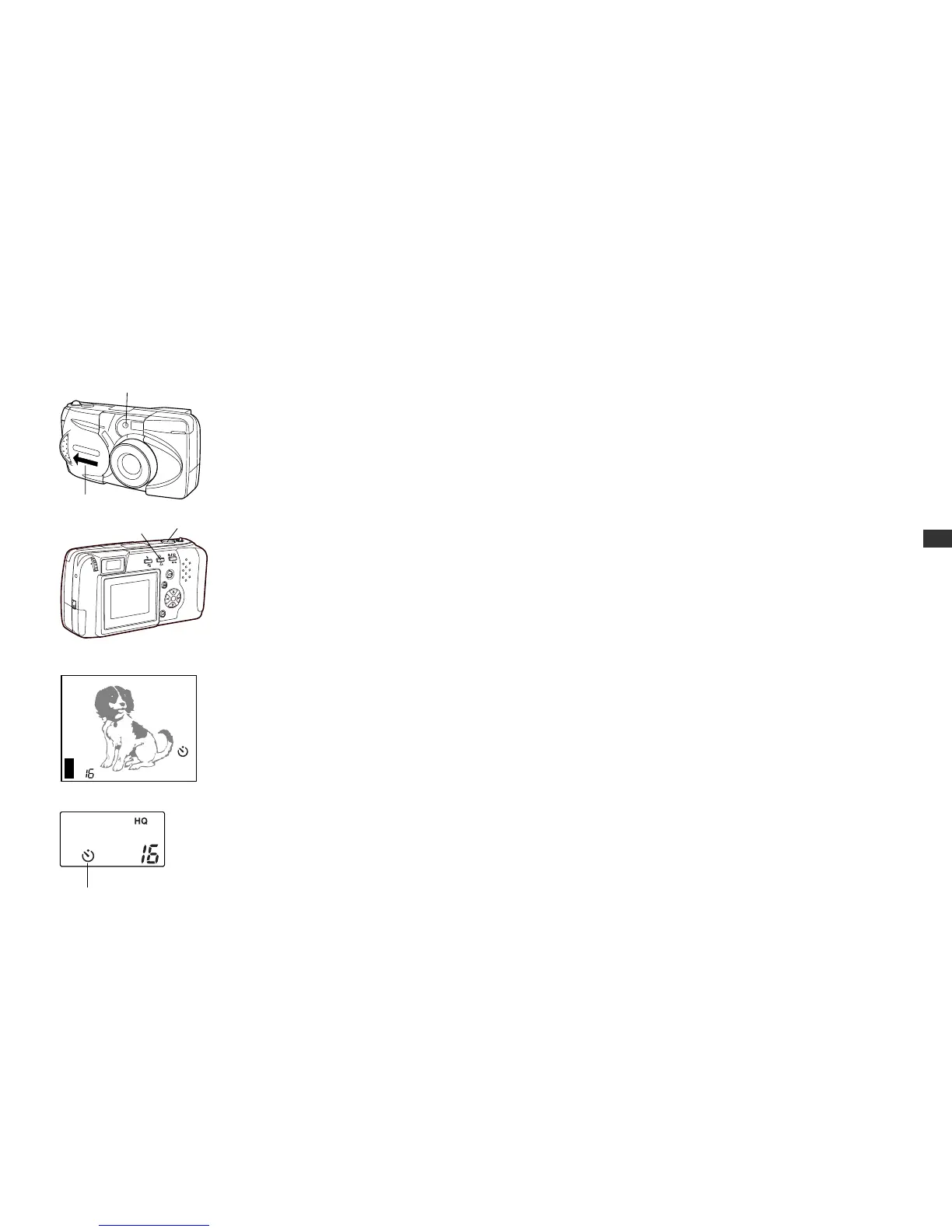
Open the lens barrier.
• The camera turns on in
shooting mode.
3
Press the self-timer button.
• The self-timer mark will be
displayed on the control
panel.
• If the monitor is on, the self-
timer mark will also appear on
the monitor.
4
Set up your shot, then
full-press the shutter release
button.
• The self-timer signal lamp
lights up for ten seconds, then
blinks for two seconds before
the photo is taken.
• The self-timer automatically
goes off after the photo is
taken.
To cancel the self-timer
To turn the self-timer off after it has
been turned on as in step 3, press
the self-timer button again. The
self-timer may be turned off even
after the signal lamp has already
gone on.
70
2
3
4
Monitor
Control panel
Self-timer mark
Self-timer signal lamp






 To Next Page