3.2 Recommended computer and monitor
configuration
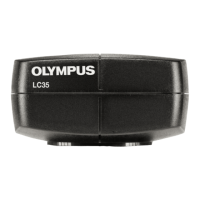
When you connect the OLYMPUS LC35 to a computer, the following
system requirements must be met.
CPU
Intel® Core i5, Intel® Core i7, Intel® Core i9
Intel® Xeon (or equivalent)
CPU cores
Recommendation: 4 or more physical CPU
cores
RAM
Recommendation: 8 GB or more (dual
channel)
Monitor Resolution 1920 x 1080 or higher
Communication port USB 3.1 type A
Removable media drive Optical drive (double-layer capable)
Computer input device
Recommendation: 3-button mouse with
wheel.
Keyboard
Operating system Microsoft® Windows® 10 (64 Bit)
3.3 Restrictions on use
OLYMPUS LC35 With other microscopes
The camera can be used in combination with many available
microscopes. However, the performance of the camera can only be
guaranteed for the microscopes listed in the"Microscope and
camera adapter" chapter on page 12.
The camera’s performance in combination with other microscopes
has not been tested.
3 System environment
13










 To Next Page