19
EN
• No information
27
Switching the
displays
The displays change
in the order of Normal
Detailed No info.
each time the INFO
button is pressed.
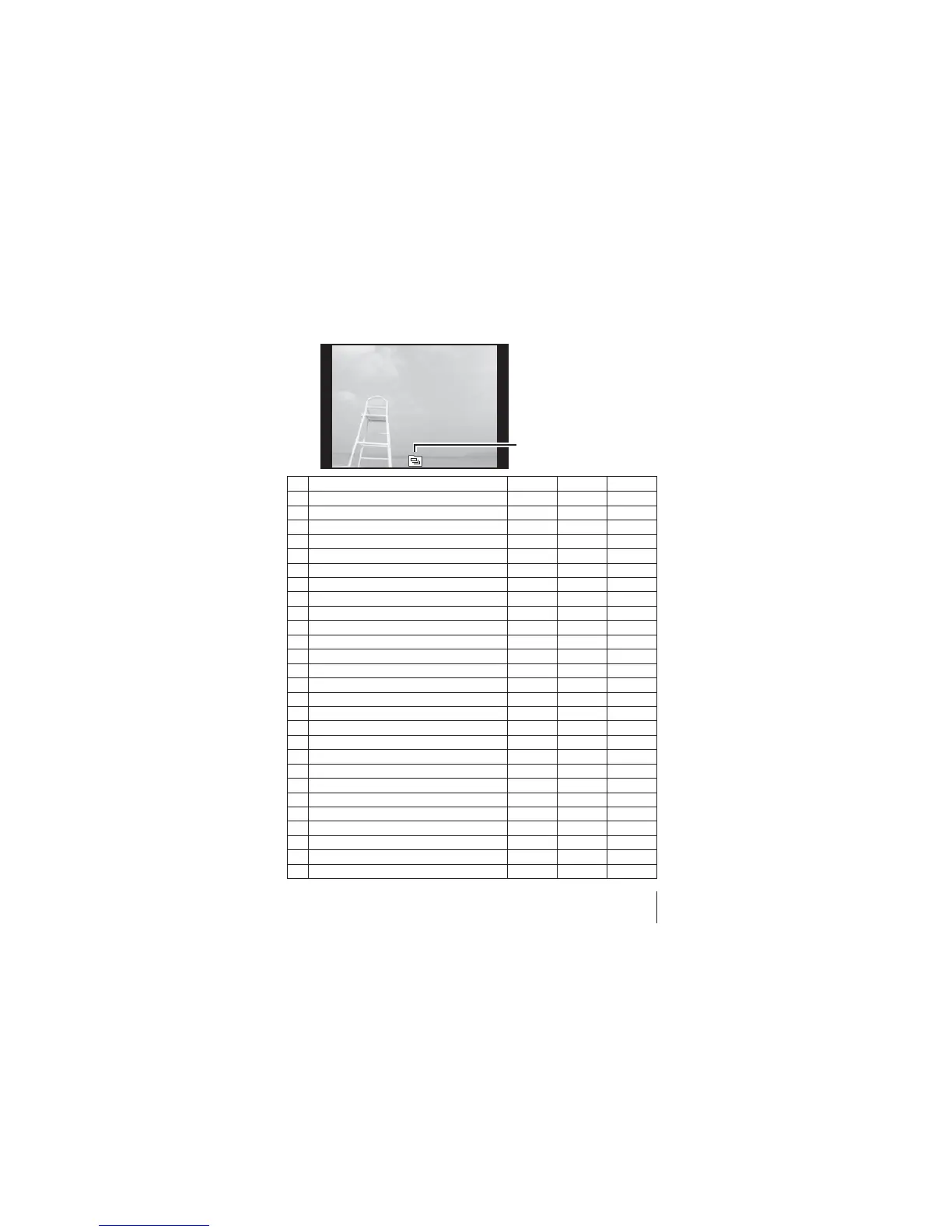
No. Name Normal Detailed No info.
1
Battery check –
R
–
2
Eye-Fi transfer data/Wi-Fi
RR
–
3
Protect
RR
–
4
Adding sound
RR
–
5
Share order
RR
–
6
RAW file
RR
–
7
Print reservation/number of prints
RR
–
8
Current memory
RR
–
9
Frame number/total number of images
RR
–
10
Direction information –
R
–
11
Longitude –
R
–
12
Latitude –
R
–
13
Compression/Image size (movies) –
R
–
14
Shutter speed –
R
–
15
Shooting mode –
R
–
16
Atmospheric/Hydraulic pressure –
R
–
17
ISO sensitivity –
R
–
18
Aperture value –
R
–
19
Altitude/Water depth –
R
–
20
Histogram –
R
–
21
Exposure compensation –
R
–
22
Picture mode –
R
–
23
White balance –
R
–
24
Image size (still images) –
R
–
25
File name –
R
–
26
Recording date and time
RR
–
27
Grouped images
RRR



 To Next Page