22
EN
^ (Underwater mode)
Only by selecting a sub mode according to the subject or the scene, you
can shoot underwater photographs with a proper setting.
Sub mode Application
]
Z Snapshot
Suitable for shooting seaside and pool portraits.
\
Z Wide1
Suitable for shooting underwater.
[
Z Wide2
Suitable for shooting underwater.
The focus distance is fixed to approximately 5 m.
w
Z Macro
Suitable for shooting close-up view underwater.
_
Z HDR
Suitable for contrasting underwater scenes.
This mode captures multiple images and merges them
into one, properly exposed image.
This mode may not function well for shooting a fast-
moving subject.
1
Rotate the mode dial to ^.
2
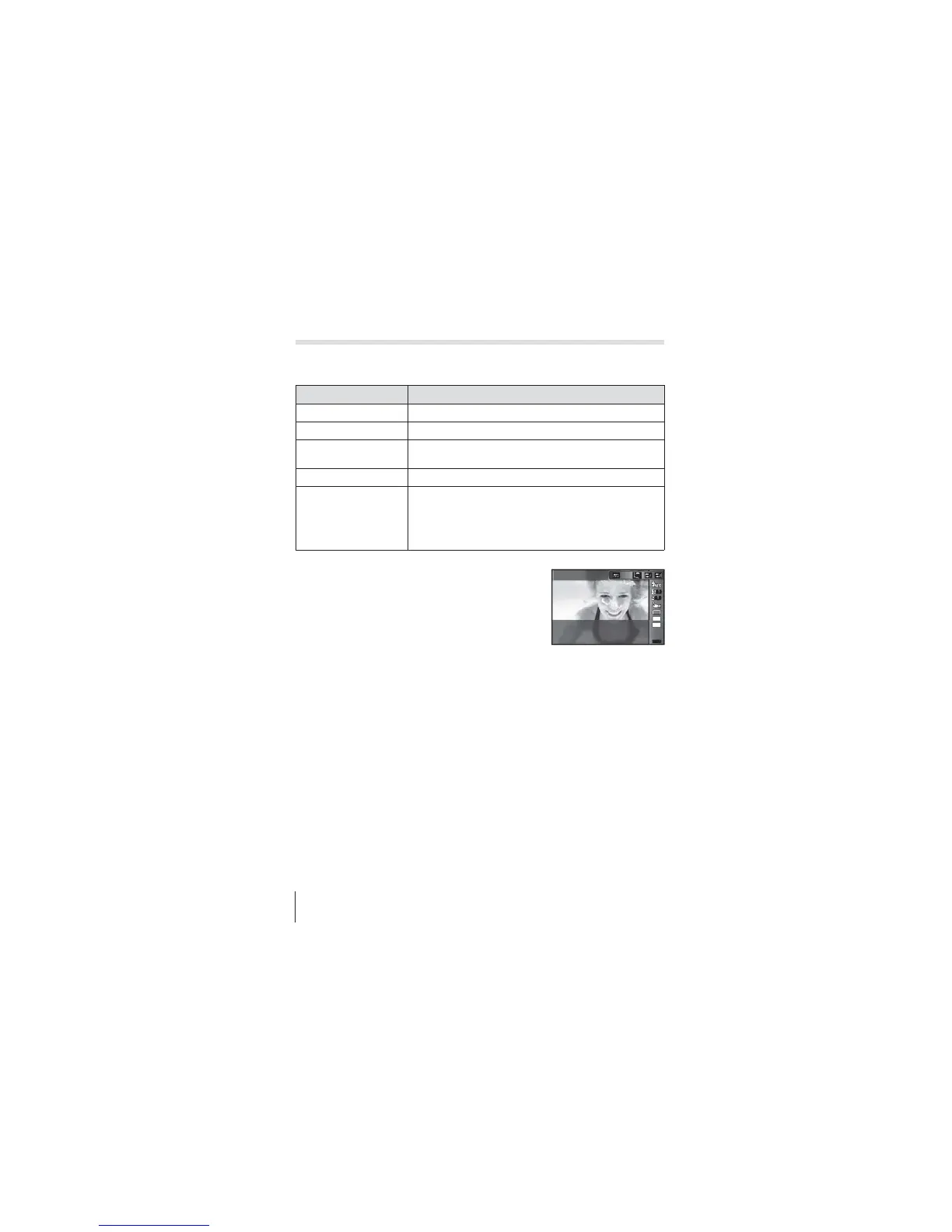
Use HI (arrow pad) to select a sub
mode and press the A button at the
end.
• Press H (arrow pad) once again to display the
sub mode selection screen.
MENUMENU
4:3
16
M
0.00.0
0.00.0
Z Snapshot
• You can shoot with a fixed focus position. gAFL (P. 34)
Flash Compensation
In []], [\], [[], and [w], you can adjust the flash brightness.
g “Flash Compensation” (P. 38)



 To Next Page