35
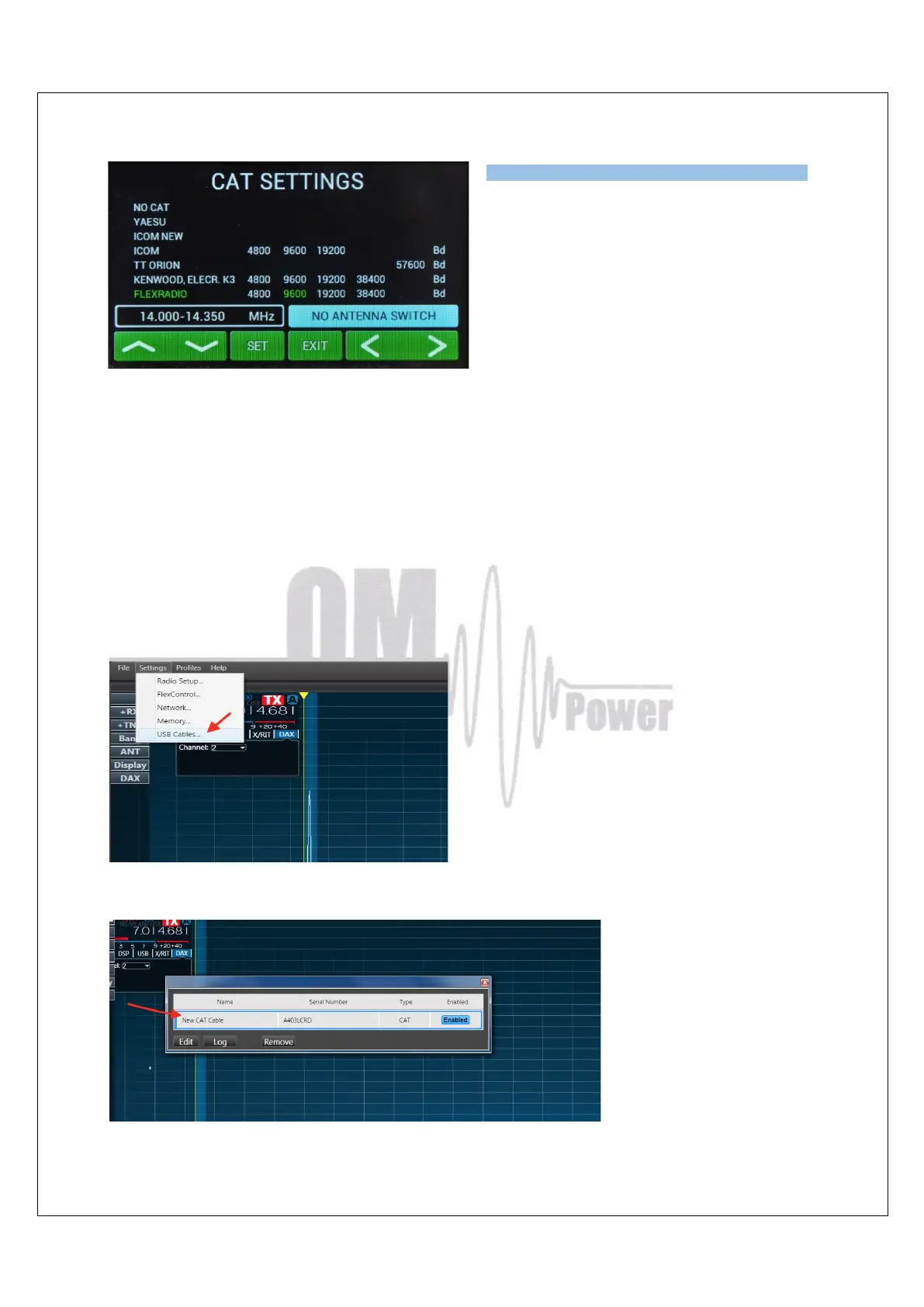
In the CAT SETTINGS menu select
FLEXRADIO, baud rate 9600 and press SET.
NOTE: If you have already configured other
programs to communicate with the Flex
6XXX using a different baud rate then set the
same baud rate for the Amplifier CAT setting.
Flex Radio 6xxx series connection using USB output
Connect from the Flex USB port directly to the TCVR port on the OM4001A using an USB –
FTDI serial port adapter and a null modem serial cable (both ends of the cable have a female
DB-9 connectors (pins 2 and 3 are crossed).
NOTE: A USB adapter equipped with a genuine FTDI chip set is a must. Knock off FTDI chip
sets do not work properly.
Now connect the DB9 end of the null modem cable/FTDI adapter to the TCVR port on the
OM4001A.
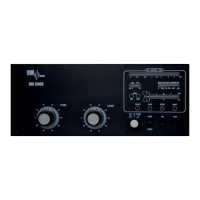
Activate Smart SDR and from the Flex SSDR main screen choose Settings then USB Cables
Now connect the USB-FTDI adapter to a USB port on the Flex radio. A new line showing the
connected USB adapter will appear.


 To Next Page