41
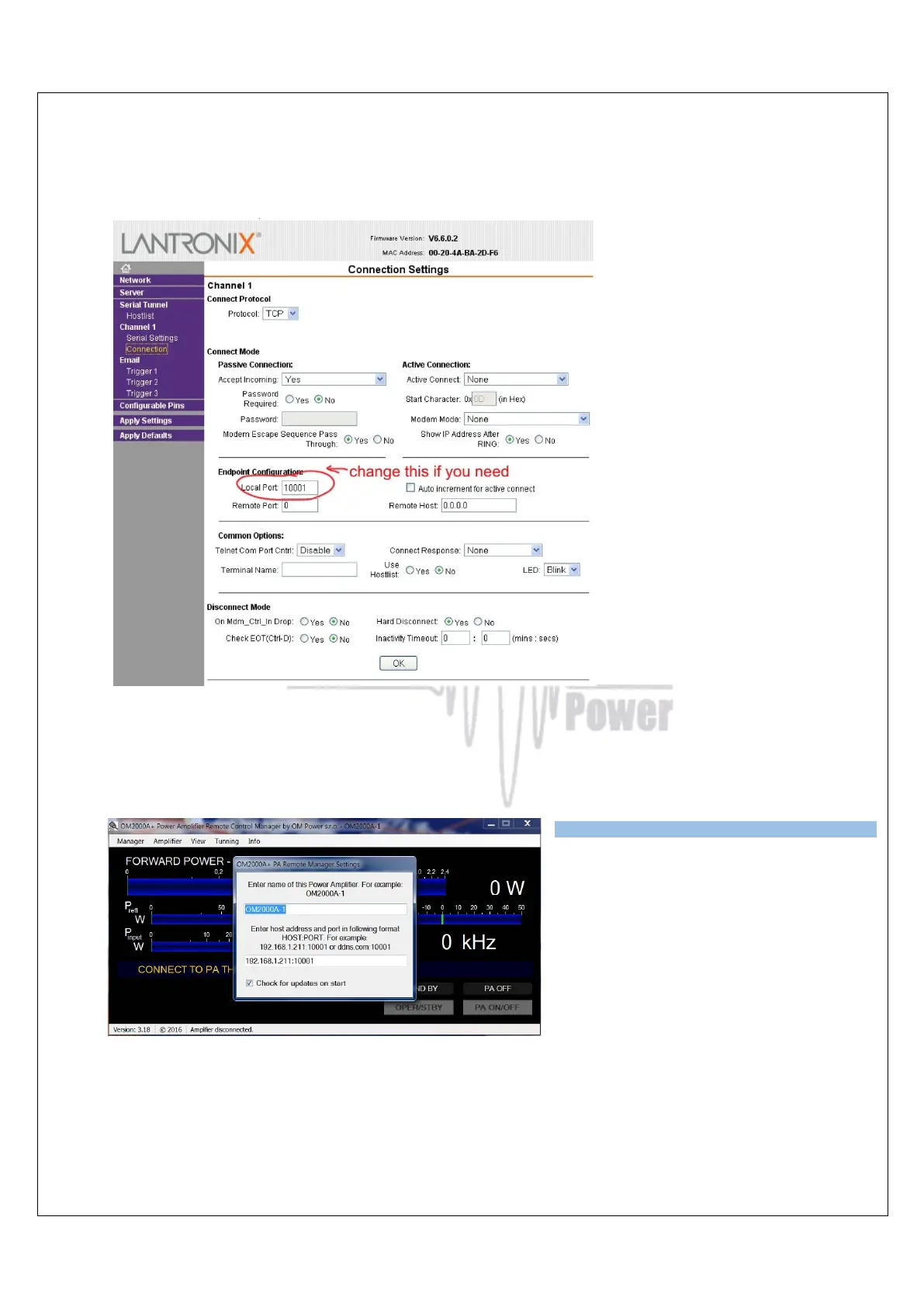
If necessary it is also possible to change the OM4001A local Port number. Make any changes
as required in the Connection menu. When finished, click OK.
When completely finished, click Apply Settings in the main Menu.
7.4.2 Setting up in the Remote software
In the Remote Control software
open the Manager Settings and
enter the IP Address and Port
number that you set in point 7.5.1.
Press enter, when done. Now you
are ready to work with the
OM4001A over the internet.



 To Next Page