10
Procedure:
Screens shown in this manual represent the displays shown with a 500
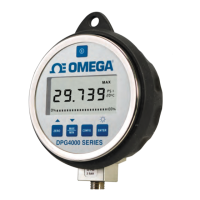
psi Gauge. The DPG4000 will prompt the technician for the
appropriate pressure at each calibration point.
Use the Pressure Standard to output 500.00 psi (100%). After the
output has stabilized, press the ENTER key to continue. As the unit
takes readings, the screen will show ———-. When the readings are
complete the screen should look as shown in the illustration that
follows.
Use the Pressure Standard to output 437.50 psi (87.5%). After the
output has stabilized, press the ENTER key to continue. As the unit
takes readings, the screen will show ———-. When the readings are
complete the screen should look as shown below.
Use the Pressure Standard to output 375.00 psi (75%). After the
output has stabilized, press the ENTER key to continue. As the unit
takes readings, the screen will show ———-. When the readings are
complete the screen should look as shown below.
PSI
437.50
CAL MODE
PSI
375.00
CAL MODE
PSI
312.50
CAL MODE
PSI
500.00
CAL MODE


 To Next Page