16
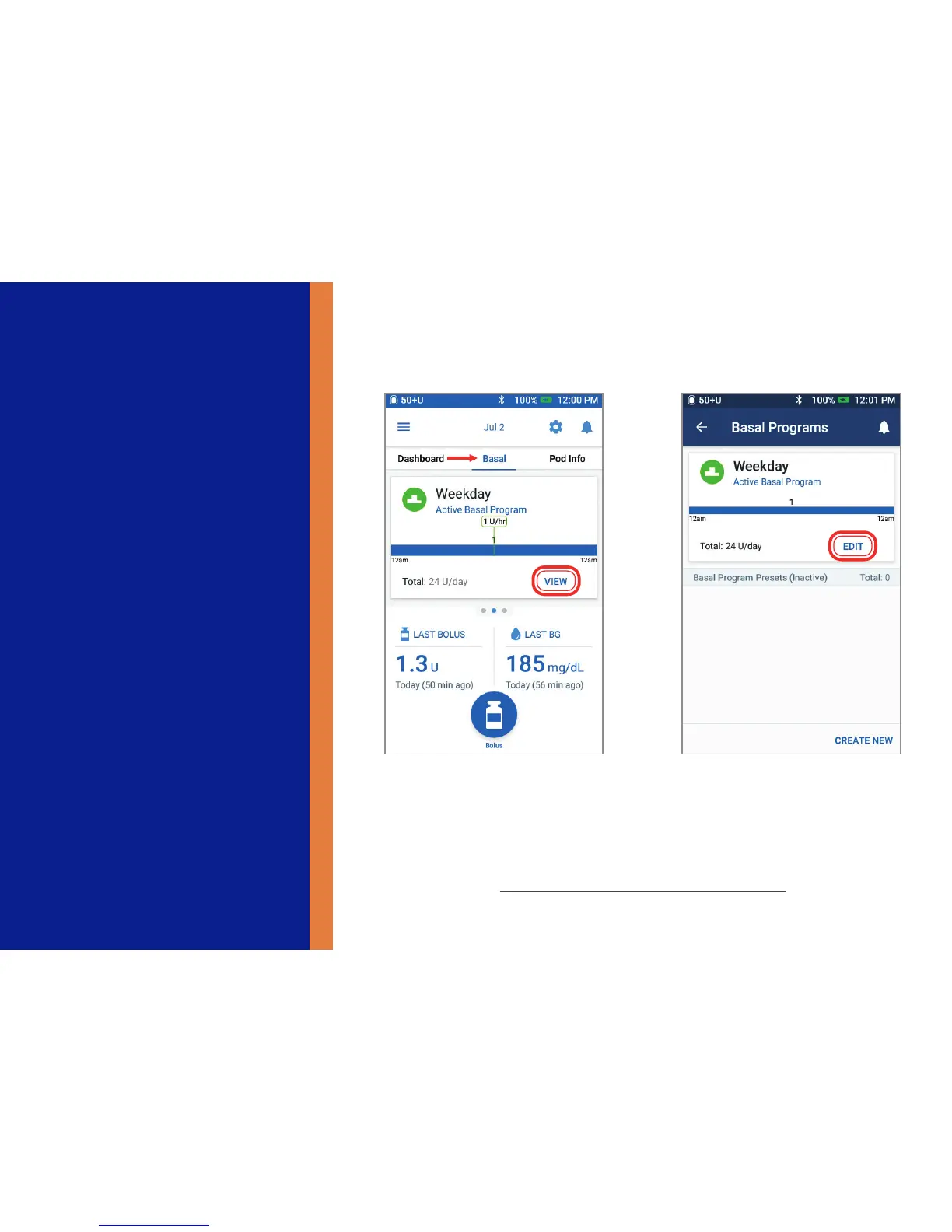
1. Tap “Basal” tab on the Home
screen. Tap “VIEW”
2. Tap “EDIT”
Edit an Active Basal Program
NOTE: You must suspend insulin before editing the active Basal Program.
KEY INSULIN
DELIVERY
ACTIONS
Disclaimer: The following screens are for demonstration
purposes only. The values shown are educational
and may not reflect real life scenarios.



 To Next Page