3.4 CONFIGURE THE MODULE VIA COMMAND LINE INTERFACE
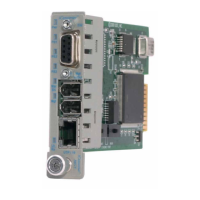
To configure, attach the NMM to a DB-9 serial (RS-232) equipped computer with terminal emulation
software such as HyperTerminal. Using a standard serial cable, connect the serial port of the PC and the
Serial Console Port of the NMM. This is a standard asynchronous DCE serial interface. The pin-outs are
illustrated below.
1
6
5
9
2
3
5
7
DB-9 Female
RD
TD
GND
RTS
Serial Connector Pin Outs
Start HyperTerminal and select the correct COM Port in the HyperTerminal “Connect To:” window.
Set the PC’s serial port to the following:
Bits Per Second: 57,600
Stop Bits: 1
Data Bits: 8
Parity: NONE
Hardware Flow Control: NONE
Power the chassis containing the NMM and press <ENTER> to bring up a command line prompt on the
attached PC.
The module is configured with the following defaults:
IP
IP Address: 192.168.1.220
IP Subnet Mask: 255.255.255.0
Passwords
Serial: No password assigned
FTP: No password assigned
Telnet: public
SNMPv1/v2c Communities
READ: public
WRITE: public
SNMPv3 Parameters
User 1 name (read only): guest
User 2 name (read/write): admin
User 1 Privacy pwd: publicguest User 1 Authen pwd: publicguest
User 2 Privacy pwd: privateadmin User 2 Authen pwd: privateadmin
Page 9


 To Next Page