10007125.DOC
15/20
•Headphones-output adjustable via Cue Level-control
•Mixing of the headphones-signal possible via cue split-button
•Rec-Out via 2 RCA-plugs
•Additional Rec-Out-sockets on the frontpanel
•2 Master outputs via balanced XLR-connectors, -10dBV and +4dBV switchable
•Additional Master outputs via 2 RCA-plugs
•only 3 units
•19"-dimensions
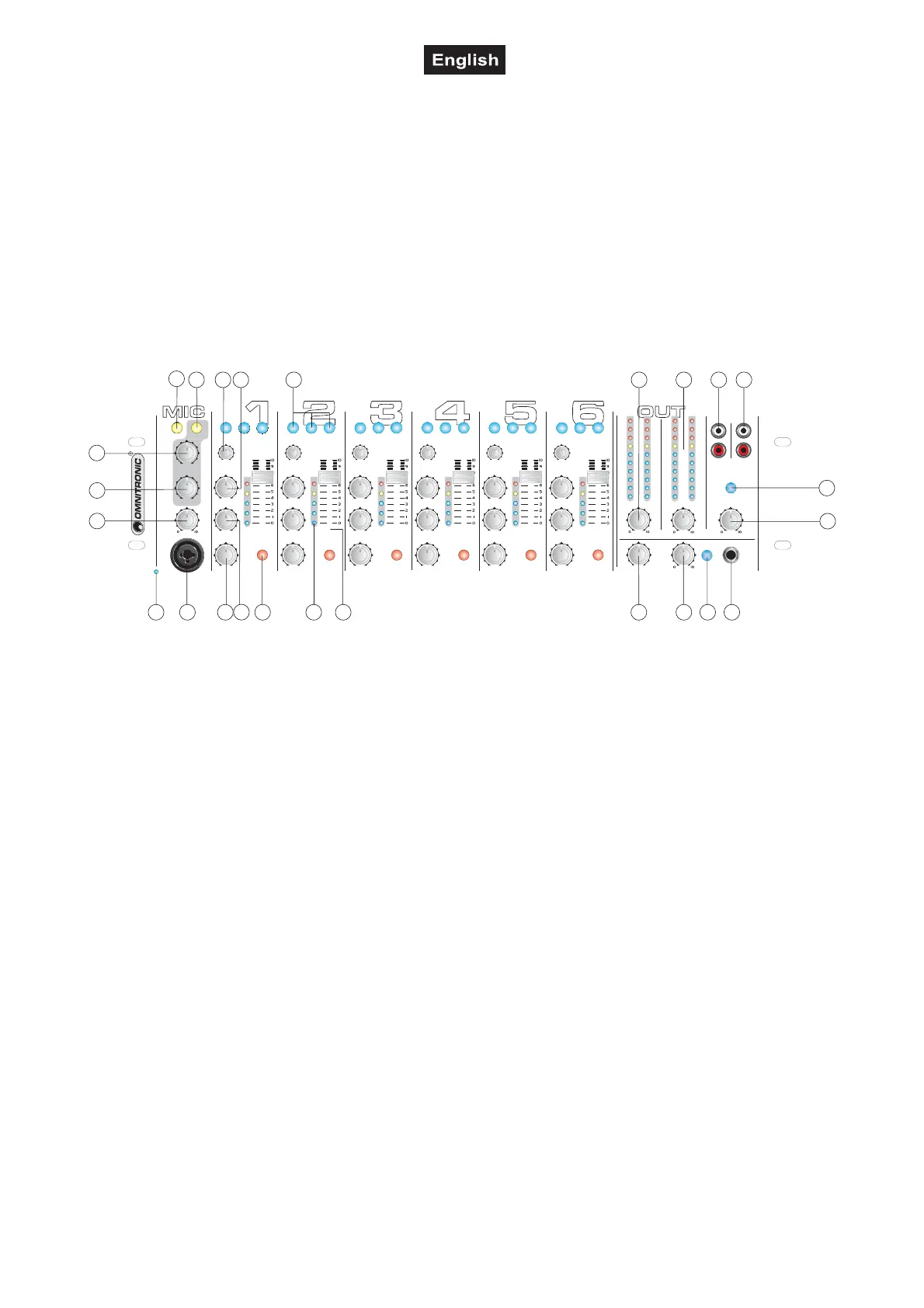
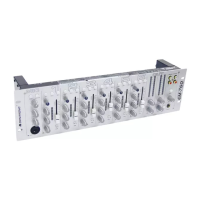
The OMNITRONIC EM-760 is designed for professional application. The inputs and outputs are located on
the rear panel, the gain controls on the front panel.
Frontpanel
LINE 1
PHONO 1
AUX
PHONO 2
AUX
PHONO 3
AUX
LINE 6 LINE 8LINE 2 LINE 3 LINE 4 LINE 5
LINE 7
LINE 9MIC 1 MIC 2 MIC 3 MIC 4 MIC 5
MIC 6
REC OUTLINE IN 8
MONO
SPLIT
POWER
LEVEL
OUT 1
OUT 2
BOOTH
LEVEL
PHONES
DB
TIME
HIGH
HIGH
HIGH
HIGH HIGH HIGH
MID
MID
MID
MID MID MID
BASS
BASS
BASS
BASS BASS BASS
-
-
-
-
-
---
-
-
-
---
-
-
-
---
+
+
+
+
+
+++
+
+
+
+++
+
+
+
+++
GAIN
GAIN
GAIN
GAIN GAIN GAIN
-
-
-
---
+
+
+
+++
TALKOVERON AIR
-7 -7 -7 -7 -7 -7
-5 -5 -5 -5 -5 -5
-3 -3 -3 -3 -3 -3
+3 +3 +3 +3 +3 +3
0dB
0dB 0dB 0dB 0dB 0dB
CUE
PGM
-20
-20
-15
-15
-10
-10
-7
-7
-5
-5
-3
-3
+3
+3
+6
+6
+9
+9
0dB
0dB
EM-760
ENTERTAINMENT SERIES
6 CHANNEL MIXER
CUE CUE CUE CUE CUE CUE
1 2 3
4
5 6 7 8 9
11
12
13
14151617181921
22
23
24
25
10
20
1. POWER-LED
2. MIC 1-SOCKET
You can connect microphones with XLR-plug and control the signals via the Mic Level-control.
3. BASS-CONTROL
Used to increase or lower the LOWs of the input signal.
4. MIDDLE-CONTROL
Used to increase or lower the MIDs of the input signal.
5. CUE-BUTTON
Use the CUE-button in order to select the channel(s) to be monitored.
6. CHANNEL DISPLAY
The display shows the individual channel signal.
7. CHANNEL-FADER
Used to adjust the input level of each channel.
8. CUE MIXING-FADER
Connect your headphones to the HEADphones socket. With the CUE-buttons, you can select the desired
channel.
When you set the CUE MIXING-fader to PGM (CUE-buttons without function), you can cue the output signal
of the mixer.
When you set the CUE MIXING-fader to to the center position, you can cue both the channel-signal you
selected and the output-signal.
9. PHONE LEVEL-CONTROL
With the Level-control, you can adjust the phones volume without changing the output signal.


 To Next Page