00068822.DOC, Version 1.0
11/16
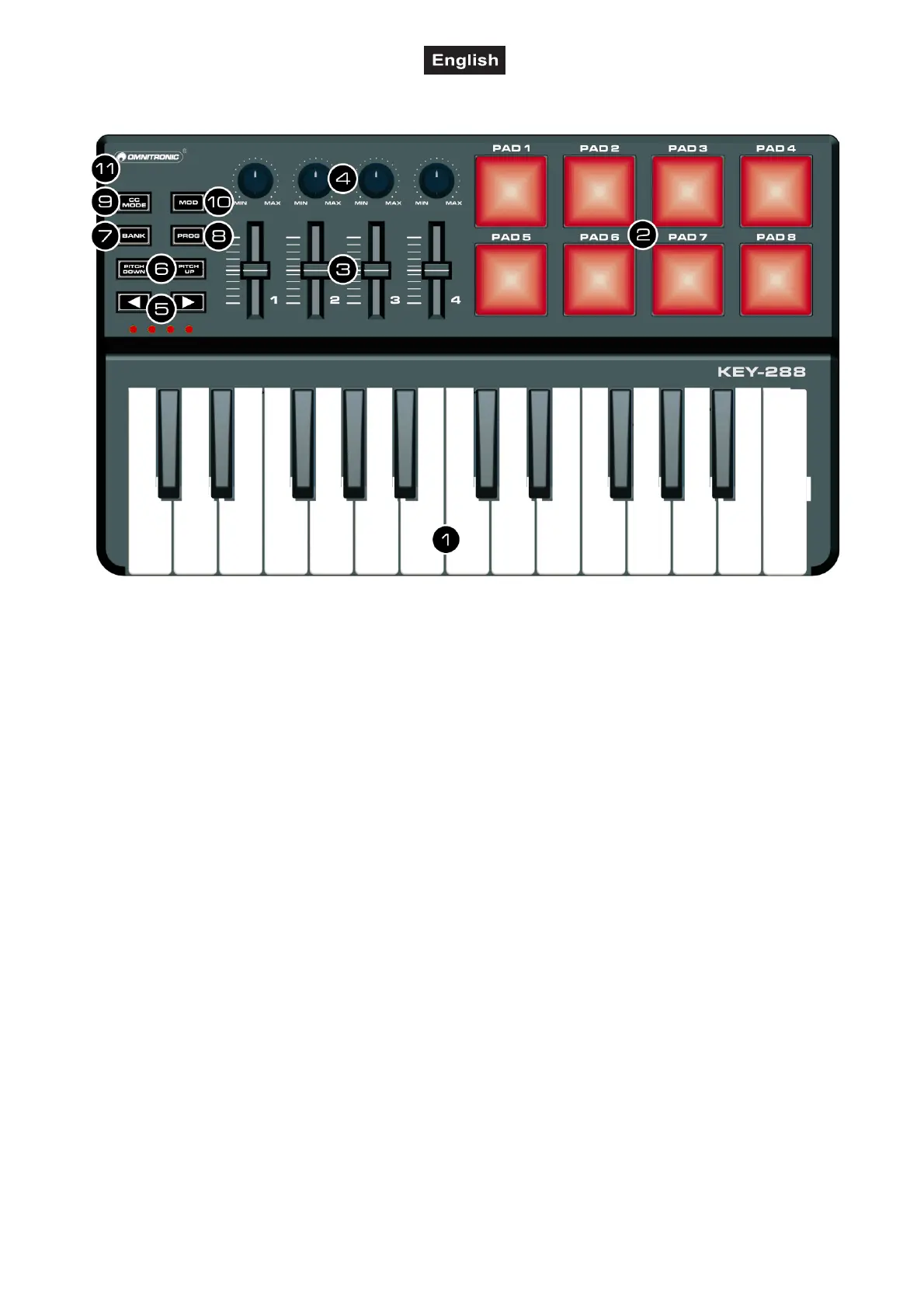
3. CONTROL ELEMENTS AND CONNECTIONS
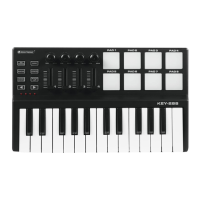
1 Keyboard
• There are 25 velocity-sensitive keys that
transmit note messages.
• When CC mode is on, they transmit control
change messages.
• Pressing down a key and pressing the CC
MODE button simultaneously, activates the
arpeggiator. The arpeggiator will memorize
andcontinue to arpeggiate this note, even if
you depress the key. The arpeggio is played
until you press the button CC MODE again.
2 Trigger pads
Transmit control change messages or note
messages.
3 MIDI control group
The KEY-288 offers 4 control groups. Each
group has one rotary control and one fader to
transmit control change messages.
4 OCTAVE buttons
Select the pitch of the keyboard in steps of an
octave
• Press to shift the pitch downward by one
octave.
• Press to shift the pitch upward by one
octave.
The octave LEDs indicate the keyboard's
octave shift.
• The BANK and PROG buttons allow to access
additional commands.
5 PITCH UP/PITCH DOWN buttons
Transmit pitch bend messages.
6 BANK button
When this button is engaged, you can use the
and buttons to switch between scenes.
You can save the parameter assignments for
the MIDI controller as scenes. The unit offers 4
scenes which can be edited with the software
editor.
7 PROG button
When this button is engaged, you can use the
and buttons to select the program.
8 CC MODE button
• Toggles CC mode for the keyboard on and off.
When CC mode is on, the button lights up.
• Toggles the arpeggiator on and off together
with the keyboard.
9 Taste MOD
Transmits modulation messages.
10 USB port
For connecting a computer. The MIDI
controller sends and receives MIDI data via
the USB connection and is supplied with
power.


 To Next Page