EasyManua.ls Logo

Omron BF306 - User Manual

Omron BF306
8 pages
Print Icon
To Next Page IconTo Next Page
Loading...
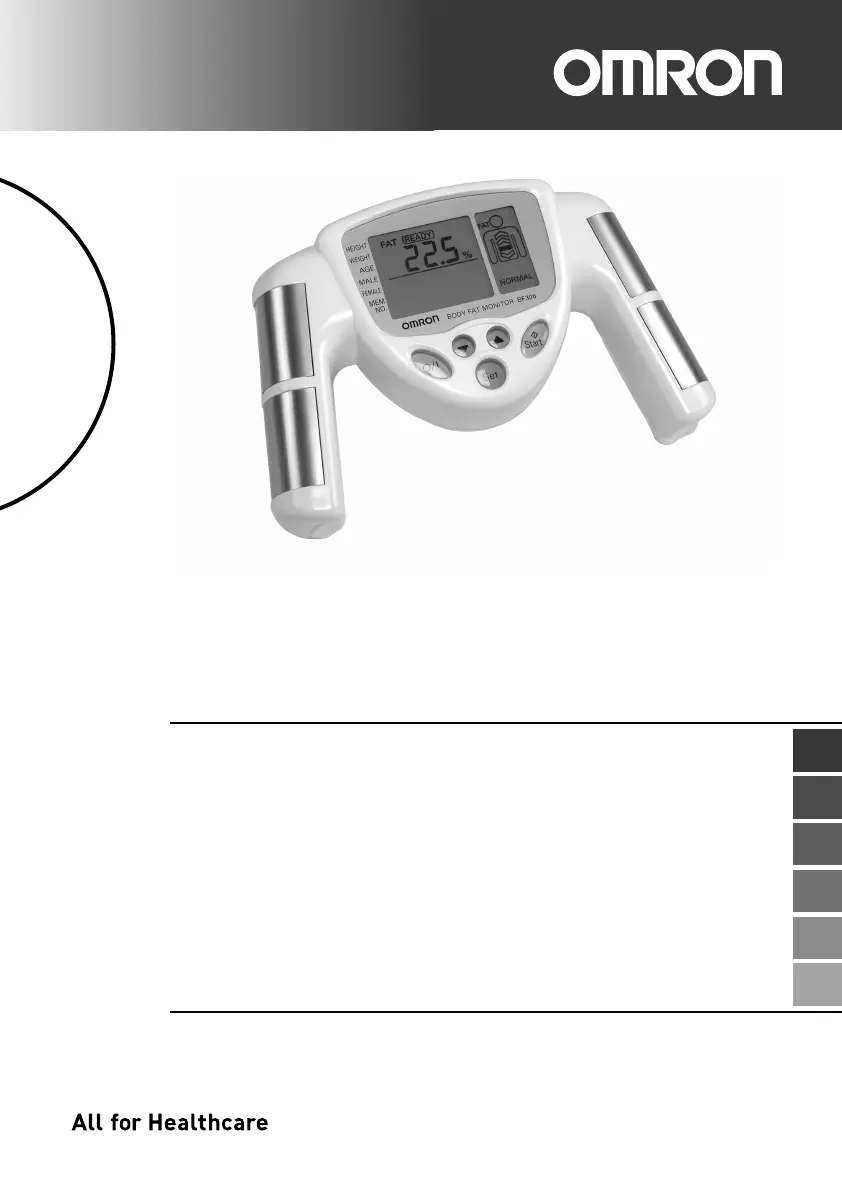
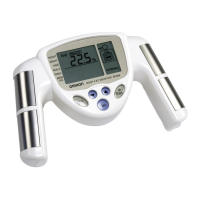
Body Fat Monitor
Model BF306
• Instruction Manual page 2
• Gebrauchsanweisung Seite 9
• Gebruiksaanwijzing pagina 16
• Mode d’emploi page 23
• Manuale de instruzione pagina 30
• Manual de instrucciones pagína 37
IM-HBF-306-E-04-10/2011
EN
DE
NL
FR
IT
ES
13413manualBF306COVBF306Cover11/12/2123:51ページ1

Questions and Answers

  • F
    Felicia ReyesAug 6, 2025
    Why is the body fat percentage abnormally high or low on my Omron BF306?
    • M
      Molly RuizAug 6, 2025
      An abnormally high or low body fat percentage reading may be due to incorrect measurement posture. Measure again, ensuring you maintain the correct posture during the process.
  • J
    Janet GordonAug 11, 2025
    What to do if the values of body fat percentage and weight, BMI are outside the measurable range on Omron BF306 Scales?
    • Y
      ymorenoAug 11, 2025
      If the body fat percentage, weight, and BMI values are outside the measurable range, double-check the set height, age, and gender settings using the Set button to ensure they are accurate.
  • U
    uhallAug 15, 2025
    Why is nothing displayed when I push the O/I button on my Omron Scales?
    • R
      rachelmoranAug 15, 2025
      If nothing is displayed when you push the O/I button, there are a couple of potential reasons: * The batteries may be worn out. If this is the case, replace both batteries with new ones. * The battery polarity might be incorrect. Ensure that you insert the batteries correctly.
  • D
    Daniel SpencerAug 19, 2025
    What to do if abnormal operation occurs on Omron Scales?
    • H
      Haley PerezAug 19, 2025
      If an abnormal operation occurs, press the O/I button again to restart the measurement. If the error persists, it is recommended to consult the nearest Omron dealer.
  • J
    Joseph SwansonAug 25, 2025
    What to do if other conditions affect measurement on Omron Scales?
    • A
      Angel RobertsonAug 25, 2025
      If other conditions are affecting the measurement, push the O/I button again and restart the process from the beginning.
  • B
    berryryanAug 27, 2025
    What to do if the electrodes were not grasped by Omron BF306?
    • J
      John BurnsAug 27, 2025
      If the electrodes were not grasped, grasp the grips correctly and measure again by pressing the Start button.
  • J
    Jessica KellySep 1, 2025
    What to do if hands are dry when measuring with Omron Scales?
    • J
      Joseph RamirezSep 1, 2025
      If your hands are dry, slightly moisten them with a wet towel before measuring. Then, proceed with the measurement by pressing the Start button.

Summary

Safety Precautions and Storage

Important Safety Instructions

Crucial safety guidelines for using the body fat monitor safely and correctly.

How to Obtain a Correct Measurement

Operation and Usage of the OMRON BF306 Body Fat Monitor

Setting Personal Data Before Taking a Measurement

Instructions for inputting personal data like height, weight, age, and gender.

To Take a Measurement

Step-by-step procedure for performing a body fat measurement.

How to Interpret Measured Results

Troubleshooting

Possible Causes of Inaccurate Measurements

Identifies common reasons why measurements might be inaccurate.

Explanation of Error Codes

Defines error codes displayed by the unit and their meanings.

Omron BF306 Specifications

General IconGeneral
TypeBody Composition Monitor
Weight Capacity150 kg
Unitskg, lb, st
Weight Increment0.1 kg
Body Fat Percentage Increment0.1%
DisplayLCD
Auto Power OffYes
Measurement MethodBioelectrical Impedance Analysis (BIA)
Measurement ParametersWeight, Visceral Fat
Power Source4 x AAA batteries
Dimensions300 x 300 x 30 mm
Weight1.5 kg
Body Fat Percentage Range5.0% - 60.0%
BMI Range7 - 90

Related product manuals