EasyManua.ls Logo

Omron BF500 - User Manual

Omron BF500
47 pages
Print Icon
To Next Page IconTo Next Page
Loading...
BF500
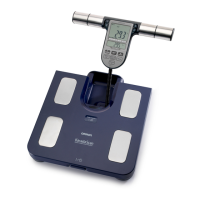
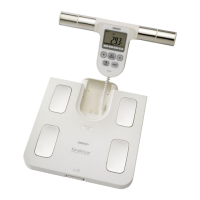
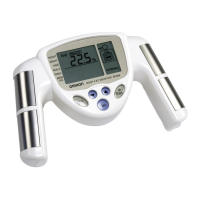
Body Composition Monitor
• Instruction Manual
• Mode d’emploi
• Gebrauchsanweisung
• Manuale di istruzioni
• Manual de instrucciones
• Gebruiksaanwijzing
РУКОВО ДСТВО ПО ЭКСПЛУАТАЦИИ
EN
FR
DE
IT
ES
NL
Thank you for purchasing the OMRON Body Composition Monitor.
Before using this unit for the first time, please be sure to read this
Instruction Manual carefully and use the unit safely and properly.
Please keep this Instruction Manual at hand all the time for future
reference.
IM-BF-500-E-04-10/08
9054902-7E
RU
HBF500-E.book Page 1 Friday, October 24, 2008 10:41 AM

Questions and Answers

  • J
    John ColemanJul 31, 2025
    Why is nothing displayed on my Omron BF500 when I turn it on?
    • D
      Darrell MccoyJul 31, 2025
      If nothing appears on the display of your Omron Scales when you turn it on, there are several possible reasons: * The batteries may not be inserted. Ensure batteries are correctly placed inside. * The batteries might be incorrectly aligned. Make sure the polarities (+ and -) of the batteries are aligned correctly. * The batteries could be worn out. Try replacing all four batteries with new ones. * The cord connecting the main unit and the display unit might be damaged. In this case, contact your nearest OMRON service representative.
  • J
    James JonesAug 15, 2025
    Why does my Omron BF500 Scales turn off before measuring body fat?
    • M
      Michael MartinAug 15, 2025
      If your Omron Scales power turns off quickly, it might be because you didn't press the correct personal profile number or the Guest/Memory button, and the personal profile number or “G” is not displayed. To resolve this, press the correct personal profile number or the Guest/Memory button.

Summary

Body Composition Monitor

Notes on Safety

2. Inserting and Replacing the Batteries

3. How to Set the Date and Time

4. Setting and Storing Personal Data

5. Taking a Measurement

7. Using the Memory Function

8. Error Displays

9. Troubleshooting

Understanding the Results

Weight & BMI

Explains Body Mass Index (BMI) calculation and classification.

Body Fat Ratio & Visceral Fat Level

Details on body fat percentage calculation and visceral fat level interpretation.

Resting Metabolism & Skeletal Muscle

Information on resting metabolism and skeletal muscle percentage.

Omron BF500 Specifications

General IconGeneral
BrandOmron
ModelBF500
CategoryScales
LanguageEnglish

Related product manuals