15
3.How to Set the Date and Time
EN
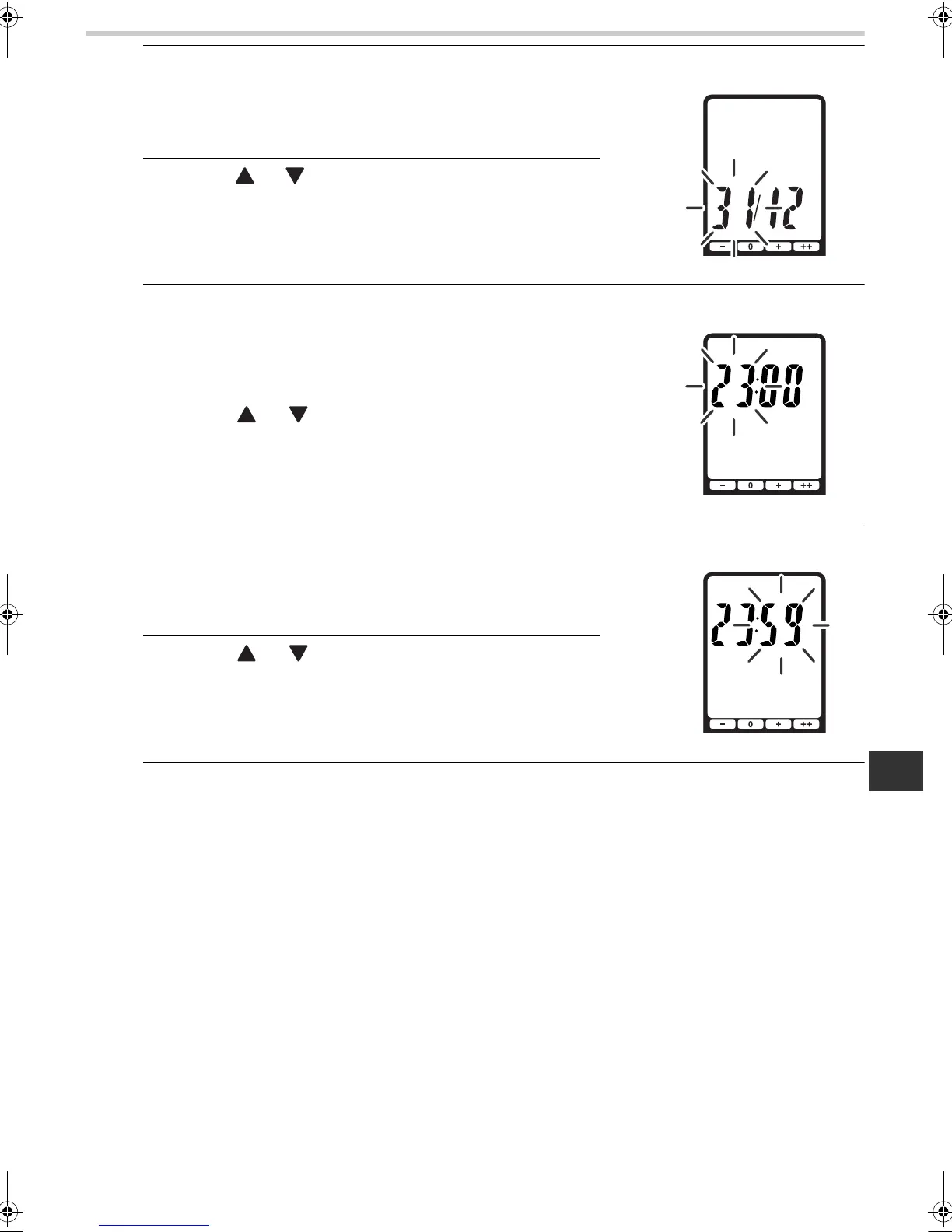
5. Press the SET button.
The month setting is confirmed and the day flashes on the
display.
[TO SET THE DAY]
6. Press the or button to adjust the day setting to
the desired day.
7. Press the SET button.
The day setting is confirmed and the hour flashes on the
display.
[TO SET THE HOUR]
8. Press the or button to adjust the hour setting
to the desired hour.
9. Press the SET button.
The hour setting is confirmed and the minute flashes on the
display.
[TO SET THE MINUTE]
10.Press the or button to adjust the minute
setting to the desired minute.
11.Press the SET button.
The minute setting is confirmed.
After the settings for year, month, day, hour and minute are displayed in that sequence, the
power is automatically turned off.
HBF500-E.book Page 15 Friday, October 24, 2008 10:41 AM








 To Next Page