EasyManua.ls Logo

Omron CK5M-CPU1 1 Series - User Manual

Omron CK5M-CPU1 1 Series
76 pages
Print Icon
To Next Page IconTo Next Page
Loading...
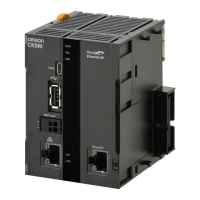
CK5M-CPU11
CK3M-CPU11
CK3E-
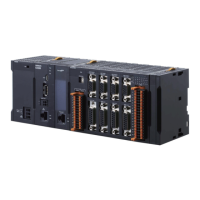
Programmable Multi-Axis Controller
Startup Guide
for 1S-Series Servo Drive
(IDEv4)
O039-E1-02

Questions and Answers

  • B
    Brian Vargas MDSep 8, 2025
    How to fix the link if it is not established on Omron Servo Drives?
    • P
      paul22Sep 8, 2025
      If the link is not established, it could be due to a broken Ethernet cable or using the wrong type of cable. Replace the cable to resolve this. Alternatively, a connector on the Ethernet cable used for EtherCAT communications may be disconnected or faulty. Reconnect the connector, ensuring it is properly mated. A failed slave within the EtherCAT network configuration can also cause this issue, so consider replacing the slave.
  • C
    Cheryl OsborneAug 23, 2025
    What to do if I see a watchdog timer error on my Omron CK5M-CPU1 1 Controller?
    • M
      Melissa LeonardAug 23, 2025
      If the Omron Controller displays a watchdog timer error, check for noise intrusion in the FG, power supply, and communication lines, and apply appropriate countermeasures. If a momentary power interruption occurred, ensure a stable power supply with the rated voltage and frequency. If the issue persists, the Motion Controller may need to be replaced.
  • G
    gamblespencerAug 25, 2025
    What to do if EtherCAT communications do not start on Omron CK5M-CPU1 1 Controller?
    • S
      sotochristopherAug 25, 2025
      If EtherCAT communications don't start on your Omron Controller, first, use the Terminal pane to run the command ECAT[0].Enable=1. Also, verify that the EtherCAT network configuration in the Controller matches the physical network configuration. Check that the Ethernet cable is correctly connected. Finally, examine the ECAT[0].error value for any error indications.
  • T
    Travis McleanAug 26, 2025
    How to troubleshoot 'link is not established' on Omron Controller?
    • R
      Richard FreemanAug 27, 2025
      If the link is not established on your Omron Controller, the Ethernet cable might be broken or not the specified type. Replace the cable if necessary. Also, check if a connector on the Ethernet cable used for EtherCAT communications is disconnected or faulty; reconnect it securely. A failed slave within the EtherCAT network can also cause this issue; consider replacing the slave.
  • R
    Rebecca PriceAug 27, 2025
    Why does a synchronization error occur at a slave on Omron CK5M-CPU1 1 Controller?
    • A
      Alexandra WoodAug 27, 2025
      A synchronization error at a slave on your Omron Controller can occur if the distribution clock is incorrectly set. Review the settings. Also, if the servo task processing time exceeds the set period, review the program or servo frequency to adjust it so the processing time does not exceed the period.
  • S
    Susan MartinSep 22, 2025
    How to fix a synchronization error at a slave on Omron Servo Drives?
    • M
      Michael JohnsonSep 22, 2025
      If a synchronization error occurs at a slave with your Omron Servo Drives, it could be because the distribution clock is not set correctly; review the settings according to the procedures provided. Another possible cause is that the servo task processing time exceeds the set period. In this case, review the program or servo frequency to adjust it, so that the servo task processing time does not exceed the period.
  • W
    wmyersSep 16, 2025
    Why do EtherCAT communications not start on my Omron Servo Drives?
    • S
      Sara HernandezSep 16, 2025
      If EtherCAT communications do not start with your Omron Servo Drives, it might be because ECAT[0].Enable is set to 0. To resolve this, run the ECAT[0].Enable=1 command from the Terminal tab page to start EtherCAT communications. Alternatively, the EtherCAT network configuration in the Controller might not agree with the physical network configuration, so review the settings according to the procedures provided. Ensure the Ethernet cable is correctly connected. Also, check the ECAT[0].error value in case some errors have occurred.
  • A
    Alicia JohnsonSep 18, 2025
    What to do if the link is not established on Omron Servo Drives?
    • T
      timothylewisSep 18, 2025
      If the link is not established for your Omron Servo Drives, it could be due to a broken Ethernet cable or using an incorrect cable, in which case you should replace the cable. Another cause might be a disconnected or faulty connector on the Ethernet cable used for EtherCAT communications; reconnect the connector to ensure it is mated correctly. Finally, a failed slave within the EtherCAT network configuration could be the reason. If this is the case, replace the slave.
  • D
    David JacobsonSep 7, 2025
    Why does a synchronization error occur at a slave in Omron Servo Drives?
    • D
      David MatthewsSep 7, 2025
      A synchronization error at a slave may occur if the distribution clock is not set correctly, so review the settings. Another potential cause is the servo task processing time exceeding the set period; in this case, review the program or servo frequency to adjust it, ensuring the servo task processing time does not exceed the period.
  • E
    erinhancockSep 4, 2025
    What to do if EtherCAT communications do not start on Omron Servo Drives?
    • J
      Jasmine KramerSep 4, 2025
      If EtherCAT communications do not start, several factors could be at play. First, verify that ECAT[0].Enable is set to 1 by running the ECAT[0].Enable=1 command from the Terminal pane. Also, ensure that the EtherCAT network configuration in the Controller matches the physical network configuration. Check that the Ethernet cable is correctly connected. Finally, examine the ECAT[0].error value for any error indications.

Omron CK5M-CPU1 1 Series Specifications

General IconGeneral
ModelCK5M-CPU1
Series1 Series
TypeController
Power Supply24 VDC
Communication PortsRS-232C
Operating Temperature0 to 55°C
Programming LanguageLadder logic

Related product manuals