15
E. Preparation of test strip
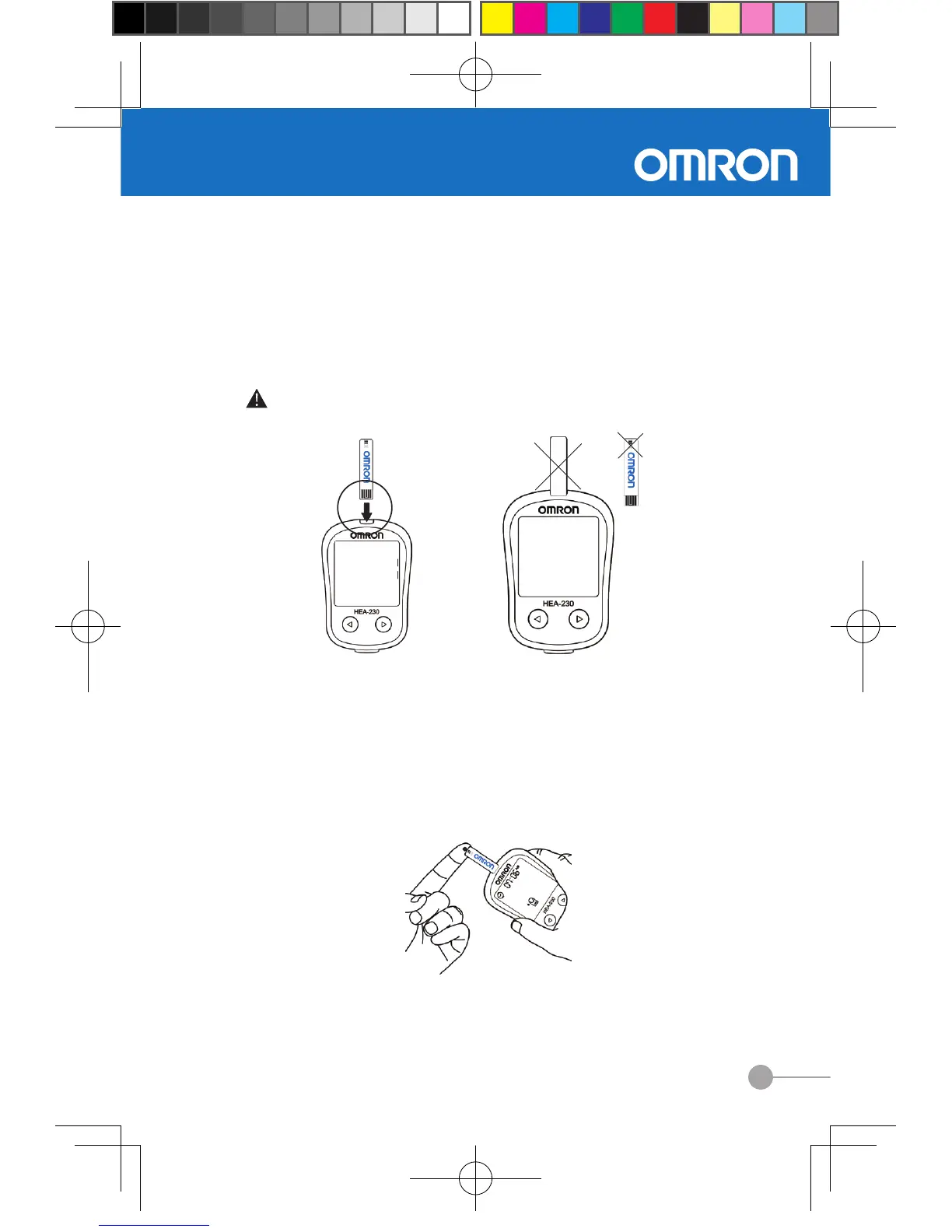
To get a new blood glucose test strip from vial, then insert test strip
into the meter. The strip code number will appear on meter display,
check the code number on strip vial. If it does not match, please
select the correct code number according to chapter 2.3. The symbol
of blood drop with nger symbol will appear after selecting.
F. Blood glucose measurement
Hold the lancing device rmly against the side o f your ngertip. Press
the release button, gently squeeze your finger to assist the flow of
blood. Touch the blood drop to the tip of the reaction zone of test strip
after the symbol of blood drop ashes on the meter display. The test
result will appear on display after the meter counts down from 5 to 1
(5 seconds).
Touch the blood drop of ngertip to the reaction zone.
Warning :To protect test strips from exposure to air, please press the
cap of the vial till it “clicks”.


 To Next Page