7
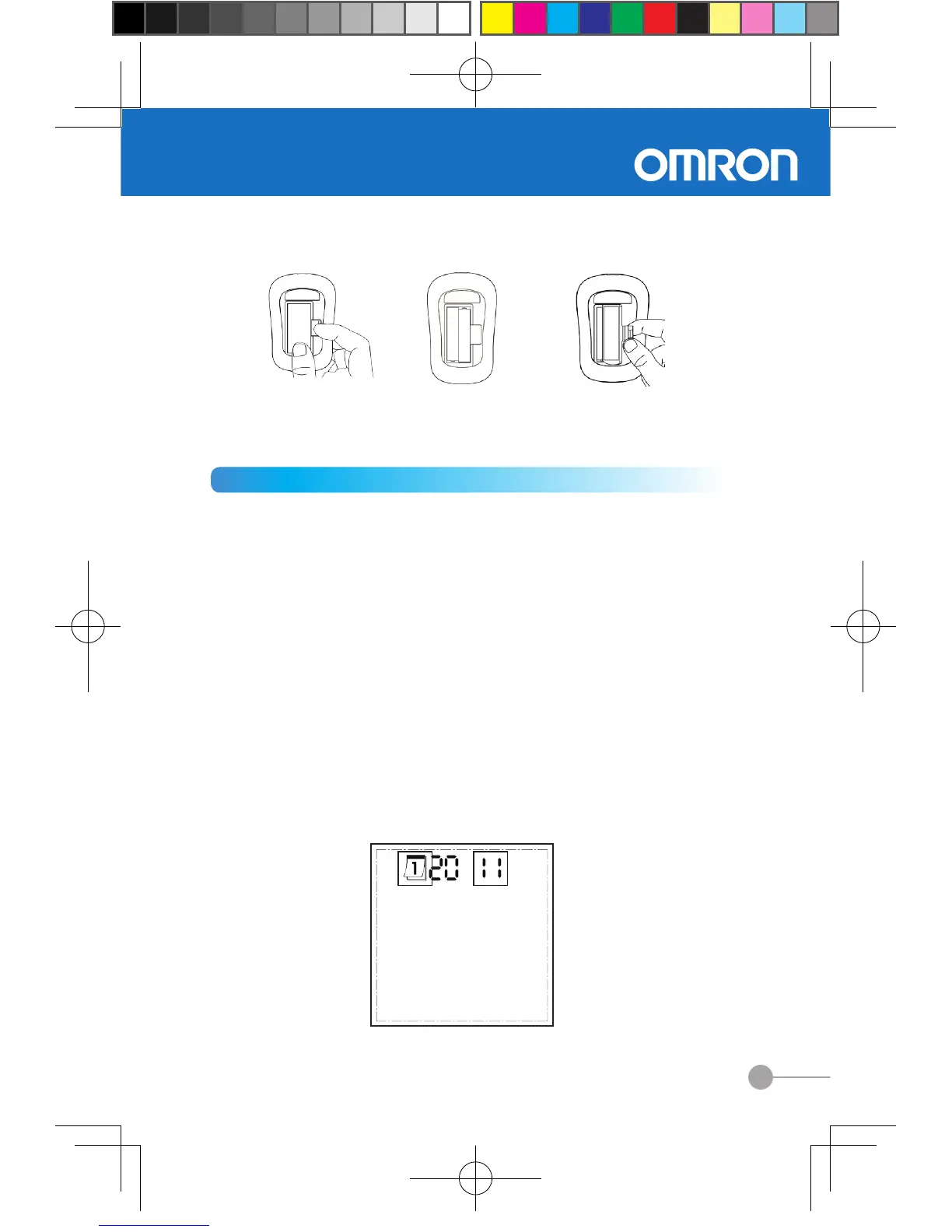
a. open battery cover b. place new batteries c. install battery
cover back
to the battery
compartment
2.2 Setting up your meter
1. Setting the date
◆
How to enter the date setting mode
Press right button to turn on. The display will show the most
recent test result. Press and hold down the left button until
data sign stop flashing. Then press right button three times
to display the date. To enter the date setting mode, press
and hold down the left button until calendar sign flashes.
◆
How to set up the date
Setting year
Once you entered the date setting mode, the last two digits
of the year will flash.
(1) Press the right button once to increase a year.
(2) Press the left button once to decrease a year.
(3) Then press and hold down the left button to save your
year. The display will now enter the month setting mode.


 To Next Page