EasyManua.ls Logo

Omron HEM-711AC - User Manual

Omron HEM-711AC
56 pages
Print Icon
To Next Page IconTo Next Page
Loading...
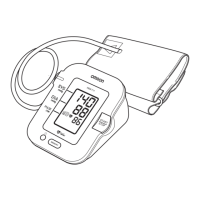
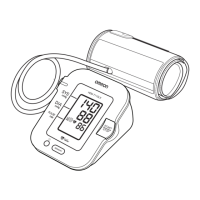
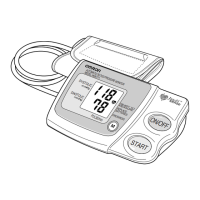
Automatic Blood Pressure Monitor
with Arm Cuff
Model HEM-711AC
INSTRUCTION MANUAL
ESPAÑOL
ENGLISH
HEM-711-IM-US-6097 6/7/05 11:34 AM Page 1

Other manuals for Omron HEM-711AC

Questions and Answers

  • H
    Helen RamirezJul 26, 2025
    What to do if my Omron HEM-711AC has no power and no display?
    • M
      Michael BennettJul 26, 2025
      If your Omron Blood Pressure Monitor has no power and the display is blank, try the following: * Replace the batteries, as they may be worn out. * Check that the batteries are installed correctly, paying attention to the proper placement of the battery polarities.
  • O
    obrienwilliamAug 2, 2025
    How to fix an under-inflated cuff on an Omron HEM-711AC?
    • L
      Laura FosterAug 2, 2025
      If the cuff on your Omron Blood Pressure Monitor is under-inflated, turn the monitor off, wait 2-3 minutes, and take another measurement, repeating the steps under "How to Take a Reading". If "EE" is still displayed, take another measurement by pressing and holding the START button as shown on instruction page 12 under "How to Take a Reading", instructions for special conditions. Also, check if your cuff may be wrapped too tightly around your arm.
  • R
    robertbyrdAug 10, 2025
    What to do if Omron HEM-711AC Blood Pressure Monitor cuff over-inflated?
    • A
      Amanda ChapmanAug 10, 2025
      If the cuff on your Omron Blood Pressure Monitor is over-inflated (more than 300 mmHg), turn the monitor off, carefully read, and repeat the steps listed under "How to Take a Reading."
  • A
    Amy NormanAug 17, 2025
    What to do if the Omron HEM-711AC Blood Pressure Monitor displays a low battery?
    • M
      Marc TurnerAug 17, 2025
      If the battery voltage of your Omron Blood Pressure Monitor is excessively low, replace all four "AA" batteries with new ones.

Summary

Introduction to Omron Blood Pressure Monitor

Important Safety Notes for Blood Pressure Monitor

Preparing for Blood Pressure Measurement

Understanding Your Omron Blood Pressure Monitor

Unit Display Symbols Explained

Irregular Heartbeat Symbol Meaning

Details the meaning and appearance of the irregular heartbeat symbol on the monitor.

Battery Installation and Replacement

Low Battery Indicator and Replacement

Guidance on replacing batteries when the low battery indicator appears on the display.

Using the AC Adapter for Power

Setting the Date and Time on Monitor

Setting the Year

Procedure to set the current year on the blood pressure monitor's display.

Setting the Month and Day

Setting the Hour (AM;PM)

Instructions for setting the current hour (AM/PM) on the monitor.

Setting the Minute

Applying the Arm Cuff Correctly

Cuff Placement on Left Arm

Detailed instructions for applying the cuff to the left upper arm correctly.

Cuff Placement on Right Arm

Instructions for applying the cuff to the right upper arm when necessary.

Performing a Blood Pressure Measurement

Measurement Under Special Conditions

Instructions for taking measurements under special conditions or high readings.

Using the Memory Function

Displaying Stored Measurement Values

Method to display past measurement records, including date and time.

Deleting All Stored Measurement Data

Procedure to erase all recorded measurement data from memory.

Care and Maintenance of Monitor

Error Indicators and Corrections

Troubleshooting Common Issues

Quick Reference for Measurement

Summary of Measurement Steps

A summary of the steps involved in taking a blood pressure measurement.

FCC Compliance Statement

Warranty Information and Service

Technical Specifications

Omron HEM-711AC Specifications

General IconGeneral
BrandOmron
ModelHEM-711AC
CategoryBlood Pressure Monitor
LanguageEnglish

Related product manuals