EasyManua.ls Logo

Omron HEM-7156 - User Manual

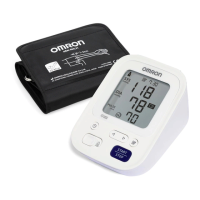
Omron HEM-7156
80 pages
Print Icon
To Next Page IconTo Next Page
Loading...
Automatic Blood Pressure Monitor
Model HEM-7156
Read Instruction manual and before use.
繁體中文
使用前閱讀使用說明書
한국
사용하기 전에 사용 설명서
읽어보십시오.
ပုံတူ
အသုံးမပြုမီတွင် လမ်းညွှန်လက်စ
နှင့်
ကို ဖတ်ရှုပါ။

    


ภาษาไทย

  

Bahasa indonesia
Baca buku petunjuk dan sebelum penggunaan.
Tiếng việt
Đọc hướng dẫn sử dụng trước khi sử dụng.
Bahasa Melayu
Baca Manual arahan dan sebelum guna.
Instruction Manual
1
EN
ZH-TW
KO
MY
HI
TH
ID
VI
MS
Symbols Description

Questions and Answers

  • P
    Paul BrooksAug 14, 2025
    Why does the Omron HEM-7156 turn off unexpectedly during measurement?
    • T
      Tracy JacksonAug 14, 2025
      If your Omron Blood Pressure Monitor displays the symbol or unexpectedly turns off during a measurement, it likely means the batteries are depleted. Replace all four batteries immediately with new ones.
  • T
    thompsonkyleAug 17, 2025
    Why Omron HEM-7156 Blood Pressure Monitor arm cuff does not inflate?
    • J
      Justin TylerAug 17, 2025
      The Omron Blood Pressure Monitor arm cuff may not inflate due to several reasons: * The [START/STOP] button was accidentally pressed without the arm cuff being applied. Press the [START/STOP] button again to turn the monitor off. * The air plug isn't fully inserted. Ensure the air plug is securely inserted into the monitor. * The arm cuff isn't correctly positioned. Apply the arm cuff correctly before taking another measurement. * There's an air leak in the arm cuff. If this is the case, the arm cuff should be replaced with a new one.
  • S
    Sean GutierrezAug 21, 2025
    What to do for any other problem with Omron HEM-7156 Blood Pressure Monitor?
    • S
      Steven LoganAug 21, 2025
      If you encounter any other problem with your Omron Blood Pressure Monitor, turn the monitor off by pressing the [START/STOP] button, then press it again to take a measurement. If the problem continues, remove all batteries, wait 30 seconds, and then re-install them. If the issue persists, contact your local OMRON representative.
  • A
    Alyssa ShawAug 26, 2025
    What to do if Omron HEM-7156 shows symbol?
    • L
      Lori BullockAug 26, 2025
      If the Omron Blood Pressure Monitor displays the symbol, it indicates that you moved or talked during the measurement. Vibrations can disrupt the reading. To resolve this, remain still and do not talk while taking a measurement.
  • S
    Samuel PopeAug 28, 2025
    What to do if Omron HEM-7156 Blood Pressure Monitor displays?
    • S
      ssmithAug 28, 2025
      If your Omron Blood Pressure Monitor displays the symbol, it means the arm cuff is inflated beyond the maximum allowable pressure. Ensure you do not touch the arm cuff or bend the air tube during measurement. If inflating the arm cuff manually, please refer to the instruction manual for guidance.
  • G
    Geoffrey AndersonSep 1, 2025
    What to do if Omron Blood Pressure Monitor shows or measurement cannot be completed?
    • W
      wrightdanaSep 2, 2025
      If your Omron Blood Pressure Monitor displays the symbol or a measurement cannot be completed after inflation, it could be due to movement or talking during the process, or the systolic pressure is above 210 mmHg. Remain still and do not talk during the measurement. If “E2” appears repeatedly, inflate the arm cuff manually until the systolic pressure is 30 to 40 mmHg above your previous readings.
  • J
    Jennifer BaldwinSep 5, 2025
    How to fix Omron HEM-7156 Blood Pressure Monitor when nothing appears on the display?
    • V
      Veronica FergusonSep 5, 2025
      If nothing appears on the display of your Omron Blood Pressure Monitor, the battery polarities may not be correctly aligned. Check the battery installation to ensure they are properly placed.
  • D
    Derrick AdamsSep 9, 2025
    Why does Omron HEM-7156 Blood Pressure Monitor flash?
    • V
      Vanessa CookSep 9, 2025
      If the symbol is flashing on your Omron Blood Pressure Monitor, it indicates that the batteries are low. It's recommended to replace all four batteries with new ones.

Summary

1. Introduction

1.1 Safety Instructions

Provides important information for safe and proper use of the blood pressure monitor.

2. Important Safety Information

Optional AC Adapter Handling and Usage

Details safe handling and usage guidelines for the optional AC adapter.

Battery Handling and Usage

Provides guidelines for safe battery insertion, usage, and replacement.

2.3 General Precautions

Outlines general precautions for using the blood pressure monitor, including arm placement and environment.

3. Error Messages and Troubleshooting

4. Maintenance

5. Specifications

Necessity for the user to consult this instruction manual

Need for the user to follow this instruction manual thoroughly for your safety.

Omron HEM-7156 Specifications

General IconGeneral
ModelHEM-7156
CategoryBlood Pressure Monitor
DisplayLCD Digital Display
Measurement MethodOscillometric Method
Memory60 Readings
Measurement Range (Pressure)0 to 299 mmHg
AccuracyPressure: ±3 mmHg, Pulse: ±5% of reading
InflationAutomatic by Electric Pump
DeflationAutomatic Pressure Release Valve
TechnologyIntelliSense Technology
Irregular Heartbeat DetectionYes
Body Movement DetectionYes
Cuff Wrapping GuideYes
Clinically ValidatedYes
Automatic Power OffYes
Power Source4 x AA batteries or AC adapter
WeightApproximately 340g without batteries
Measurement Range (Pulse)40 to 180 beats/min
Average ReadingYes
Cuff Size22-42 cm

Related product manuals